4.4 Setting of limiters
BP4610
4-23
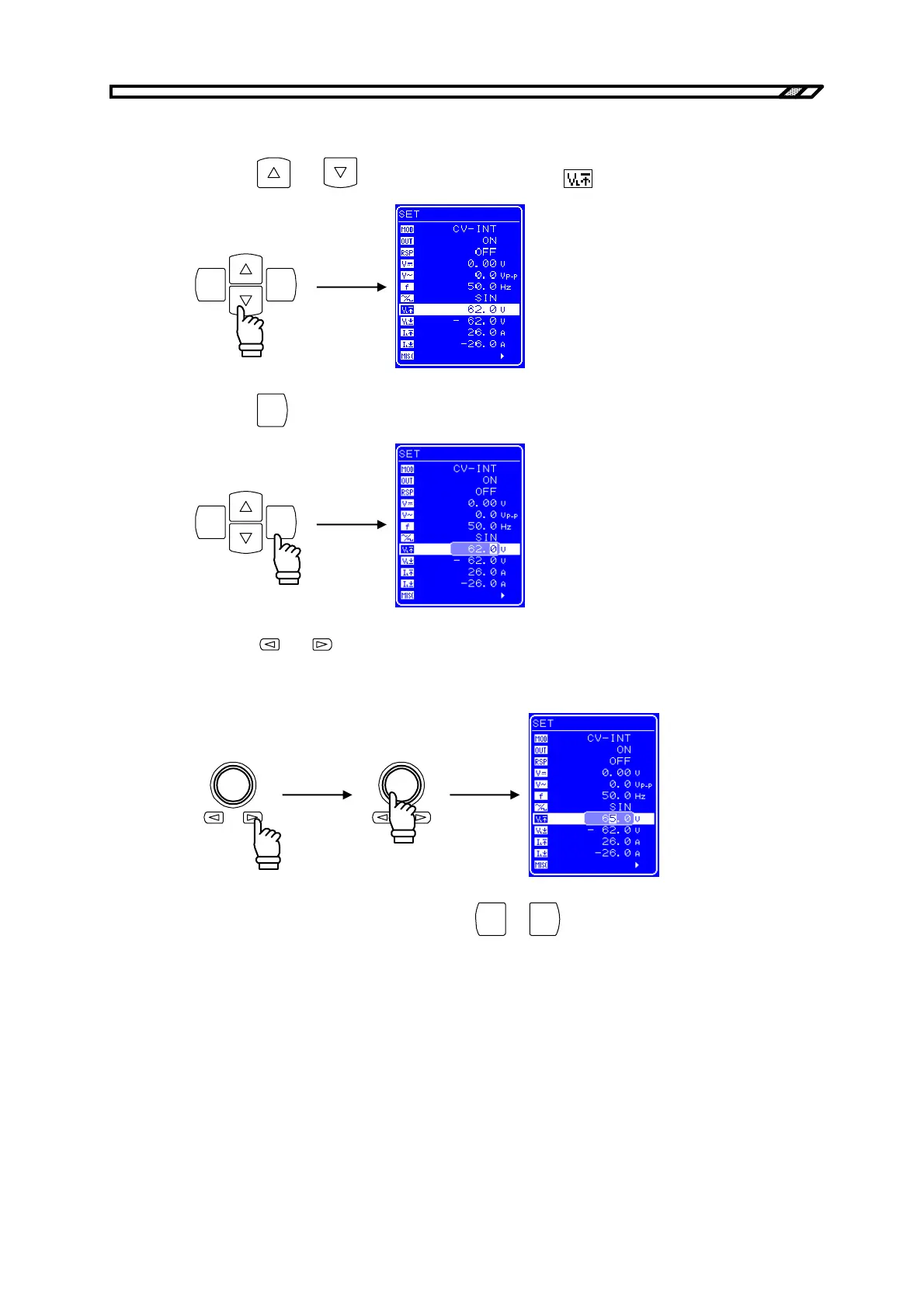
Operation procedure (for setting + voltage limiter)
<1> Press the
and keys to move the cursor to the icon.
ENTERCANCEL
<2> Press the
ENTER
key to display the Modify box.
ENTERCANCEL
<3> Press the and keys to move the cursor to the digit to be changed, and then turn the
[MODIFY] dial to set the desired value. When the output is on, the value that is set is
immediately reflected to the output.
<4> Once all the digits have been set, press the
CANCEL
or
ENTER
key to end the setting procedure.



 To Next Page