4.5 Sequence Operation
BP4610
4-44
The operation procedure is described below.
Operation procedure via operation panel
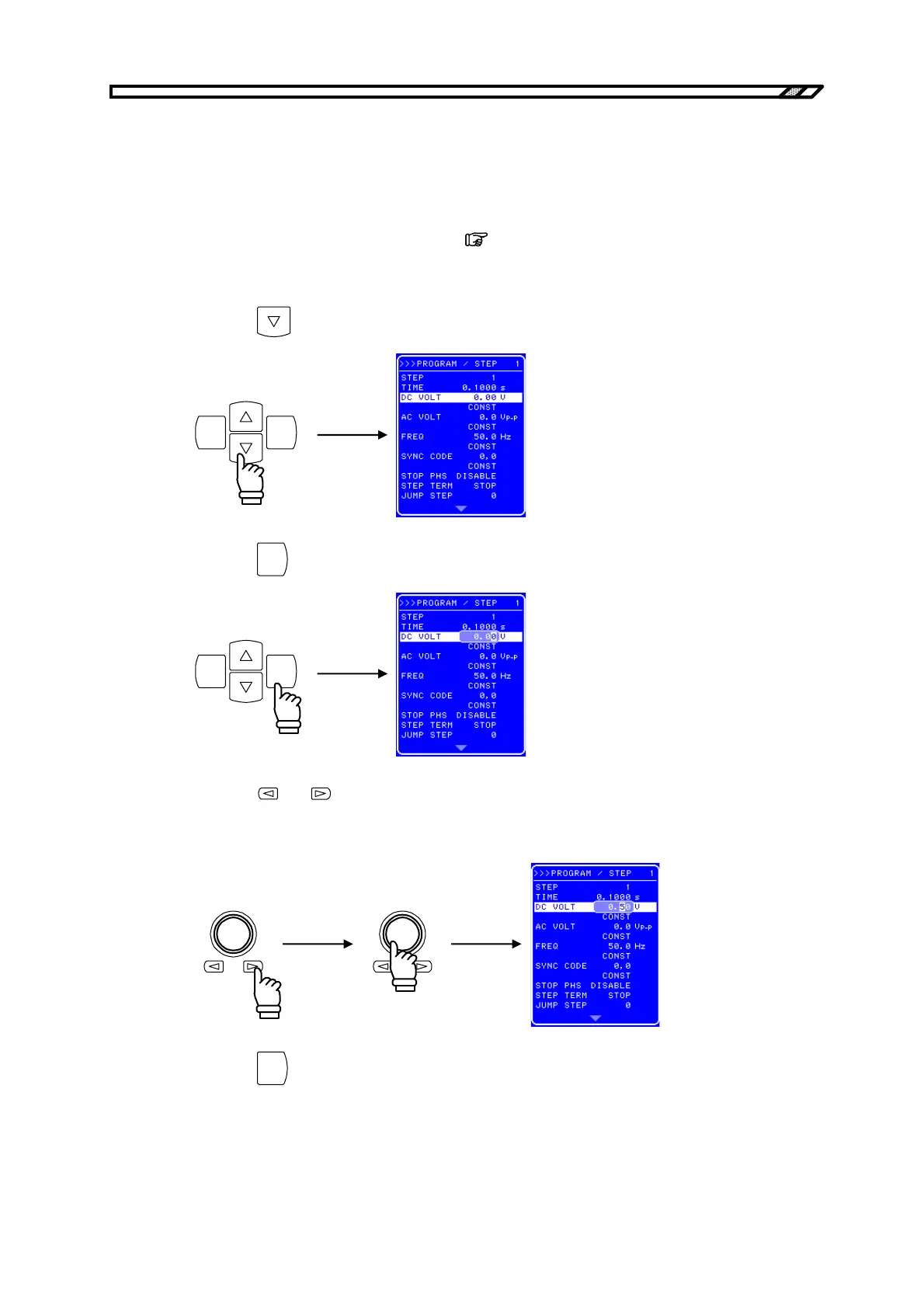
<1> Open the PROGRAM screen.
For how to open the PROGRAM screen,
refer to “4.5.2 Setting of sequence”.
<Step 1 setting>
<2> Press the
key to move the cursor to [DC VOLT].
ENTERCANCEL
<3> Press the
ENTER
key to display the Modify box.
ENTERCANCEL
<4> Press the and keys to move the cursor to the third item from the left and then turn the
[MODIFY] dial to set “2”. Next, move the cursor to the fourth item from the left and turn the
[MODIFY] dial to set “5” (thus setting “2.5 V”).
<5> Press the
ENTER
key to apply the set value.



 To Next Page