4.5 Sequence Operation
BP4610
4-49
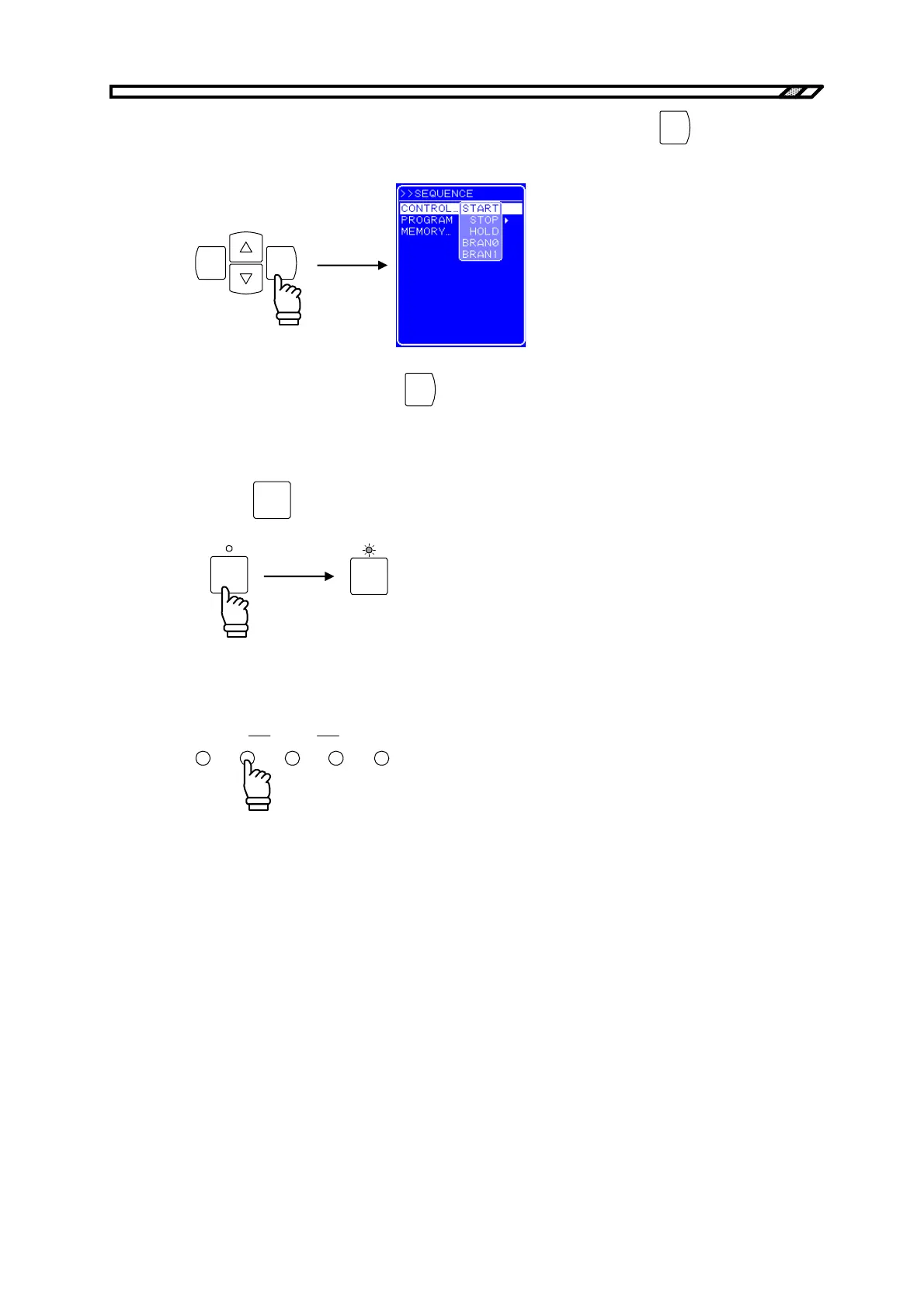
<9> Check that the cursor is positioned over [CONTROL], then press the
ENTER
key to display the
Select box.
ENTERCANCEL
<10> Select [START] and press the
ENTER
key to start the sequence.
Operation procedure (in case of operation via the keys on the operation panel)
<1> Press the
OUTPUT
key on the operation panel. The output is set to on and the on/off LED goes on.
OUTPUT
OUTPUT
Output off Output on
<2> Press the [START] shortcut key to start the sequence.
SEQUENCE
STOPSTARTMAIN LOCA
HOLD



 To Next Page