Key operator settings 187
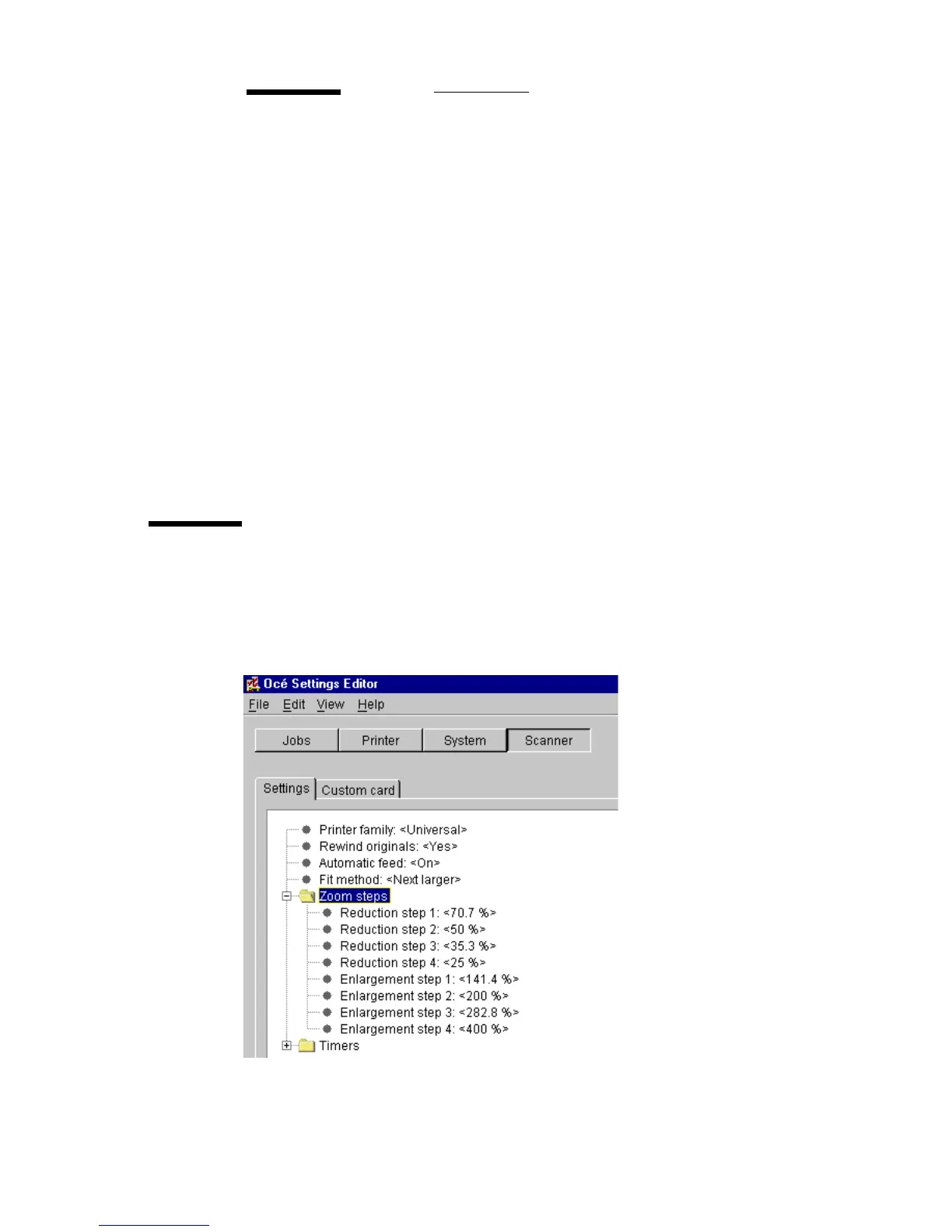
Zoom steps (group)
The Key-Operator can change the 8 zoom steps in the range from 25.0 % -
400.0% in increments of 0.1%. There are 4 zoom steps to reduce and 4 zoom
steps to enlarge (see figure 92). The 100.0 % zoom step cannot be changed.
[92] Zoom steps for key operators
Fit method
Description
Use ‘Fit method’, to indicate on which media size an original
will be printed if the specified media size is not available.
The following options are available:
Exact fit: he document will only be printed if the specified
media size is available.
Next larger: if the specified media size is not available, the
document will be printed on the next larger size.
Next smaller: if the specified media size is not available, the
document will be printed on the next smaller size.
Best fit: the Océ 9600 will choose the best possible fit meth-
od. If the specified media size is not available, larger sizes
will have preference above smaller sizes.
Min/max values
N/A
Menu path
Scanner - Settings - Fit method - <value> - Apply



 To Next Page