Performing special copy jobs 65
Improving the image quality
You can improve the image quality by modifying the exposure setting, or
making use of special functions. You will learn how to turn on and off
automatic background compensation, how to use the lighter and darker buttons
to achieve the best possible copy quality, or how to adjust the brightness based
on the type of image you want to copy.
Brightness
The automatic background compensation will provide a good quality copy
from a large variety of originals. The automatic background compensation
setting, which is activated (by default), ensures the production of
background-free copies of most line drawings.
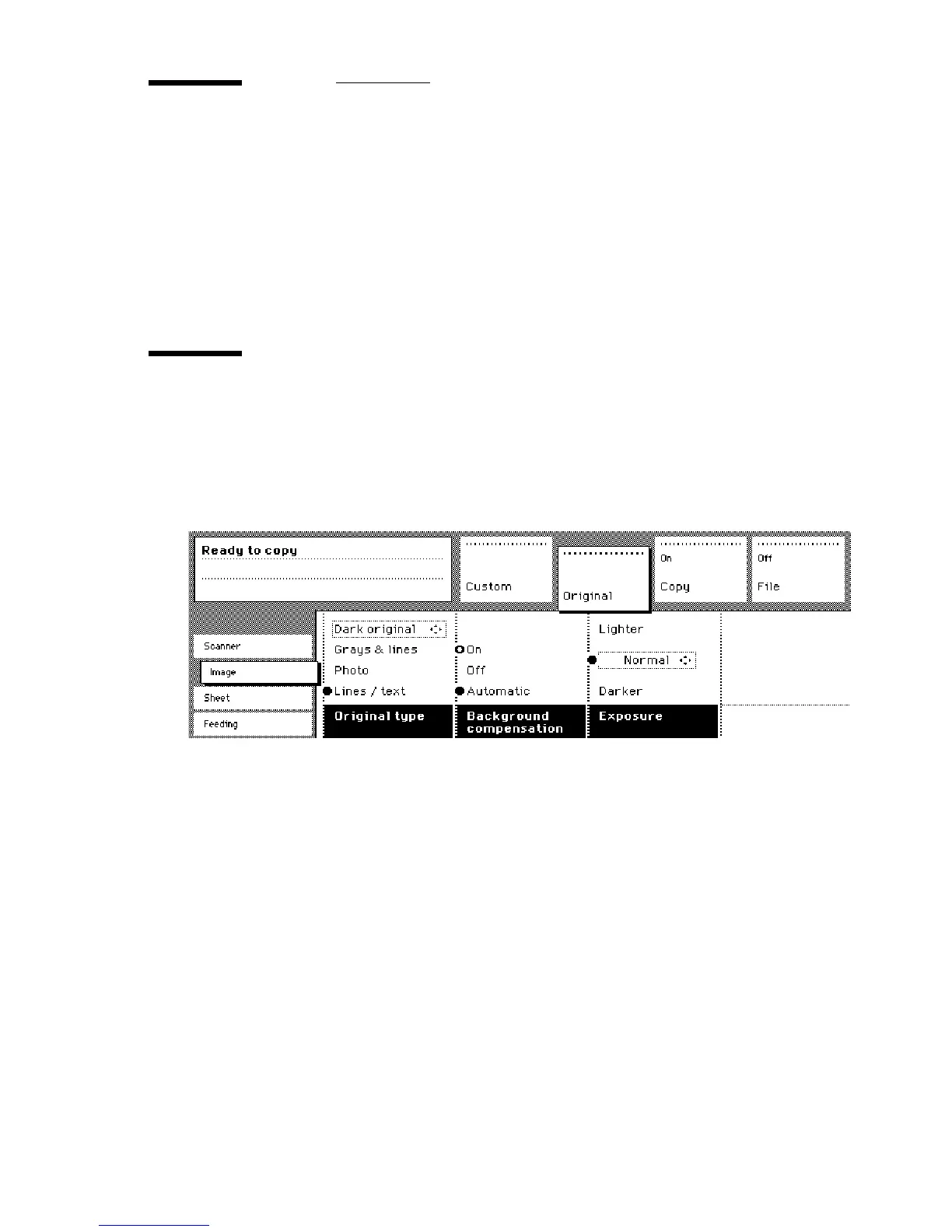
[32] Brightness settings
▼
▼▼
▼
Set the automatic background compensation
1
Open the ‘Image’ card in the ‘Original’ section.
2
Press the ‘Background compensation’ function button if this function is
disabled.
When copying extremely light or dark originals, or originals with unequal
background intensity, the result may not meet your requirements (e.g. too
much background). In such cases, you can manually adjust the brightness (see
figure 32).



 To Next Page