Folder 275
Belt unit
A belt unit offers a large capacity and more flexibility. On the belt unit, up to
100 A0 prints can be delivered offset and stacked. You can adjust the side
guides of the belt, depending on the width of the folded package.
See chapter 10, ‘Key operator settings’ on page 129 for more information
about selecting the belt for default print/copy/off line delivery.
Note:
The belt unit can also be selected from the drivers (including Plot
Director) or the copier operating panel. The remote command overrules the
key operator setting.
▼
▼▼
▼
Selecting belt as folded copy delivery on copier operating panel
1
Open the ‘Finishing’ card in the ‘Copy’ section of the copier operating panel.
2
Press the ‘Folding’ function button to select full folding.
3
Press the ‘Folded copy delivery’ function button to select the belt.
▼
▼▼
▼
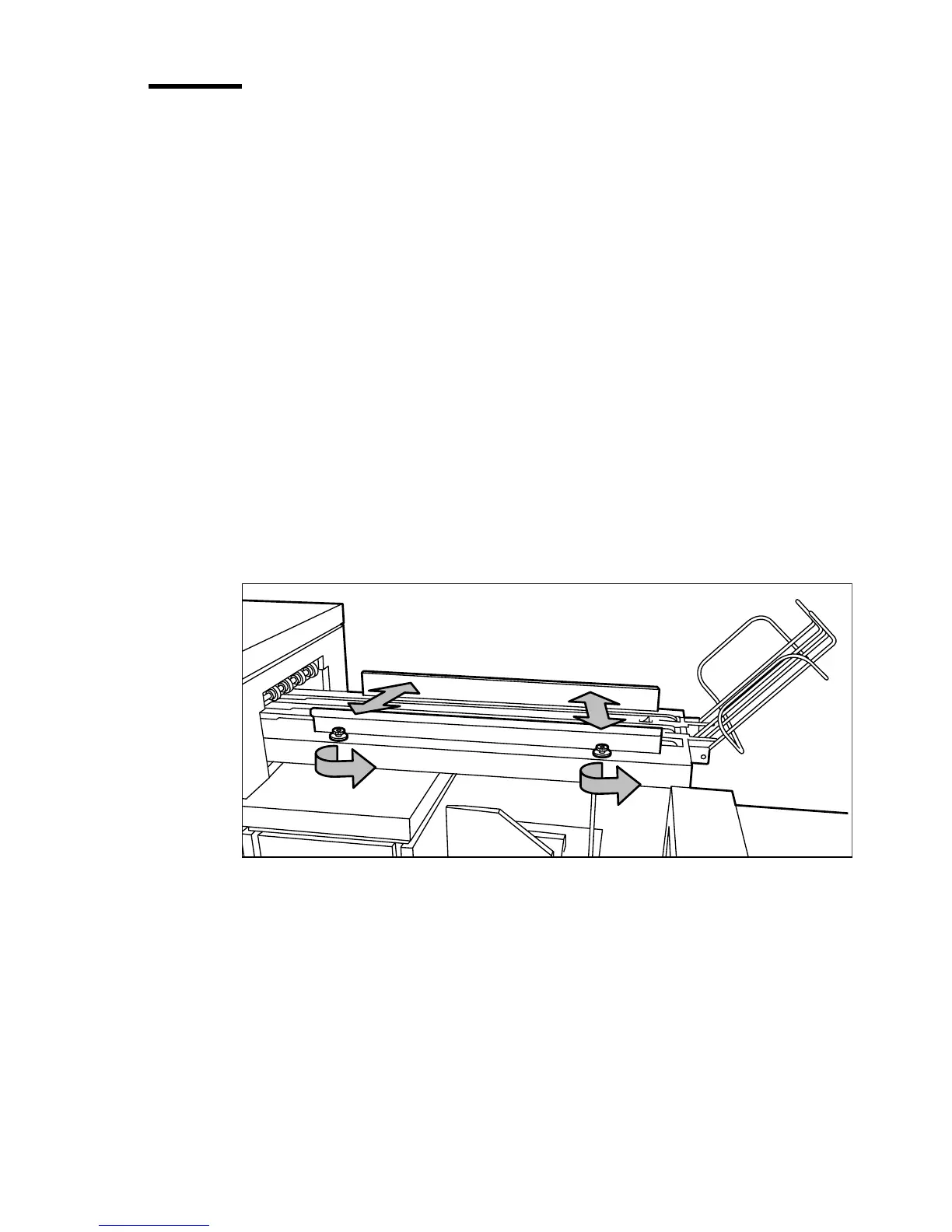
Adjusting the side guides of the belt
1
Loosen the nuts (see figure 172).
[172] Adjusting the side guides of the belt
2
Adjust the plate in accordance with the width of the fold package.
3
Tighten the nuts.



 To Next Page