Scan to file 83
Make a scan-to-file
Scanning an original to file is an easy operation. If the settings (see chapter ,
‘Settings for scan-to-file’ on page 85) are correct, the only thing you have to
do is press the start button on the scanner.
▼
▼▼
▼
Scan-to-file
1
Place your original face-down, aligned to the right along the original guide.
2
Select the appropriate original type.
3
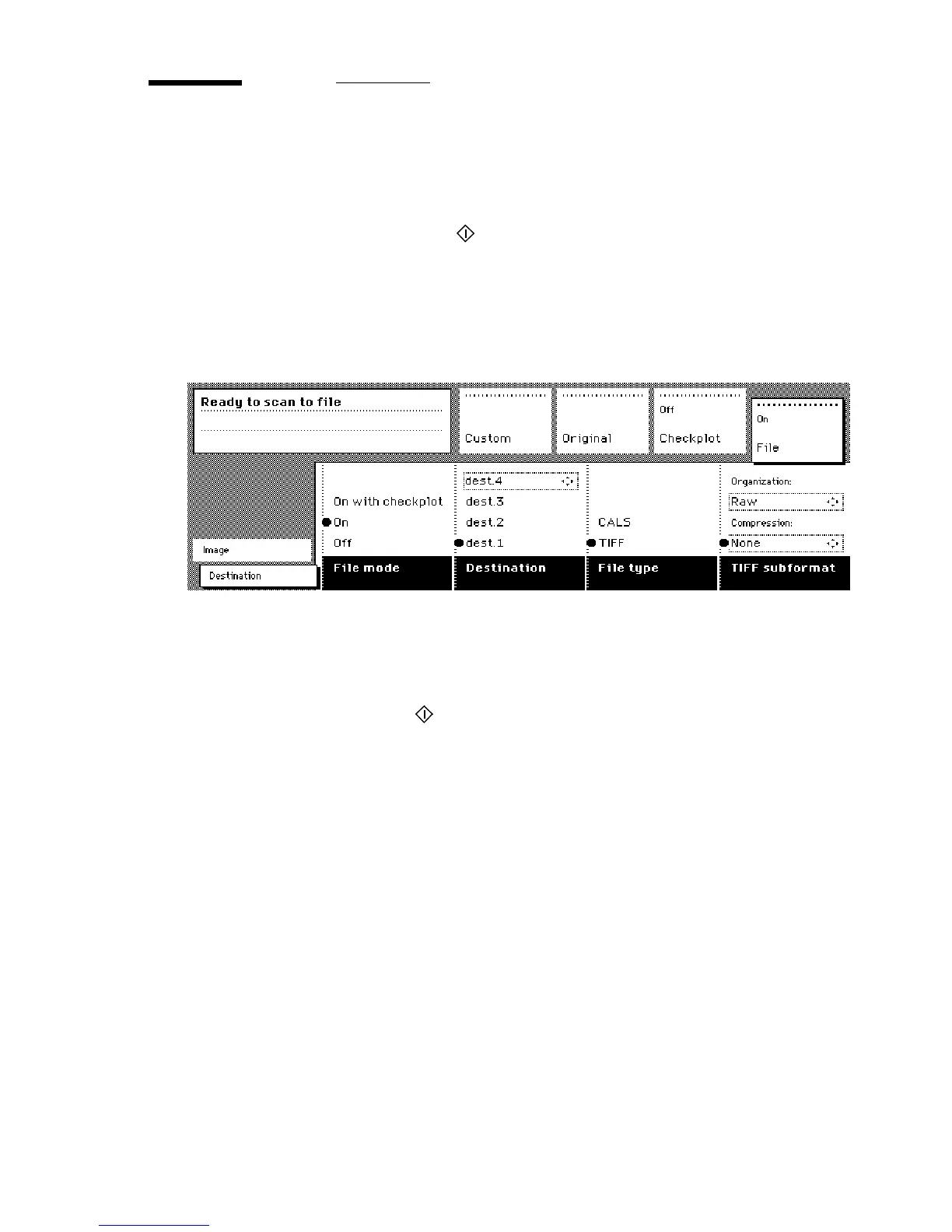
Select the ‘Destination’ card in the ‘File’ section.
[41] ‘Destination’ card in the file section
4
Select ‘File mode’ On.
The status message is displayed: Ready to scan to file.
5
Select a Destination (see ‘Destinations’ on page 93).
6
Press the start button
.
The original is scanned.
A status message is displayed (see figure 42 on page 84):
“Scanning job “Scan job number X””
“File scan22.tif”



 To Next Page