50 Océ 9600 Copier/Printer User Manual
Selecting the input mode
You can use the ‘Input mode’ setting to specify how a job will be sorted: the
‘Single sheet’ option treats each sheet as a separate job. ‘Multiple sheets’
produces the specified number of copies for each sheet in a job and then
continues with the next sheet. Graphically that would look something like this:
Note:
An important characteristic of ‘Multiple sheets’ is that, if this setting is
selected, the active job is kept together and treated as a whole. In this case, the
job cannot be interrupted by a high-priority copy job, and there will be no risk
of getting mixed output.
‘Set’ produces one copy for each sheet in a set and then continues with the next
copy of the entire set, as follows:
The current input mode can be closed by pressing the Stop button.
The currently selected input mode is indicated by the ‘
●
’ symbol.
▼
▼▼
▼
Selecting the input mode
1
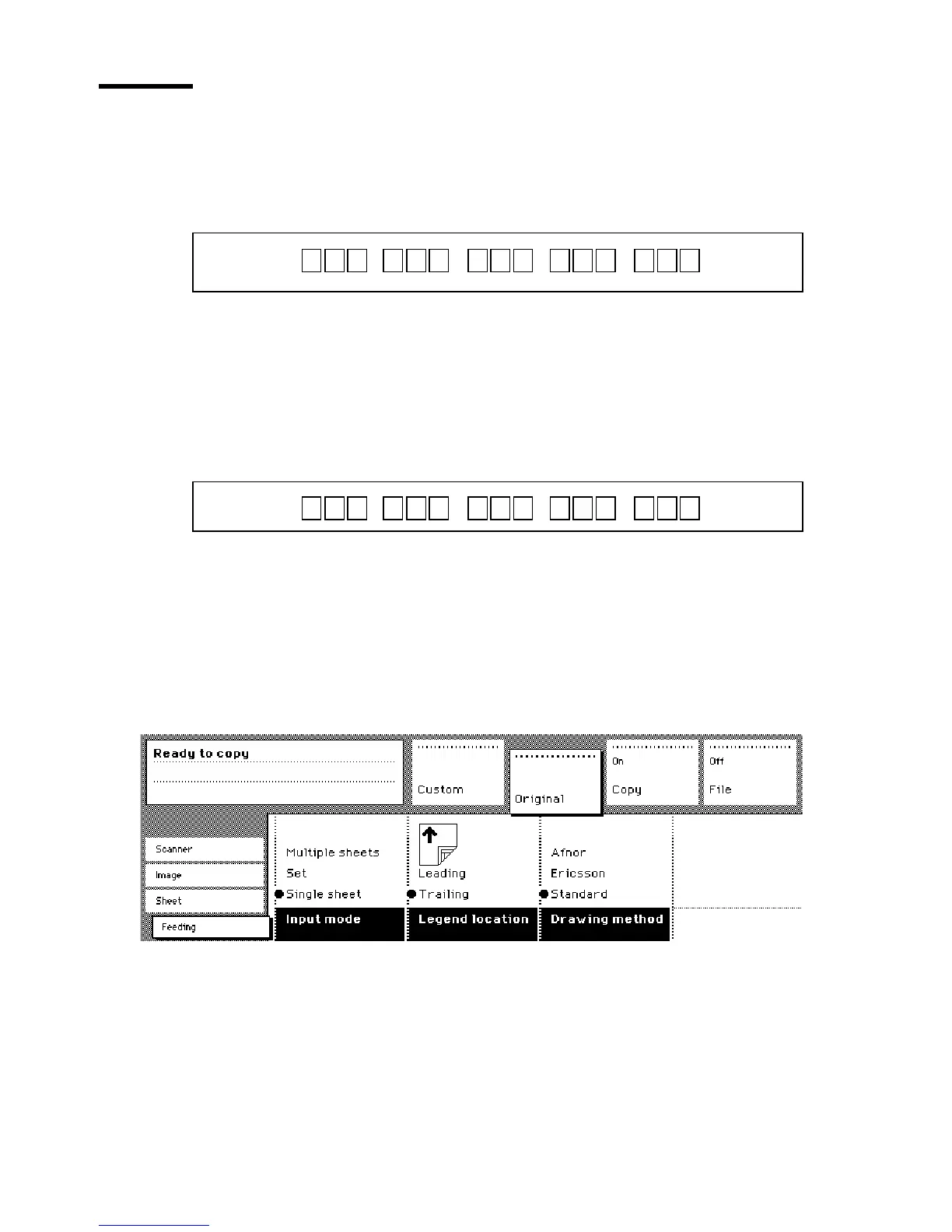
Select the ‘Feeding’ card in the ‘Original’ section.
2
Select the desired media with the ‘Input mode’ function button.
[18] Selecting the input mode
Note:
You can also select the input mode from the ‘Custom’ section (if this
setting has been defined for this).
1 1 1 2 2 2 3 3 3 4 4 4 5 5 5
1 2 3 1 2 3 1 2 3 1 2 3 1 2 3
Access to
ial
Access to
Page
Interrupt
job



 To Next Page