60 Océ 9600 Copier/Printer User Manual
The copy size
The copy width depends on the selected roll or cassette tray or the custom
defined scan width, whereas the copy length depends on the selected cut
option.
▼
▼▼
▼
Copying non-standard size originals
1
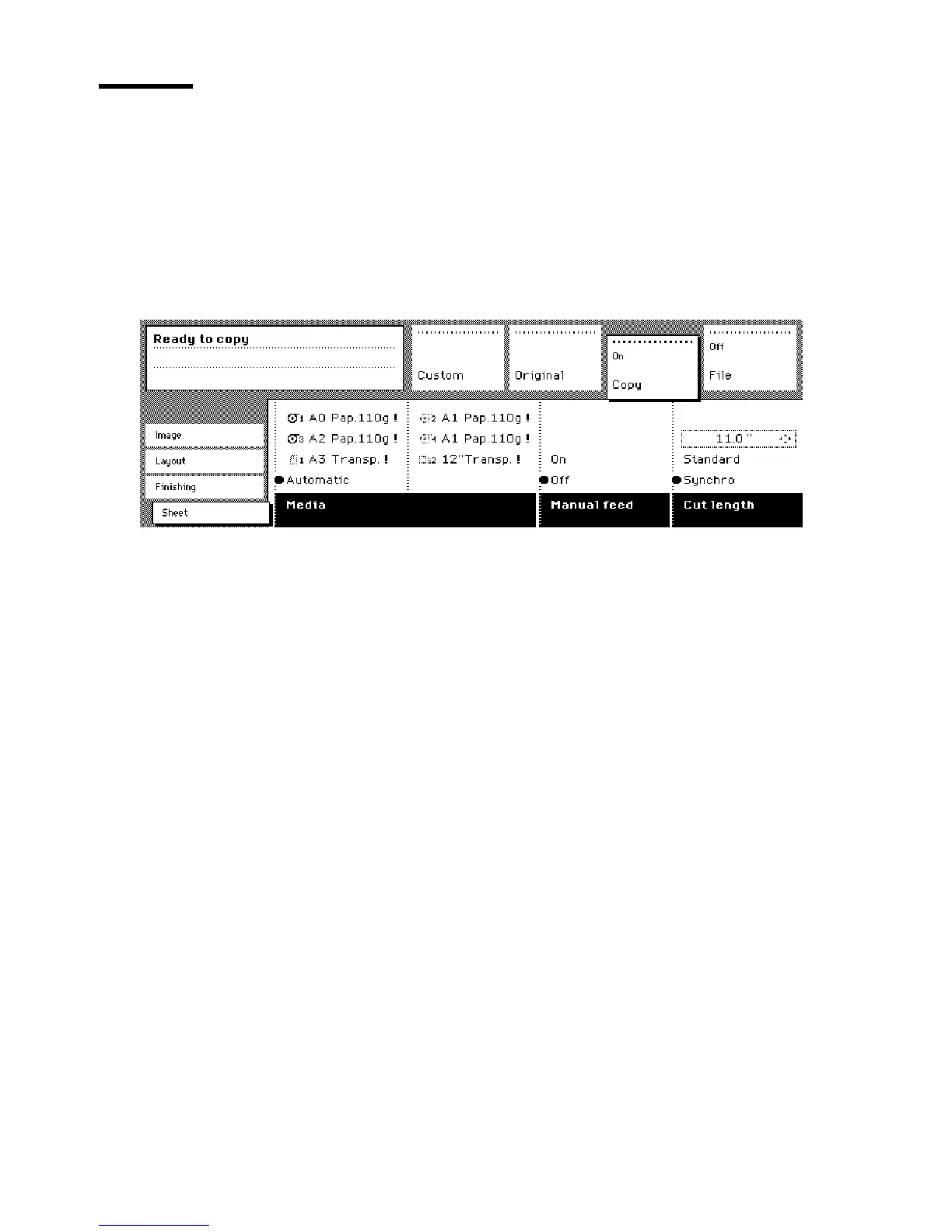
Press the ‘Media’ button in the ‘Sheet’ card of the ‘Copy’ section to select
‘Automatic’, or to select the roll or cassette tray with the correct width.
[25] Selecting roll or cassette tray in the ‘Custom’ section
Note:
The media can also be selected directly from the ‘Custom’ section.
Note:
When ‘Automatic’ is selected, the roll or cassette tray that is used is
indicated by the ‘
❍
’ symbol.
2
Press the ‘Cut length’ function button to select the required cut option:
■
Standard, which cuts copies at a standard length.
■
Synchro, which cuts copies at the end of the image. The system cuts at the
measured length of the original times the zoom factor.
■
Custom (numeric), which cuts copies on a specified length. You can define
the copy length yourself, using the arrow buttons or the numeric buttons.
3
Make other settings as required.
4
Feed the original.
Refer to table ‘Standard folding settings’ on page 269 for more information
about folding copies of non-standard sized originals.
................



 To Next Page