Performing special copy jobs 61
Scanning originals with filing strip
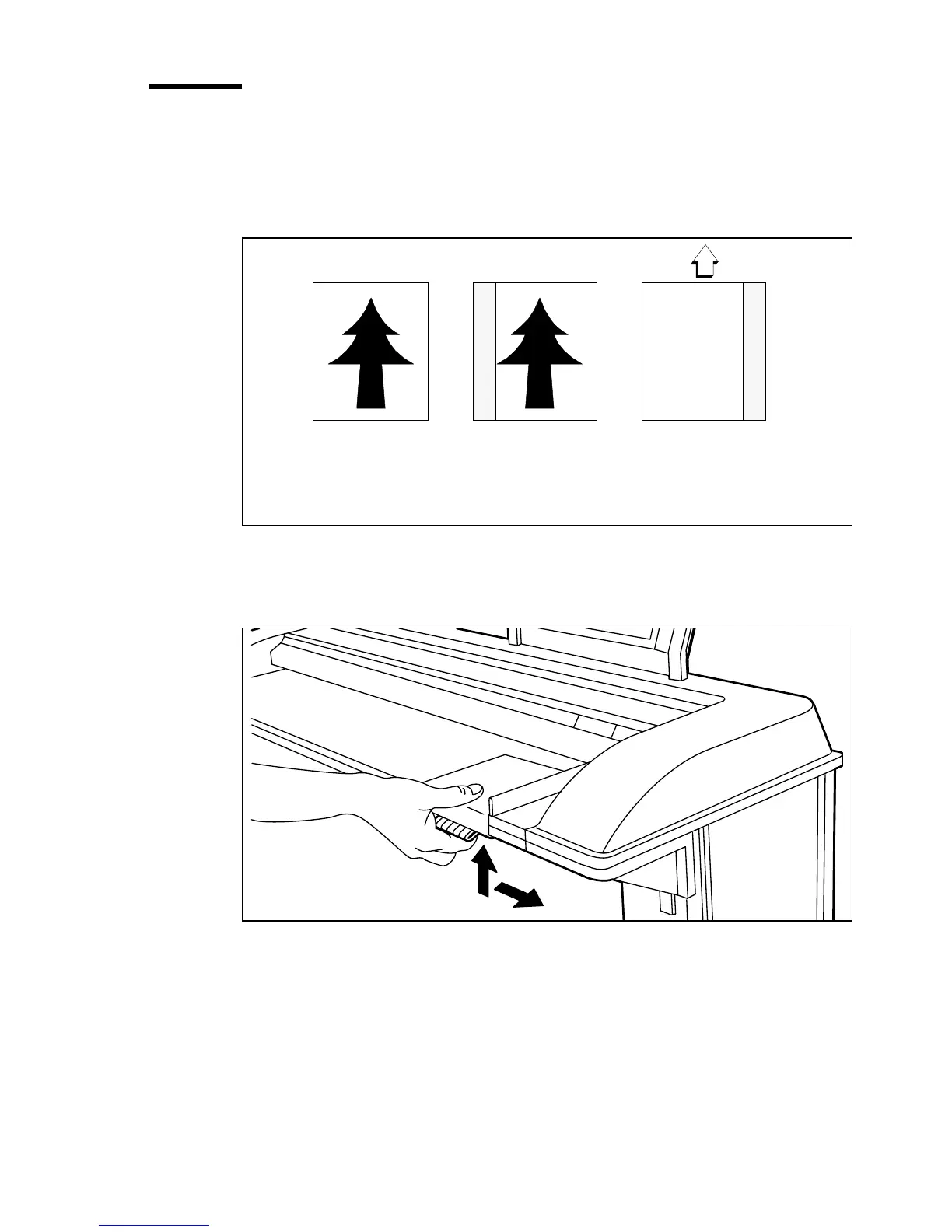
You can adjust the original guide of the scanner to remove a filing strip along
the left-hand side (right-hand side in the feed direction, face-down). This side
can be reduced by up to 60 mm (2.36 inches) (see figure 26).
[26] Example of adjusting the left-hand side of an original
▼
▼▼
▼
Copying with removed filing strip along the left-hand side
1
Press the catch underneath the original guide, and move it to the right.
[27] Adjusting the original guide to add or remove a filing strip along the left-hand side
2
Make all required settings.
3
Insert the original face-down, aligned to the right, with the original guide on
the original feed table.
Face-up:
Left-hand side
- 40 mm (1.57 inches)
Face-down:
right-hand side
in feed direction



 To Next Page