40 Océ 9600 Copier/Printer User Manual
Scanner operating panel
The Océ 9600 is a very user-friendly system. The scanner, in particular, is very
easy to operate. Basic copy jobs can be performed by simply pressing the green
start button on the scanner’s operating panel. If you want to perform more
complex copy jobs, you have to change the default copy settings with the help
of the other settings on the scanner operating panel.
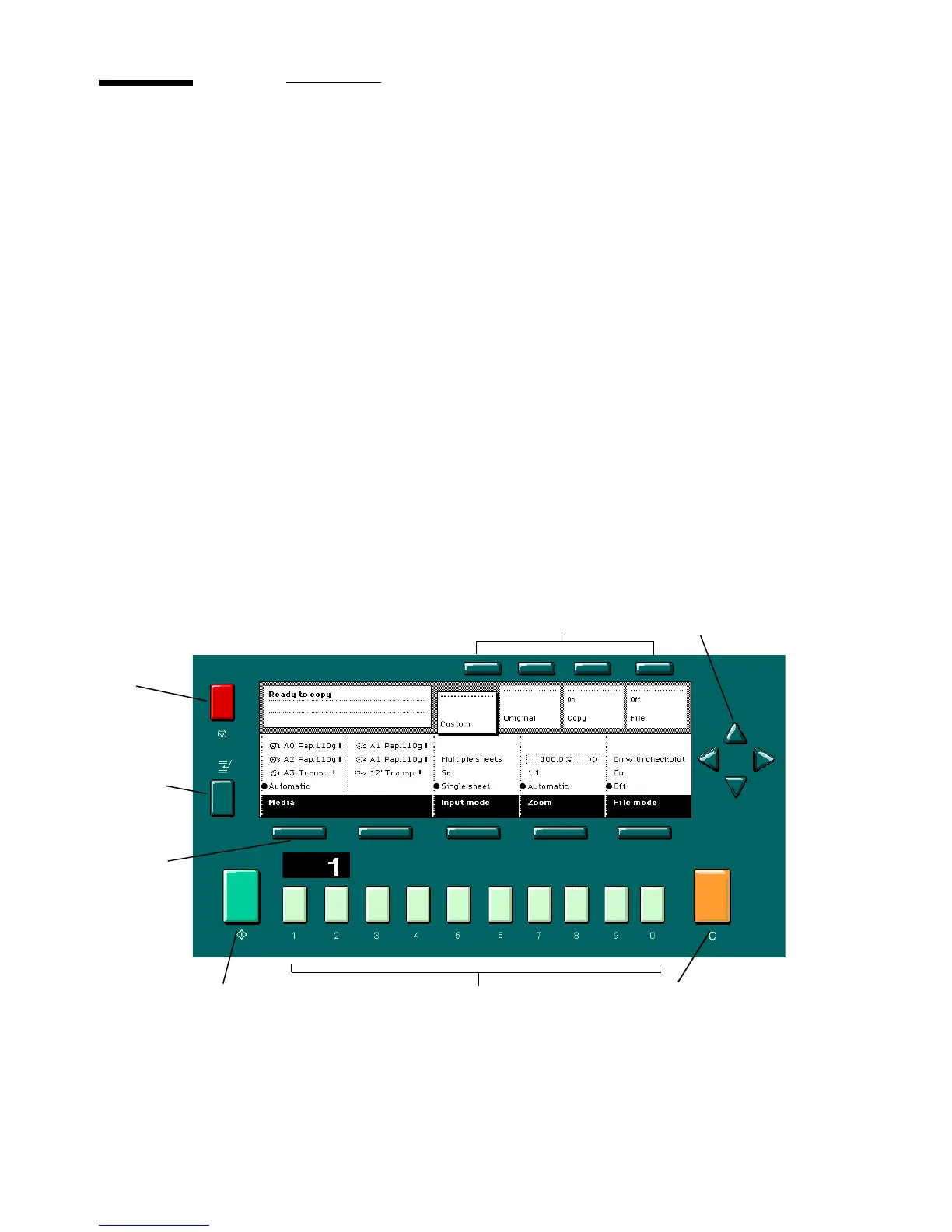
The operating panel is located above the original feed. The Océ 9600 Copier
operating panel is illustrated below. As you can see in this diagram, the panel
consists of a display in the center, surrounded by a number of function, section
and arrow buttons. To the left of the display, you can find the Stop and Interrupt
buttons. Below the display, you can find the Start, Numeric and Correction
buttons as well as the Counter window.
This section consists of two parts. The first part explains the basic use of the
buttons. The second part deals with special use of the display. It describes how
to use the soft buttons above and along the sides of the display to define your
copy settings.
.
[12] Scanner operating panel
Stop
button
Interrupt
button
Correction buttonStart button
Section buttons Arrow buttons
Function
buttons
Numeric buttons



 To Next Page