226 Océ 9600 Copier/Printer User Manual
2
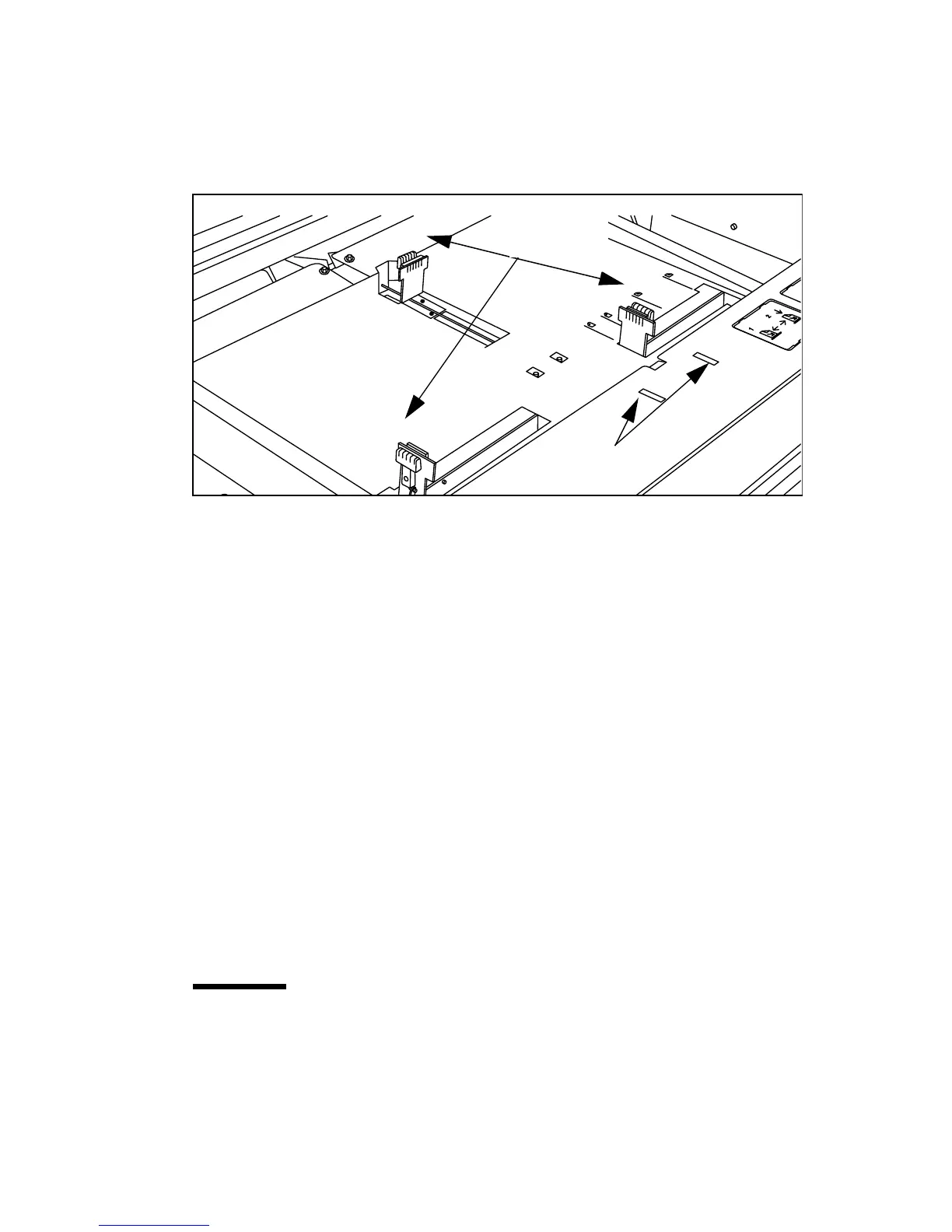
Release the right-hand guide by squeezing the light-green release handle on the
guide (see figure 107) and move the guide to the required media size indicator.
Note:
Make certain that the handle is properly aligned with the appropriate
indicator.
[107] Adjusting the position of the right-hand guide
3
Remove the print material from its packaging. In the case of wrapped paper,
also remove the top and bottom sheets.
Note:
If you use polyester as print material, you have to ventilate the sheets
before you load them to avoid having them stick together.
4
Position the print material in the drawer against the front plate. The side to be
printed should be face-down.
Note:
You can check if the material is properly loaded by looking through
the view holes in the drawer (see figure 107).
5
Adjust the right-hand guide.
Note:
Carefully place the print material in the drawer to avoid damage to
the media.
6
Slide the two other guides into position.
You may also refer to the sticker inside the drawer.
7
Close the drawer.
Note:
When you alter the size and/or media type, you have to adjust the settings
on the operating panel.
Attention:
If you decide to reload print material when the drawer is not
entirely empty, it is recommended to remove all remaining print material
from the drawer before you insert the new print material. This way you can
avoid the risk of inadvertently shifting any remaining print material out of
place and blocking the path. This could result in a jam.
guide
release
handles
view holes



 To Next Page