Using the Océ 9600 Copier 43
By default, the ‘Custom’ section includes the ‘Media’, ‘Input mode’ and
‘Zoom’ settings plus one or two others. This could be, depending on your
configuration and language settings, the ‘Folding’ (if you have a folder),
‘Language’ (if you work with more than one language) or ‘Exposure’ settings.
See figure 12 on page 40 for an example of the ‘Custom’ section.
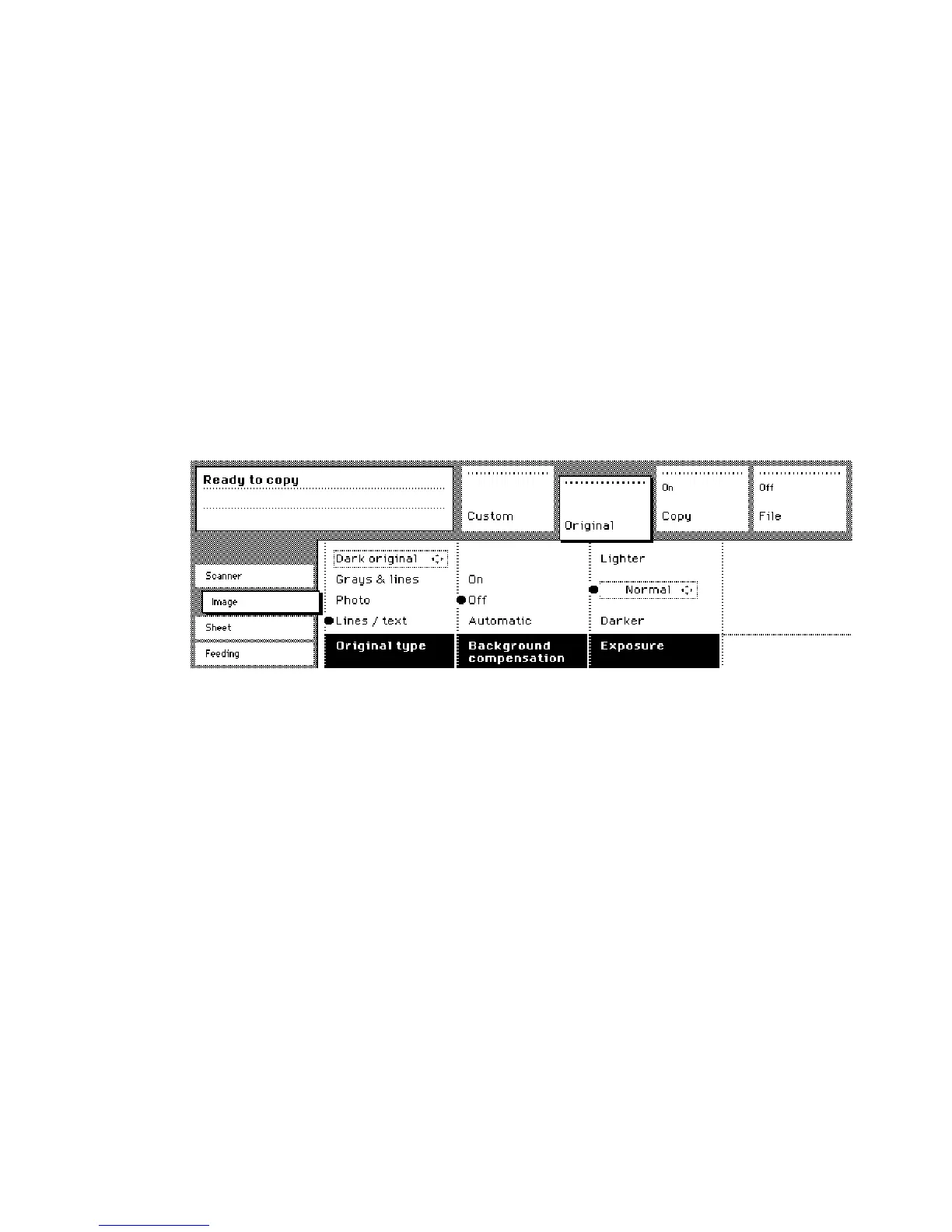
Original section
The ‘Original’ section contains all settings for the original,
divided over a number of cards. The following cards are available (top to
bottom):
■
Scanner
■
Image
■
Sheet
■
Feeding
Each card contains a number of specific options, as shown below.
[13] Original section of the Océ 9600 Copier
Copy section
The ‘Copy’ section contains all settings for the copy, divided
over a number of cards. The following cards are available (top to bottom):
■
Image
■
Layout
■
Finishing
■
Sheet



 To Next Page