APPENDIX F – Obsolete Features OMRON
Page 322 Release 2.0
1, 2, 3…
1. Click on the page in which the object is to be inserted.
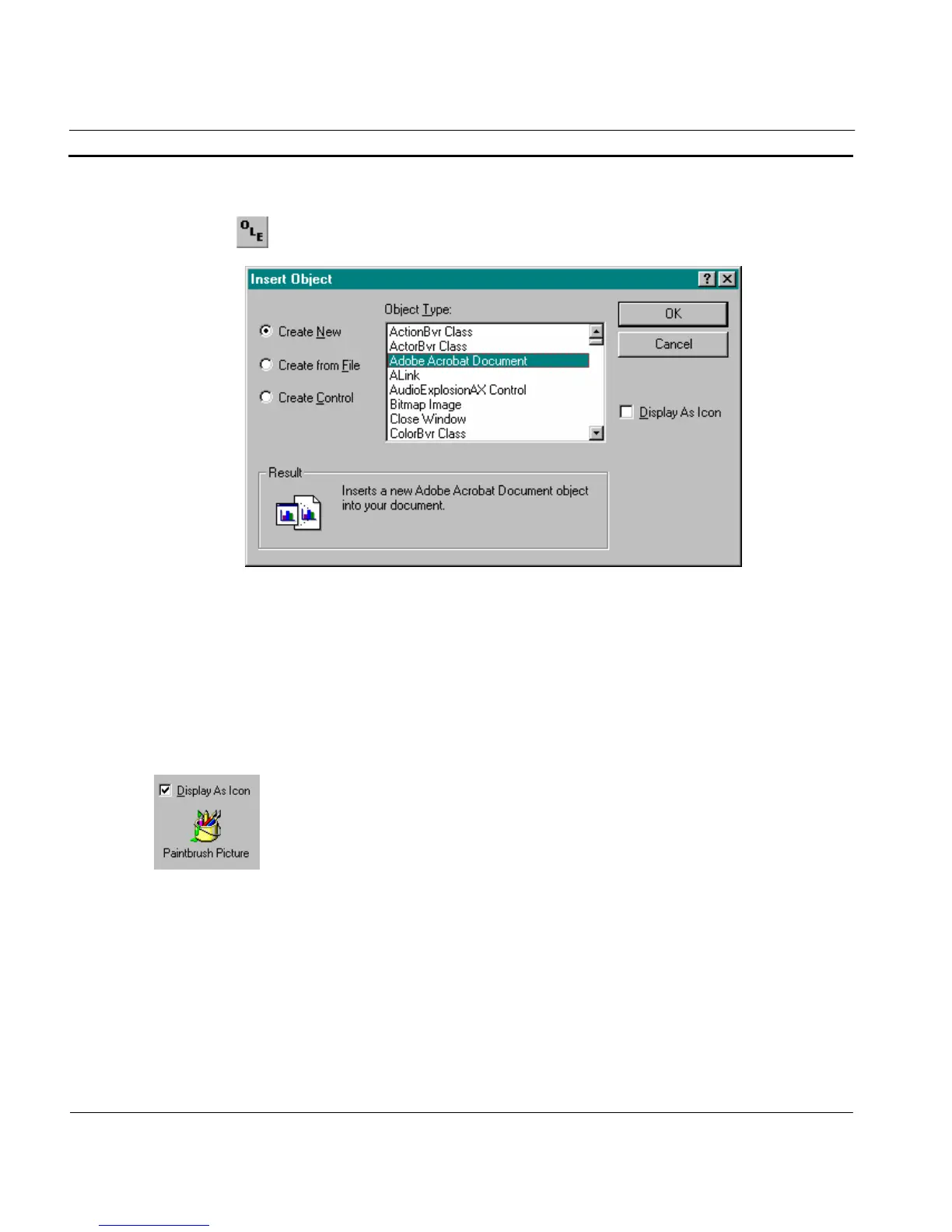
2. Click the Insert OLE Object button. The Insert Object dialog is
displayed:
Creating an Object From New
To create an object from new, proceed as follows:
1, 2, 3…
1. Scroll through the list of object types presented in the list box until the
desired type is highlighted.
2. Click the OK pushbutton to insert the object into the current page and
display it as it would look from within the application in which the object
was created.
To display the object as an icon, click on the Display As Icon setting.
The icon displayed is the first one which is stored in the icon resource table for
the application which created the object (in the case of the example shown, a
Paintbrush icon). If another icon is required, clicking the Change Icon
pushbutton displays the following dialog:







 To Next Page