OMRON APPENDIX F – Obsolete Features
Release 2.0 Page 323
1, 2, 3…
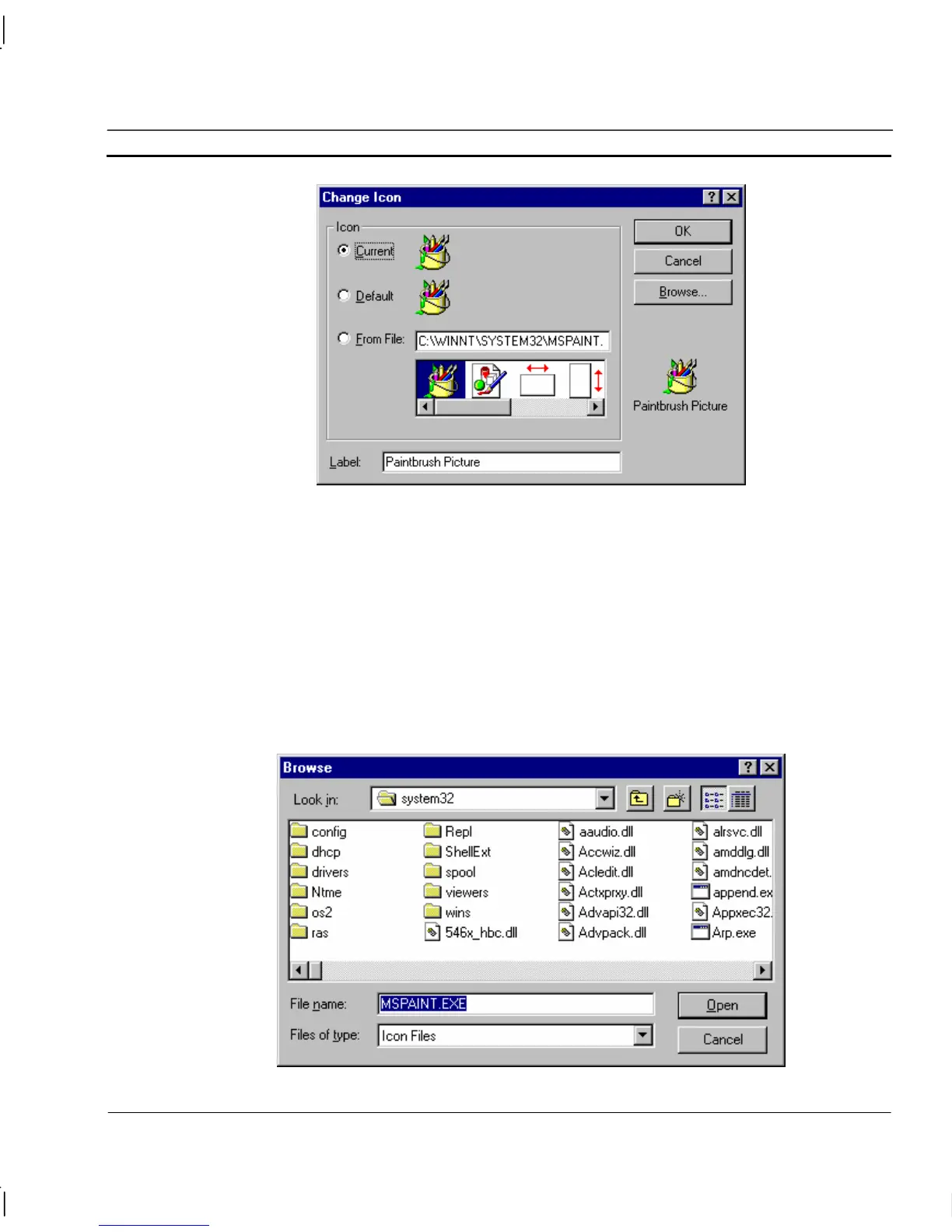
1. Select either the current or default icon by clicking either the Current: or
Default: setting; and click the OK pushbutton to return to the Insert Object
dialog. Should a different label be required to display beneath the inserted
icon, delete the contents of the Label: field and type in a new label (the
default label offered is the filename of the file containing the inserted
object).
2. Type the full path of the target application or DLL ending with the
application or DLL name, into the From File: field. To locate an existing
file name or a different path, click the Browse pushbutton to display the
Browse dialog.
An example of the Browse dialog is shown as follows:




 To Next Page