55 / 374
SOCT User Manual Version 10.0 rev. A
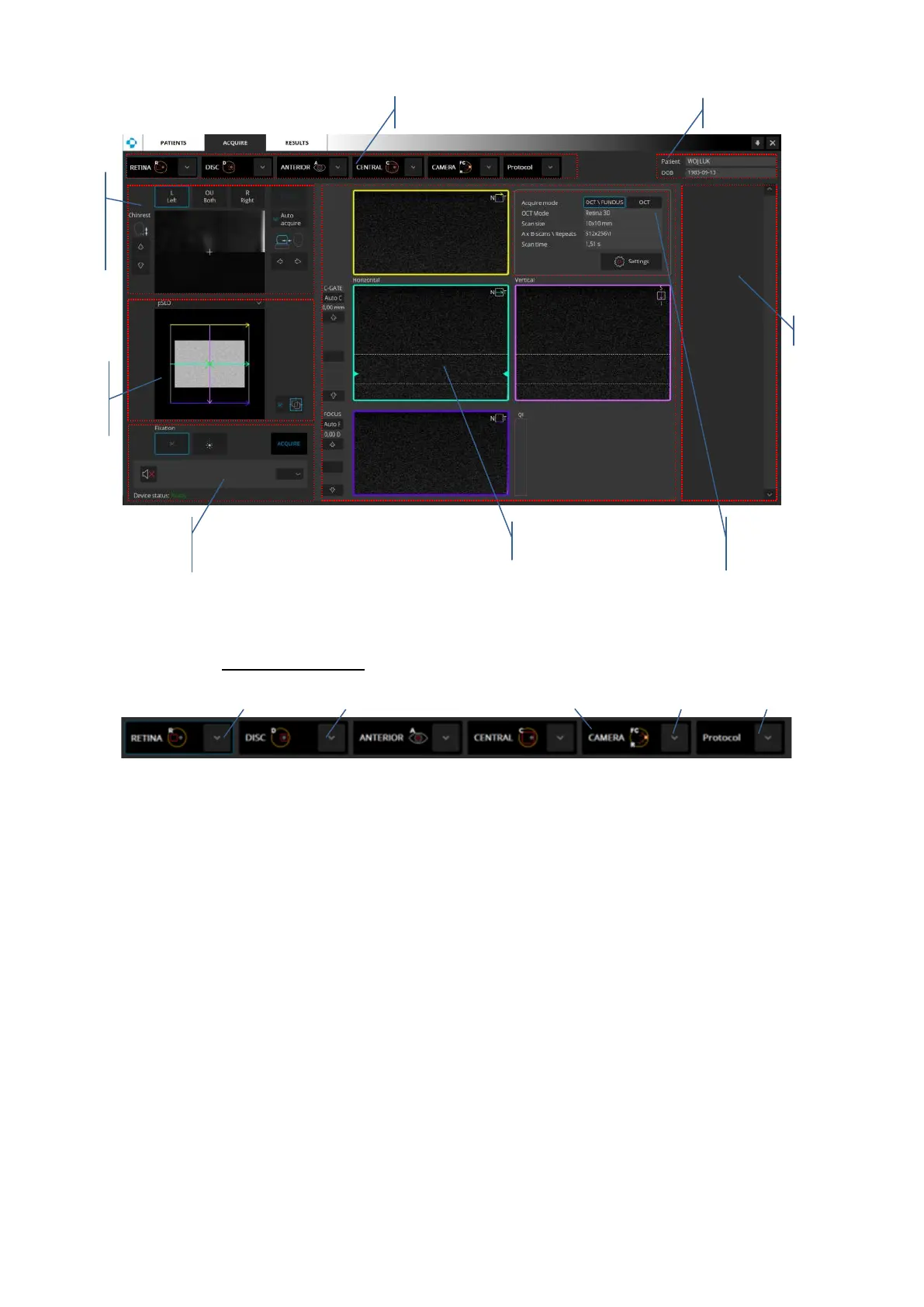
Figure 15. Examination window view for REVO FC
Examination Panel
1. Scan mode - enables the user to choose the mode of scanning. For each eye area (Retina,
Disc, Anterior, Central) a set of examinations is available. Each examination has its own
predefined settings.
2. Scan program - press to expand the list of programs. Press the icon to load the desired
program.
3. Camera (Revo FC only) - allows the user to take a color fundus photo without performing
an OCT examination.
4. Fundus preview switch (Revo FC only) - IR/pSLO IR/pSLO mode are available. Live IR – Live
fundus preview in Infra-red mode
5. Scan protocol - press to expand the list of protocols. It enables the user to select a protocol
with predefined set of exams.



 To Next Page