58 / 374
SOCT User Manual Version 10.0 rev. A
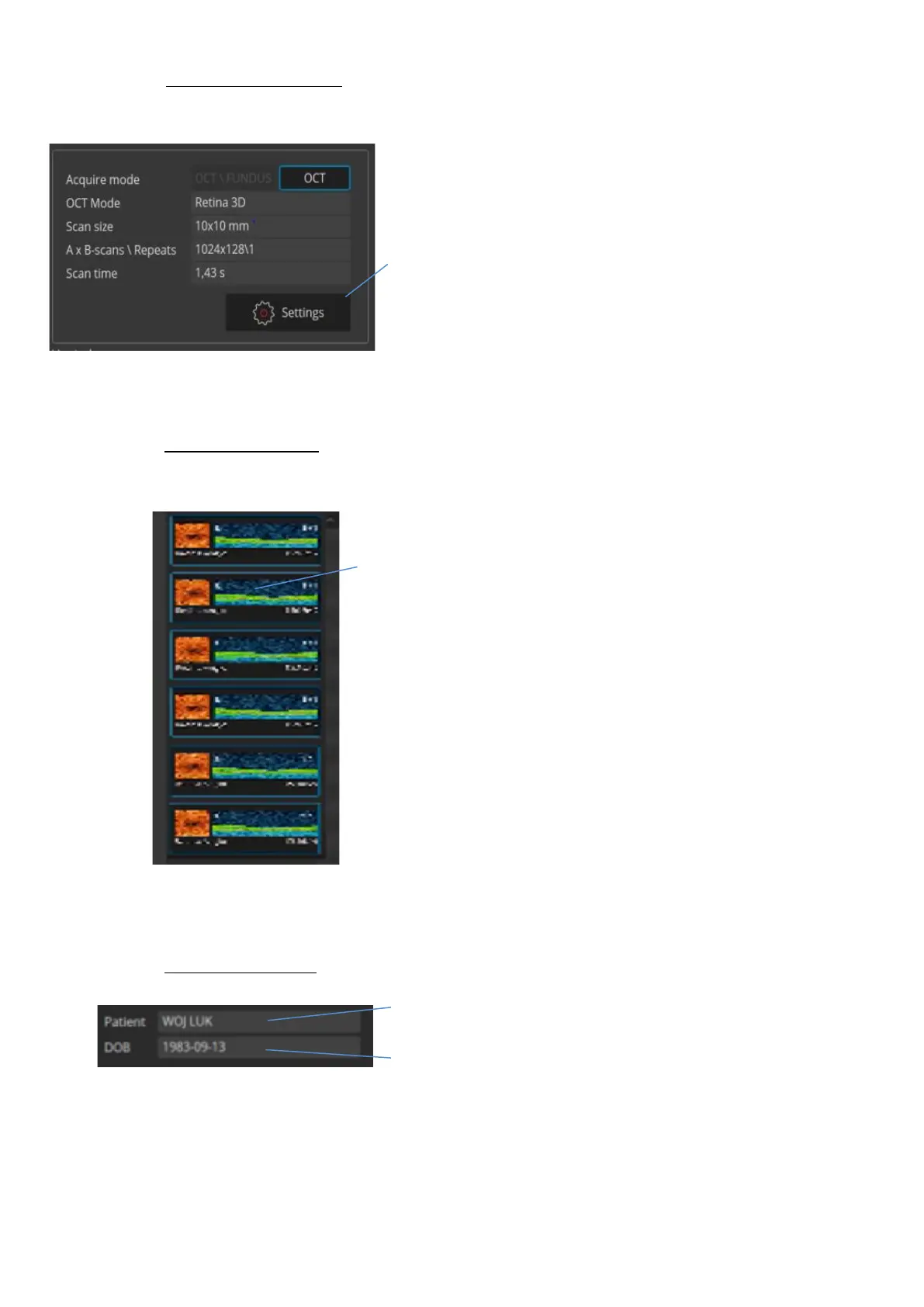
Scan parameters panel
Scan parameters panel shows the parameters of
the loaded examination.
1. Settings - enables the user to change the
parameters of the exam such as width, number of
A-scan, number of B-scan, exam mode (vitreous or
choroid).
List of examinations
List of taken examinations - shows the previews of
taken examinations.
1. Thumbnail - double click on the thumbnail to
open chosen examination in the tomogram
window.
Patient information
Patient information section - shows personal data
of the patient
1. The field Patient presents the name of the
patient
2. The DOB field presents the patient’s date of
birth



 To Next Page