99 / 374
SOCT User Manual Version 10.0 rev. A
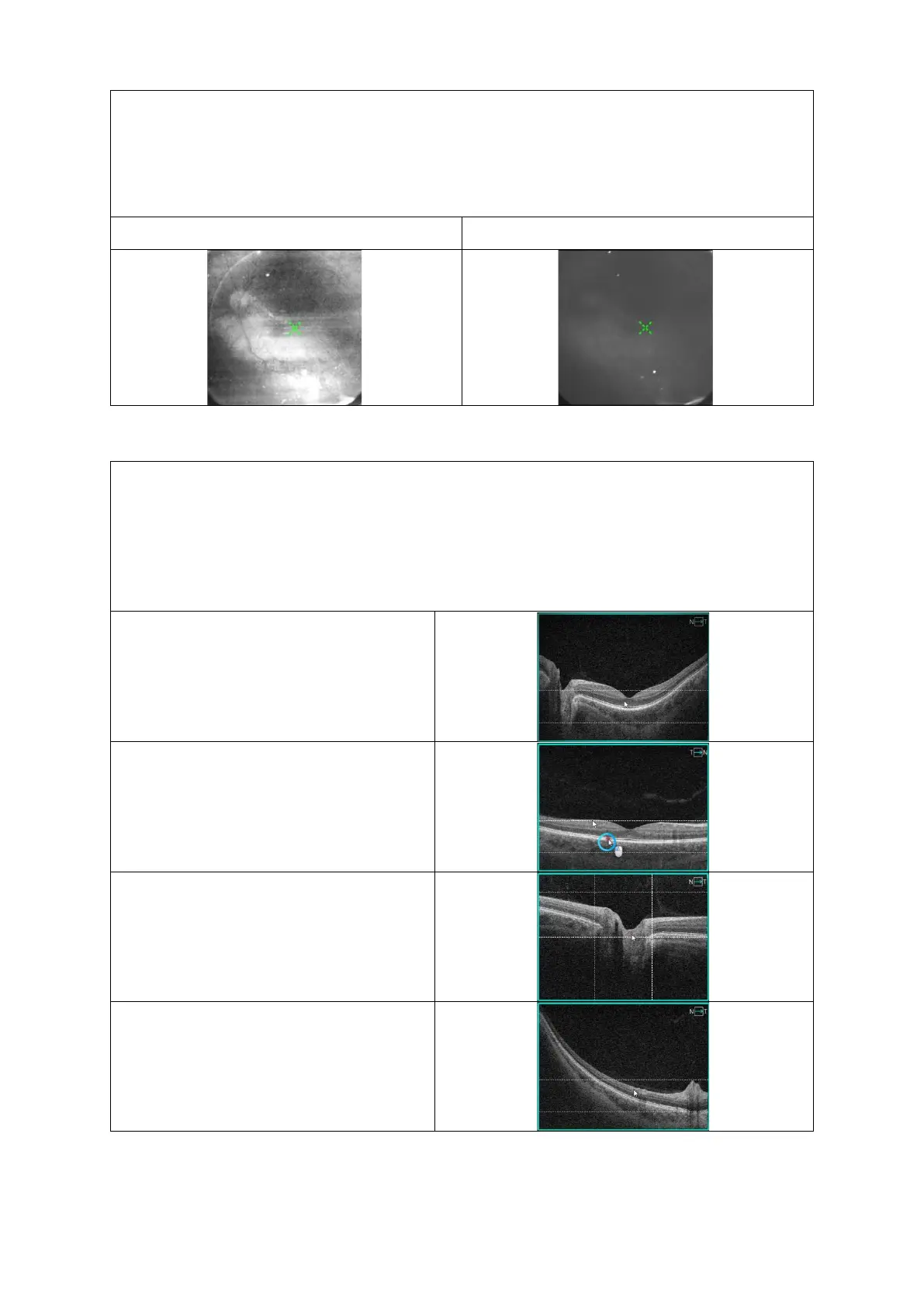
8.7.3.2 Quality IR Preview
To avoid poor quality images:
▪ Verify the device distance to ensure good illumination by alignment to the center of
the pupil;
▪ Move the fixation target or scroll the mouse wheel over the live preview window to
change the working position.
8.7.3.3 Tomogram Alignment
To align the position of the tomogram:
▪ For precise movement, click, hold and drag the tomogram vertically and horizontally;
▪ For large movement, scroll the mouse wheel over the tomogram.
Note: By moving one tomogram i.e. horizontal, the vertical tomogram will move as well.
Below are examples of correctly aligned horizontal tomograms.
Example: Retina Raster, align the retina
between the two dashed horizontal lines.
3D Retina, align the retina between the
two dashed horizontal lines.
3D Disc, align the retina between the
dashed lines and set foveola in the
middle of the square.
3D Central Peripheral, align the retina
between the two dashed horizontal lines.



 To Next Page