17.6 Details of Each Axis Setting Area in Unit Memory
17-51
Offset
address
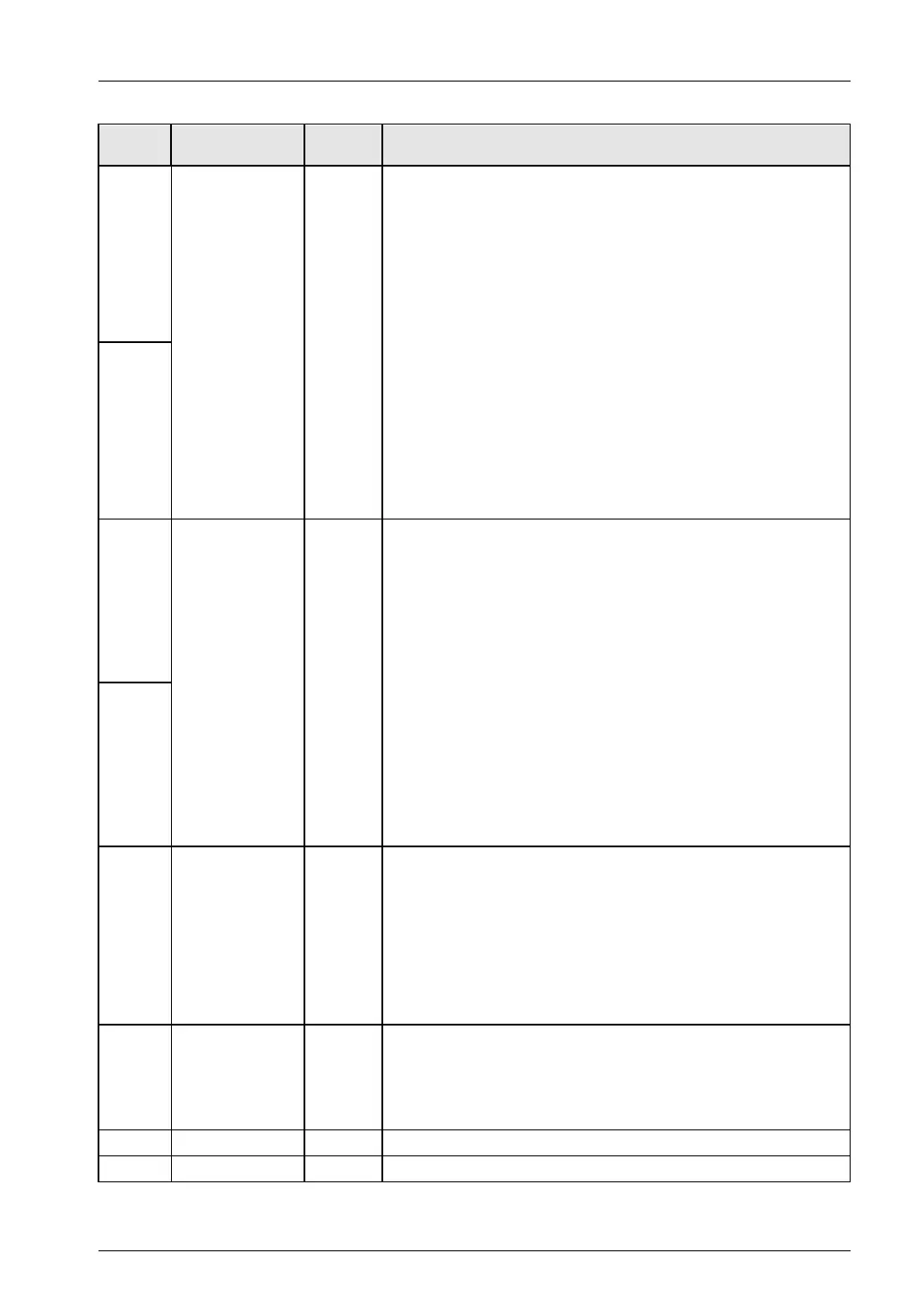
Name Default Setting range and description
008H
Positioning
movement amount
0
The setting area for the positioning movement amount for positioning
operation.
The amount of increment movement or absolute coordinates will be set
according to the control code settings.
Setting range: -1,073,741,823 to 1,073,741,823
Any other settings will be errors.
Set the following range according to the unit setting.
Pulse: -1,073,741,823 to 1,073,741,823 pulses
μm (0.1 μm): -107,374,182.3 to 107,374,182.3 μm
μm (1 μm): -1,073,741,823 to 1,073,741,823 μm
inch (0.00001 inch): -10,737.41823 to 10,737.41823 inches
inch (0.0001 inch): -107,374.1823 to 107,374.1823 inch
degree (0.1 degree): -107,374,182.3 to 107,374,182.3 degrees
degree (1 degree): -1,073,741,823 to 1,073,741,823 degrees
009H
04AH
Auxiliary point 0
The setting area for auxiliary points (center and passing points) in the
case of circular interpolation or spiral interpolation operation.
Setting range: -1,073,741,823 to 1,073,741,823
Any other settings will be errors.
Set the following range according to the unit setting.
Pulse: -1,073,741,823 to 1,073,741,823 pulses
μm (0.1 μm): -107,374,182.3 to 107,374,182.3 μm
μm (1 μm): -1,073,741,823 to 1,073,741,823 μm
inch (0.00001 inch): -10,737.41823 to 10,737.41823 inches
inch (0.0001 inch): -107,374.1823 to 107,374.1823 inch
degree (0.1 degree): -107,374,182.3 to 107,374,182.3 degrees
degree (1 degree): -1,073,741,823 to 1,073,741,823 degrees
00BH
00CH Dwell Time 0
On completion of the positioning of this table, the operation of the next
table will start after stopping the motor for the dwell time in the case of
the continuance point (C-point), the dwell time will be ignored in the
case of the passing point (P-point), and the positioning done contact will
turn ON after a pause of the dwell time in the case of end point (E-point)
control.
Setting range: 0 to 32,767 (ms)
Any other settings will be errors.
00DH
Auxiliary output
code
0
Make auxiliary output mode settings for the parameter setting area to
specify data to be output to the auxiliary output codes for the each axis
information & monitor area.
No setting ranges, in particular.
00EH
− − −
00FH
− − −
Phone: 800.894.0412 - Fax: 888.723.4773 - Web: www.clrwtr.com - Email: info@clrwtr.com






 To Next Page