Chapter 8: Encryption Key Management
Setting up EKM on the Scalar i6000
296 Quantum Scalar i6000 User’s Guide
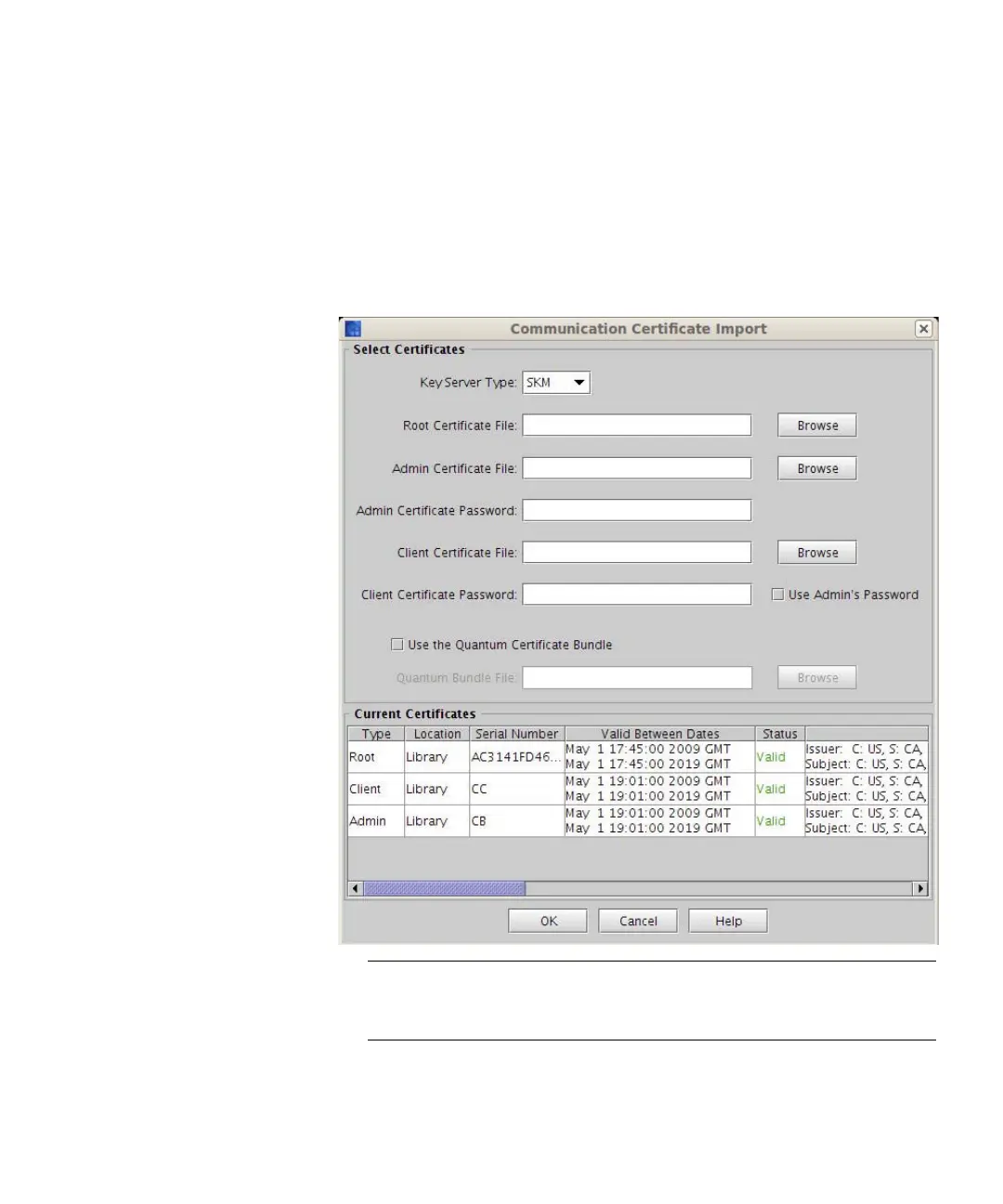
Checking for Current Certificates
Follow the steps below to see what certificates are already loaded on
your library.
1 From the Tools menu, select EKM Management > Import
Communication Certificates. The Communication Certificate
Import dialog box appears.
Note: The Current Certificates section of the screen lists the
certificates currently loaded on the library. If you install
new certificates, they will overwrite the current certificates.
2 Confirm which certificates are appropriate for your installation.















 To Next Page