Because RFL™ and Hubbell® have a policy of continuous product improvement, we reserve the right to change designs and specifications without notice.
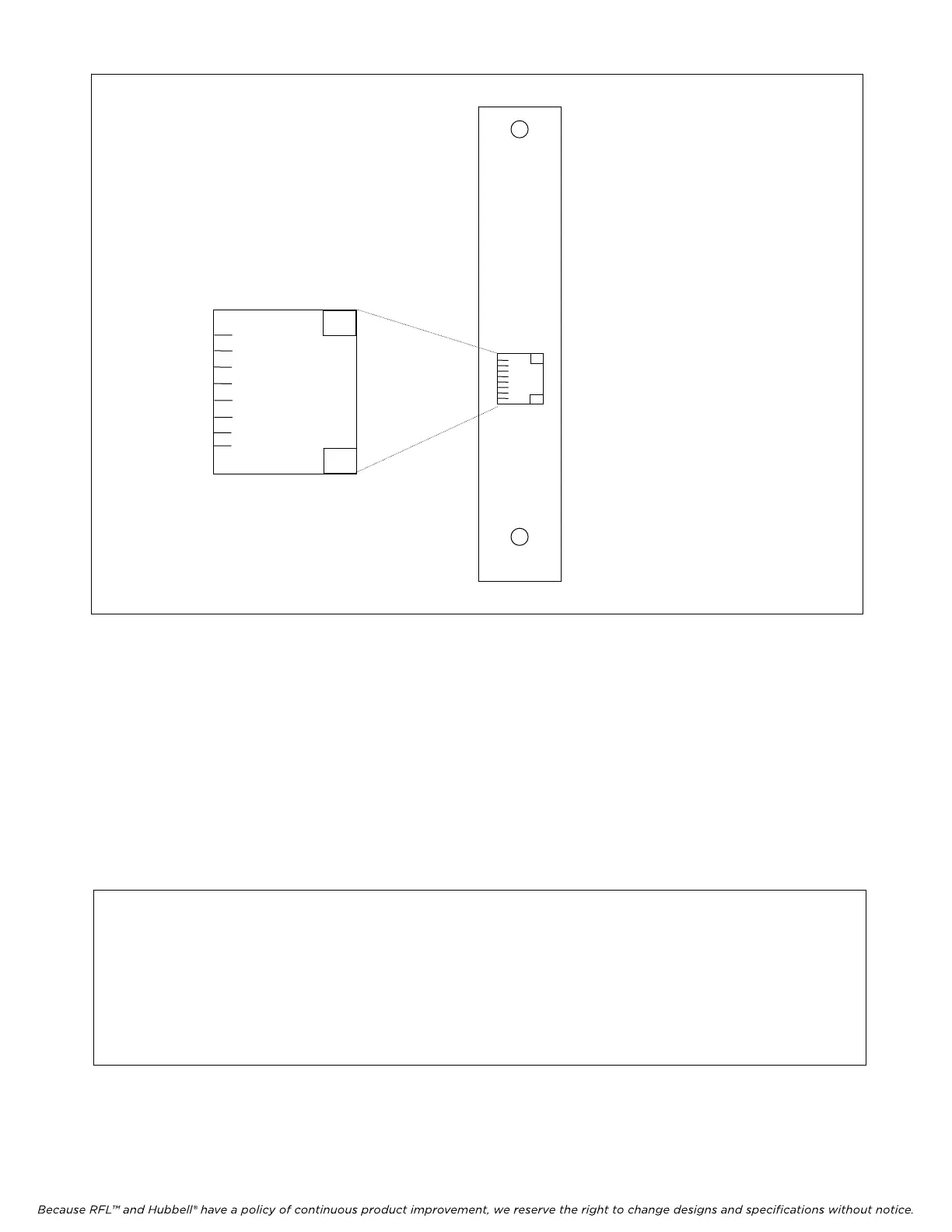
MA-455
DDS
PIN 1 = RX RING
PIN 2 = RX TIP
PIN 7 = TX TIP
PIN 8 = TX RING
PINS 3, 4, 5, 6 NOT USED
1 RX RING
2 RX TIP
3
4
5
6
7 TX TIP
8 TX RING
Figure 1. MA-455 Module Adapter.
6. Set the module address using DIP switches SW1-3 through SW1-8 for the desired remote
address (SCB address).
For remote access, each channel module in the IMUX 2000 must have a distinct
module address. Valid addresses for the OCUDP Module are the numbers “1” to
“31.” In most installations the address will be set to the number of the slot the
module is occupying. Table 2 shows the switch settings for the module address.
(Consult your multiplexer manual for details on using the remote access and
configuration features of the system.)
NOTE
After changing DIP switch settings on the OCUDP card, the card must be hot inserted, or the
local/remote DIP switch (SW1-2) must be toggled from local to remote and then back to
local. If this is not done, the changed settings will not be recognized by the common module.
After the card is either hot inserted, or SW1-2 is toggled, it will take approximately 10
seconds for the new settings to be recognized by the common module.
RFL OCUDP RFL Electronics Inc.
Jul
y 15, 2010 4 (973)
334-3100



 To Next Page