Because RFL™ and Hubbell® have a policy of continuous product improvement, we reserve the right to change designs and specifications without notice.
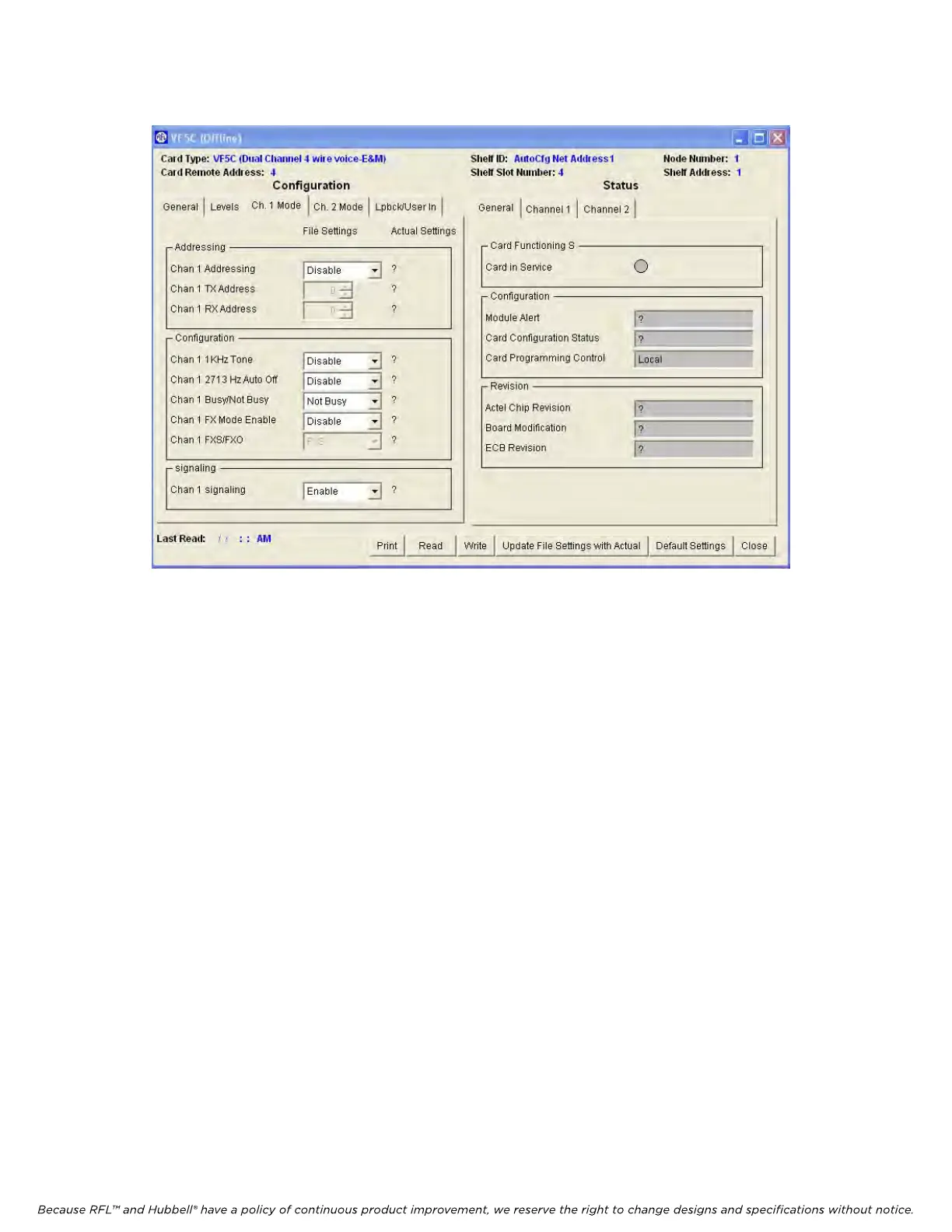
The following describes the settings for channel 1 with the “Channel 1” tab clicked.
.
Figure 18. Typical VF-5C “Chan 1” Window for Node 1
1. Chan 1 Addressing
The Addressing parameter can be enabled or disabled.
When set to enabled, Channel 1 Addressing is active (in use).
When set to disabled, Channel 1 Addressing is inactive (not in use).
2. Chan 1 Tx Address
The Tx Address parameter can be set from 1 to 127 using the spinner control (up and down arrows).
3. Chan 1 Rx Address
The Rx Address parameter can be set from 1 to 127 using the spinner control (up and down arrows).
4. Chan 1 1kHz Tone
The 1 kHz Tone parameter can be enabled or disabled
When set to enabled, the 1 kHz, 0dBM0 test tone in the Tx path is active (enabled).
When set to disabled, the 1 kHz, 0dBm0 test tone in the Tx path is inactive (disabled).
5. Chan 1 2713 Hz Auto Off
The 2713 Hz Auto Off parameter selects either manual or automatic deactivation of the 2713 Hz
loopback signal.
When set to enabled, the “2713 Hz Auto Off” parameter is active (manual deactivation of the
2713 Hz loopback signal).
When set to disabled, the “2713 Hz Auto Off” parameter is inactive (automatic deactivation of the
2713 Hz loopback signal).
RFL VF-5C RFL Electronics Inc.
October 8, 2012 33 (973)
334-3100



 To Next Page