Because RFL™ and Hubbell® have a policy of continuous product improvement, we reserve the right to change designs and specifications without notice.
4. Port 2 Enable
For the interfaces that physically have two ports, port 2 can be enabled or disabled. The MA402I has
two RS232 ports, one on port 1 and one on port 2. The MA490 has one RS485 port on port 1. The
MA490 has one Ethernet port on port 1 and one RS232 port on port 2. For example if you are using an
MA402I, you can disable port 2 if it is not being used.
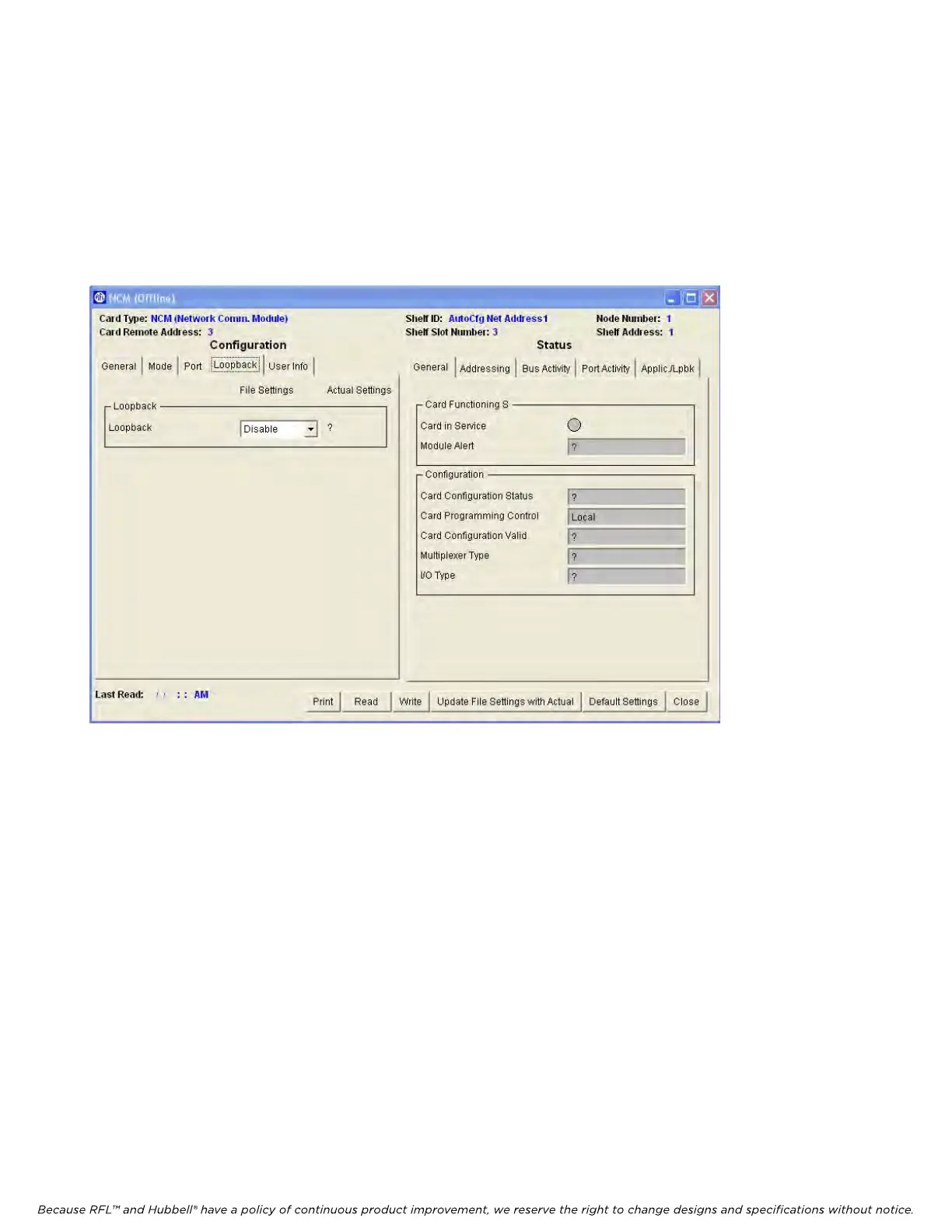
After all settings are made on the Port page (Figure 14), click on the Loopback tab to get to the
Loopback window as shown in Figure 15.
Figure 15. NCM Loopback Configurations and Status window for Node 1
Loopback
In normal operation all loopbacks are disabled. Loopback settings are used for troubleshooting
purposes. There are four loopback settings as follows:
1. Disable all loopbacks
2. Enable port 1 and port 2 equipment loopback
3. Enable port 1 payload loopback
4. Enable port 2 payload loopback
If the MA485 is configured as two wire, it does not support loopback.
After all NCM parameter selections have been made they must be written to the NCM card in the
network. This is done by using the “WRITE” operation as described in Section 7 of The IMUX 2000
Instruction Manual.
RFL NCM RFL Electronics Inc.
November 1, 2012 39 (973)
334-3100



 To Next Page