Because RFL™ and Hubbell® have a policy of continuous product improvement, we reserve the right to change designs and specifications without notice.
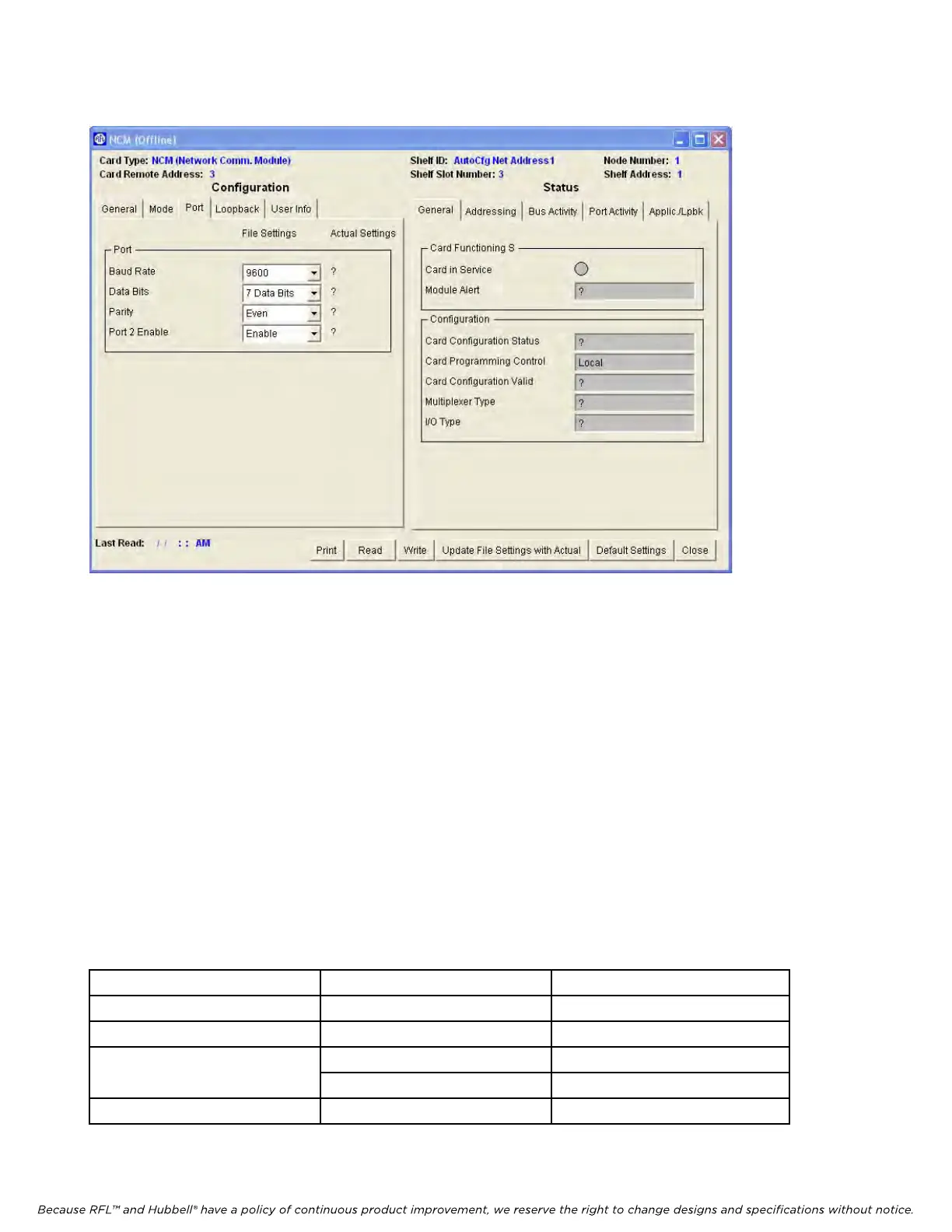
The Port window is shown in Figure 14 below.
Figure 14. NCM Port Configurations and Status window for Node 1
PORT
1. Baud Rate
There are five Baud Rate settings (2400, 4800, 9600, 19200 and 38400) which can be viewed by
clicking on the down arrow. Then click on the desired Baud Rate.
2. Data Bits
There are two choices for the NCM Data Bit setting, 7 bits or 8 bits. These are set in accordance with
Table 5.
3. Parity
There are five choices for the NCM Parity setting, Even, Odd, Space, None or Mark. These are set in
accordance with the table below. For Even, Odd or Mark parity, set the NCM parity to the same parity
as the Common Module parity, and for seven Data Bits.
Table 5. Valid NCM Parity and Data Bit Settings in NMS application mode
Common Module Parity Setting NCM Parity Setting NCM Data Bits Setting
Even Even 7
Odd Odd 7
Space 7
Space
None 8
Mark Mark 7
RFL NCM RFL Electronics Inc.
November 1, 2012 38 (973) 334-3100



 To Next Page