Because RFL™ and Hubbell® have a policy of continuous product improvement, we reserve the right to change designs and specifications without notice.
Chapter 2 - Installation
SNMP Access Gateway User’s Manual - v1.0 -- 11/99 - Page 3
Chapter 2 - Installation
2.1 - Mounting
The SNMP Access Gateway module is packaged in a plug-in module, for mounting in an IMUX 2000 chassis.
When installing the SNMP Access Gateway module, a location should be selected in the front of the IMUX 2000
chassis which is directly in line with the MA-810 module adapter which is mounted in the back of the chassis. Make
sure the serial port cable can reach the CM3R remote port. This cable should have enough slack so it is not in danger
of being pulled out of place. Some serial port cables, especially hanging cables of any significant length, may have
enough hanging weight to pull the SNMP Access Gateway out of place. In such a case, the serial port cables may
need to be tied in place to provide the SNMP Access Gateway with relief from such strain.
2.2 - Power Input
The SNMP is powered through the IMUX 2000 chassis motherboard. The SNMP Access Gateway uses a maximum
power input of approximately 5 watts, so the maximum current from the IMUX 2000 power supply is about 1 amp.
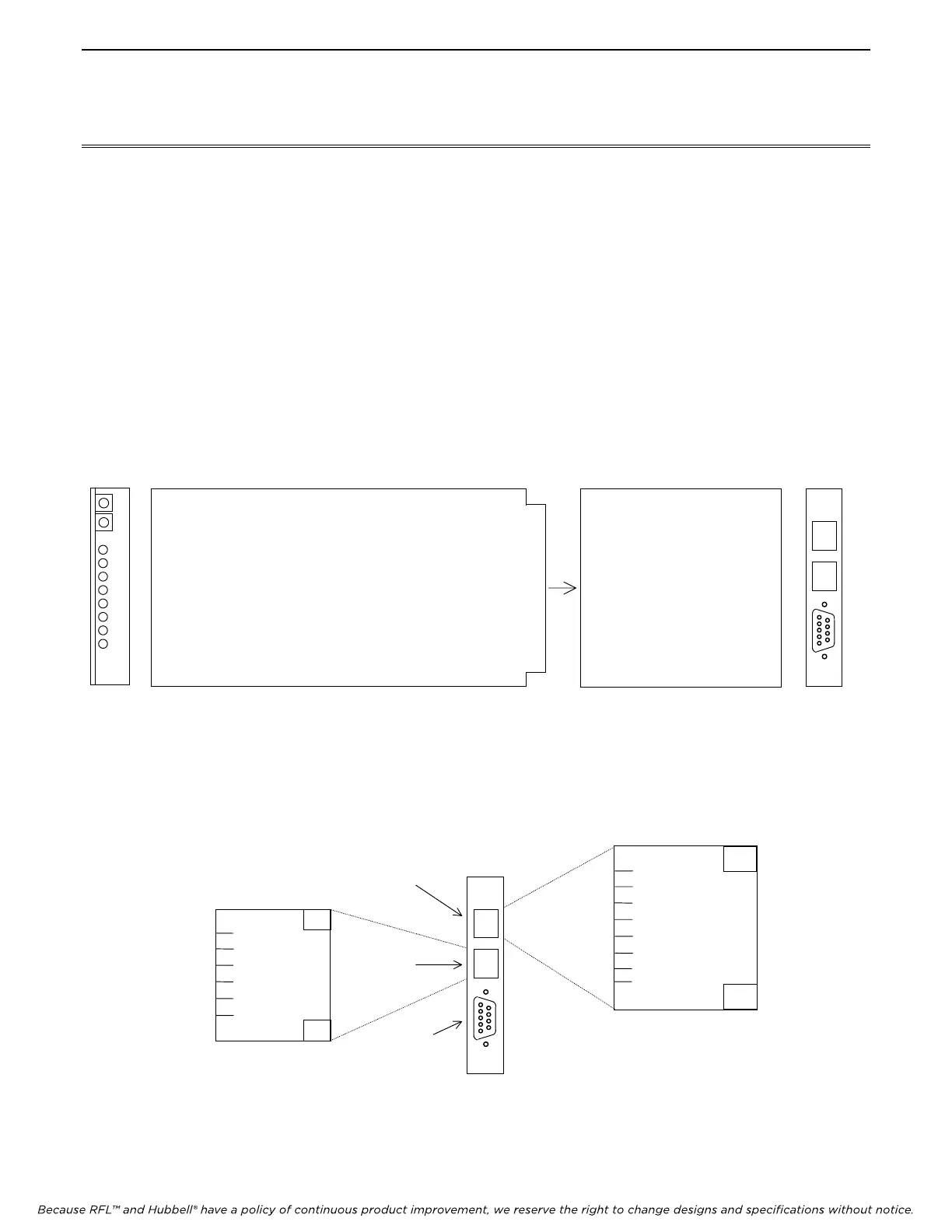
Figure 2. - SNMP Access Gateway Back Panel View
SNMP SNMP Module MA-810 Module Adapter MA-810
Front Rear
Panel Panel
View View
Figure 2A. – SNMP Access Gateway Module and MA-810 Module Adapter
MA810
LAN
IMUX
REMOTE
1 TP_TX+
2 TP_TX-
3 TP_RX+
4
5
6 TP_RX-
7
8
1 TXD1
2 RXD1
3
4
5 GND
6
RJ-12 PINOUTS
RJ-45 PINOUTS
Figure 2B. – MA-810 Module Adapter Connectors
(LAN Connector)
Ethernet 10BaseT network port
I/O 1
I/O 2
MA810
LAN
IMUX
REMOTE
Use RFL Cable
No. 106016 to
connect to IMUX



 To Next Page