Because RFL™ and Hubbell® have a policy of continuous product improvement, we reserve the right to change designs and specifications without notice.
Chapter 2 - Installation
SNMP Access Gateway User’s Manual - v1.0 -- 11/99 - Page 5
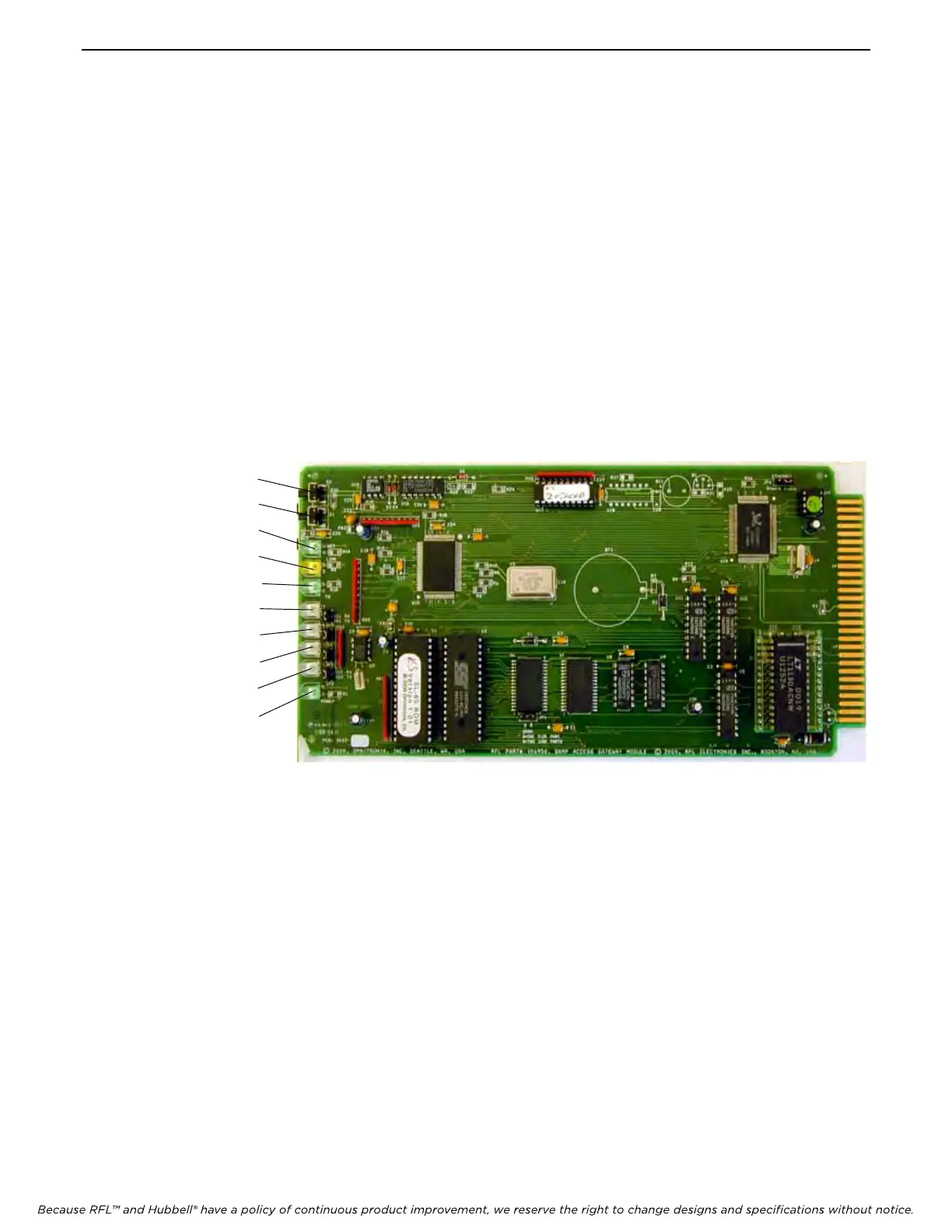
2.5 - Front Panel Items
The front panel of the SNMP Access Gateway module has two push-buttons and 8 LED indicators representing
status information about the SNMP Access Gateway.
The reset (RST) button (S2) is used to reset the SNMP Access Gateway. After the RST button is held in for about 5
seconds, the SNMP Access Gateway will start sounding its audible alarm. At this point the RST button may be
released. The SNMP Access Gateway will remain in reset while the RST button is pressed, and will begin operation
again once the RST button is released.
The program (PRG) button (S1) is used to silence audible alarms and to enter local command (programming) mode.
When an audible (buzzer) alarm is active, pressing the PRG button clears the alarm, so that the audible alarm is
silenced. If the PRG button is held in for about 3 seconds, the SNMP Access Gateway enters local command
(programming) mode. In this mode serial port I/O 2 operates as a local command port. Either a time-out of no
command for five minutes, an EXIT or BYE command, or a reset will take the SNMP Access Gateway out of local
command mode.
The ethernet status is shown as three LEDs. The yellow Link LED lights whenever an ethernet 10BaseT network
link connection is found. The green Transmit LED lights briefly whenever an ethernet frame is being transmitted.
The green NET LED lights whenever a TCP socket is opened to the unit, whether telnet or FTP. SNMP activity
causes this NET LED to blink once per second. These LEDs can be used to see that a network cable connection is
made, and when some network activity has caused the SNMP Access Gateway to transmit on the network.
Reset Button
Program Button
Network LED
Link LED
Network TX LED
Port 1 RX LED
Port 1 TX LED
Port 2 RX LED
Port 2 TX LED
Power LED
Figure 5. – SNMP Access Gateway Module Layout



 To Next Page