U.3.21
Date Code 20090715 User’s Guide SEL-421 Relay
PC Software
HMI Meter and Control
HMI Meter and Control
Use the ACSELERATOR QuickSet HMI feature to view real-time relay
information in a graphical format. Use the virtual relay front panel to read
metering and targets and to operate the relay.
Open the ACSELERATOR
QuickSet HMI
On the HMI menu, click Meter and Control.
ACSELERATOR QuickSet opens the HMI window and downloads the interface
data. See the detailed examples in View Metering:
ACSELERATOR QuickSet on
page U.4.37 for step-by-step instructions.
ACSELERATOR QuickSet
HMI Features
You can use ACSELERATOR QuickSet to access many types of relay
information and relay controls.
Step 1. Click the HMI menu at the top
ACSELERATOR QuickSet
toolbar and then click Meter and Control to access the
ACSELERATOR QuickSet HMI.
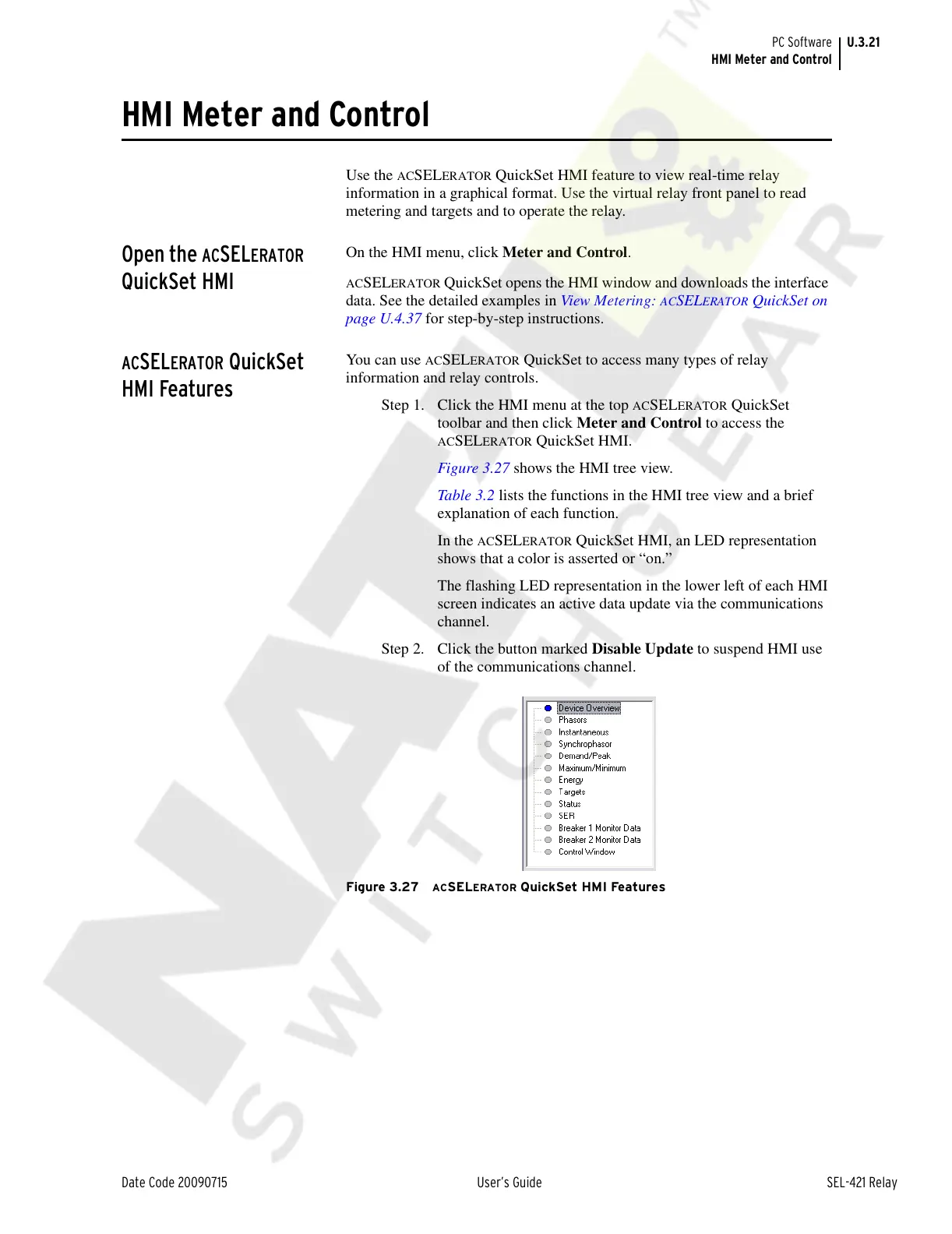
Figure 3.27 shows the HMI tree view.
Table 3.2 lists the functions in the HMI tree view and a brief
explanation of each function.
In the
ACSELERATOR QuickSet HMI, an LED representation
shows that a color is asserted or “on.”
The flashing LED representation in the lower left of each HMI
screen indicates an active data update via the communications
channel.
Step 2. Click the button marked Disable Update to suspend HMI use
of the communications channel.
Figure 3.27 ACSELERATOR QuickSet HMI Features
Courtesy of NationalSwitchgear.com



 To Next Page