U.6.22
SEL-421 Relay User’s Guide Date Code 20090715
Testing and Troubleshooting
Test Methods
c. Check the remaining element configurations against
Table 6.7.
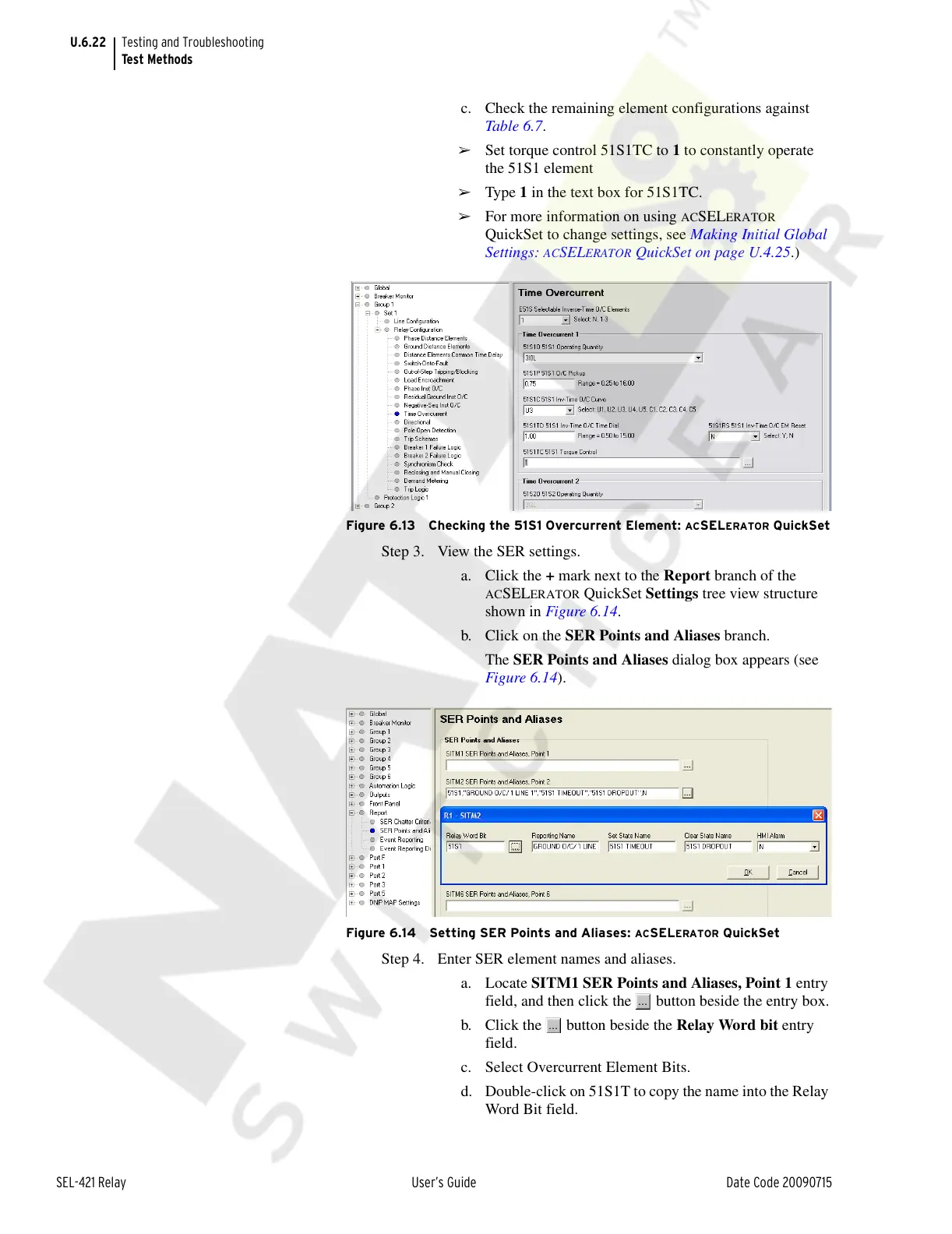
➢ Set torque control 51S1TC to 1 to constantly operate
the 51S1 element
➢ Type 1 in the text box for 51S1TC.
➢ For more information on using ACSELERATOR
QuickSet to change settings, see Making Initial Global
Settings:
ACSELERATOR QuickSet on page U.4.25.)
Figure 6.13 Checking the 51S1 Overcurrent Element: ACSELERATOR QuickSet
Step 3. View the SER settings.
a. Click the + mark next to the Report branch of the
ACSELERATOR QuickSet Settings tree view structure
shown in Figure 6.14.
b. Click on the SER Points and Aliases branch.
The SER Points and Aliases dialog box appears (see
Figure 6.14).
Figure 6.14 Setting SER Points and Aliases: ACSELERATOR QuickSet
Step 4. Enter SER element names and aliases.
a. Locate SITM1 SER Points and Aliases, Point 1 entry
field, and then click the button beside the entry box.
b. Click the button beside the Relay Word bit entry
field.
c. Select Overcurrent Element Bits.
d. Double-click on 51S1T to copy the name into the Relay
Word Bit field.
Courtesy of NationalSwitchgear.com



 To Next Page