Customer Replaceable Units Exterior Panels and Access Doors
Page 186
© Copyright 2021 Stratasys. All rights reserved.
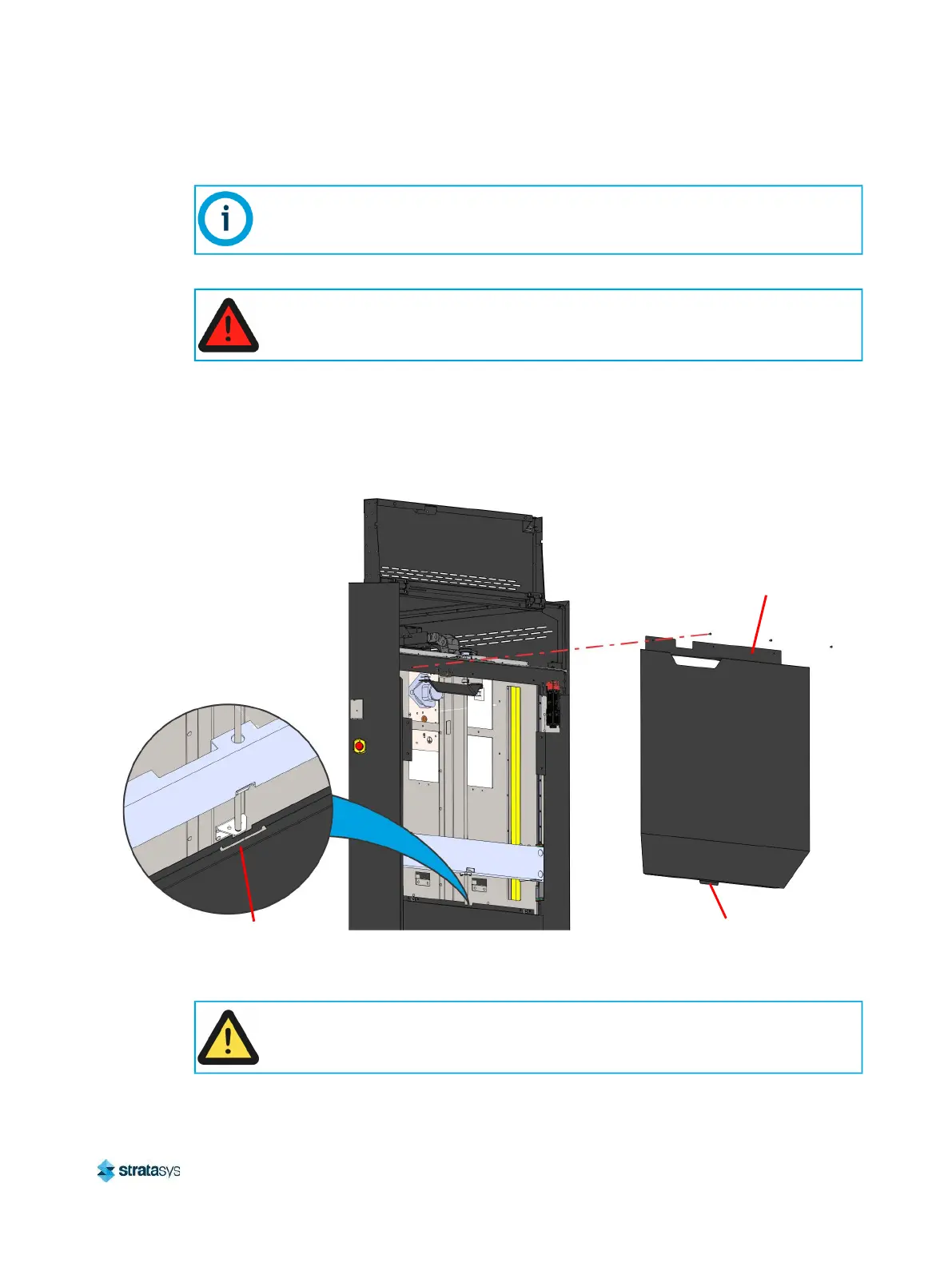
Removing Upper Side Panels Left/Right
1. Power OFF the printer. See “Powering Off” (page 182).
2. Open the top right access door. See “Top Access Doors Left/Right” (page 182).
3. Using a 3 mm hex wrench, remove the screws (3) that secure the upper side panel to the
printer frame. See Figure 25.
Figure 25: Upper Side Panel Mounting Screws
4. Lift the upper side panel to disengage the bottom locating tab from the lower side panel.
5. Remove and set aside the upper side panel.
The following procedure depicts the upper right side panel only. This procedure is
identical for the upper left side panel.
Always perform lockout-tagout of the AC power cord in accordance with customer
site procedures.
Upper
Side Panel
Locating Tab
Locating Slot
Move the upper side panel to a location where surface scratches can be prevented.
Orient the panel to prevent bending or damage to the panel’s locating tab.


 To Next Page
 Loading...











