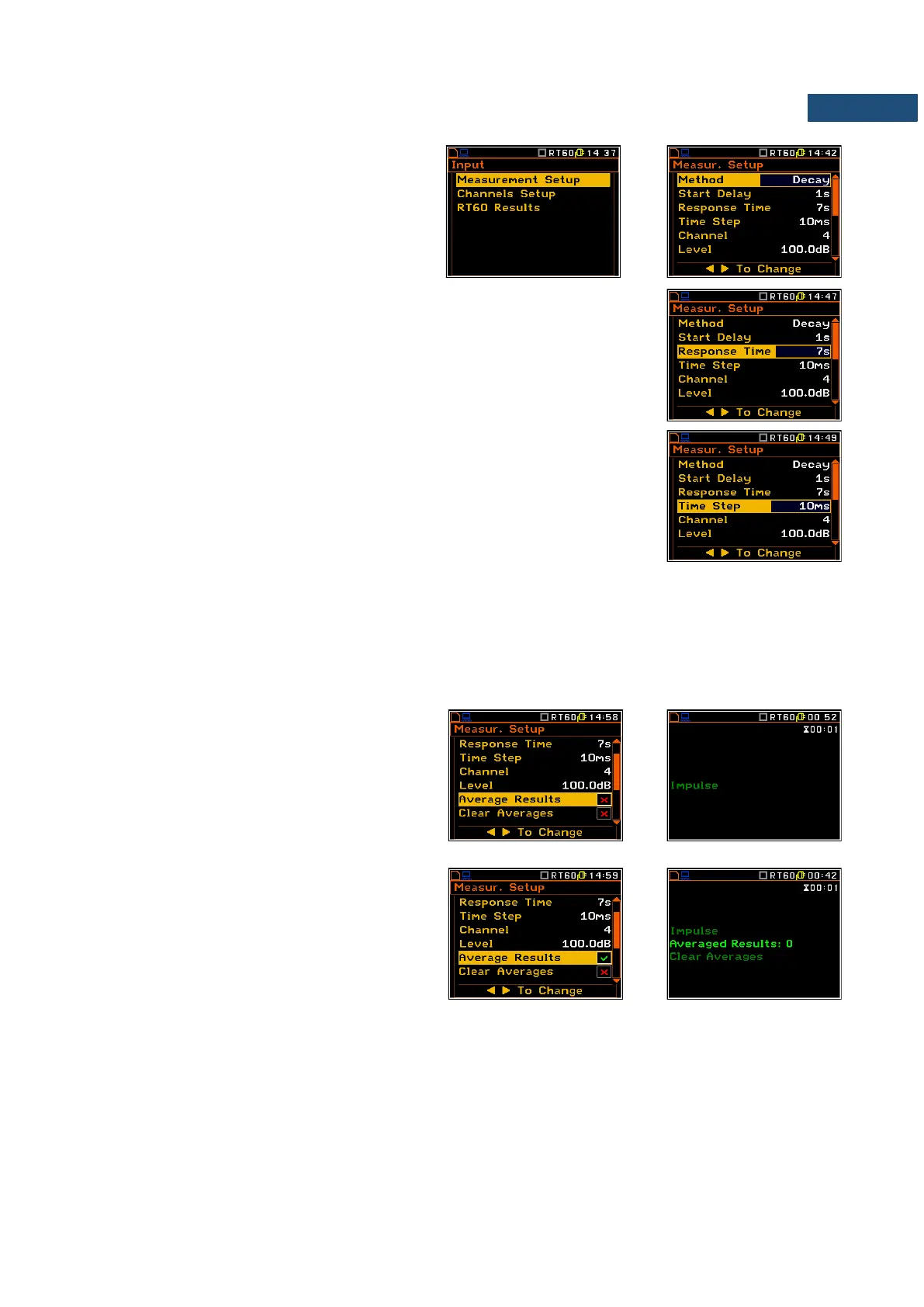
The Measurement Setup list enables the User
to select the method for RT60 calculation, and
other parameters for RT60 calculation.
The Method position enables the user to
choose the method for RT60 calculation:
Decay or Impulse.
The Start Delay position defines the delay period from the moment the
<Start/Stop> key is pressed to the start of the actual measurement.
The Response Time position defines the recording time of the measurement
data (sound pressure level decay curve). The data acquiring starts in the
moment of the trigger condition appearance. The recording time can be set in
the range 1 ÷ 30 s.
The Time Step position defines the time-step of data registeration (sound
pressure level) in the logger. The parameter value can be selected from the
raw: 10, 20, 50, 100 ms.
The Channel position defines the channel for triggering the measurement.
The Level position defines the level for triggering the measurement.
In the Impulse method the trigger condition appears when the TOTAL sound pressure level exceeds the
defined by the user threshold Level value. The parameter can be set in the range 24 ÷ 136 dB with 1 dB step
(100 dB default value).
In the Decay method the Leq level defined by the Level parameter must be reached to start time history
recording. The RT60 measurement starts when the 1 second Leq (A weighted) level value decreases by 10 dB.
The RT60 Decay algorithm uses 50 samples pre-trigger, defined by “10 dB drop point” (see Appenix H).
The Averaging Results position enables the
user to activate the averaging of the
reverberation time results from several
measurements.
When this option is swithed off the initial RT
screen will inform the user about used method.
When this option is swithed on the initial RT
screen will inform the user also about number of
averaged results and the user will be able to
average new results with the previous one or to
clear averages.
To make averaging of the measurement results with the calculated before averaged results the user should
select the field Averaged Results, press the <ENTER> key, select in the confirmation window Yes and press
<ENTER> again. In the field Averaged Results: x the value x will be increased by one.



 To Next Page