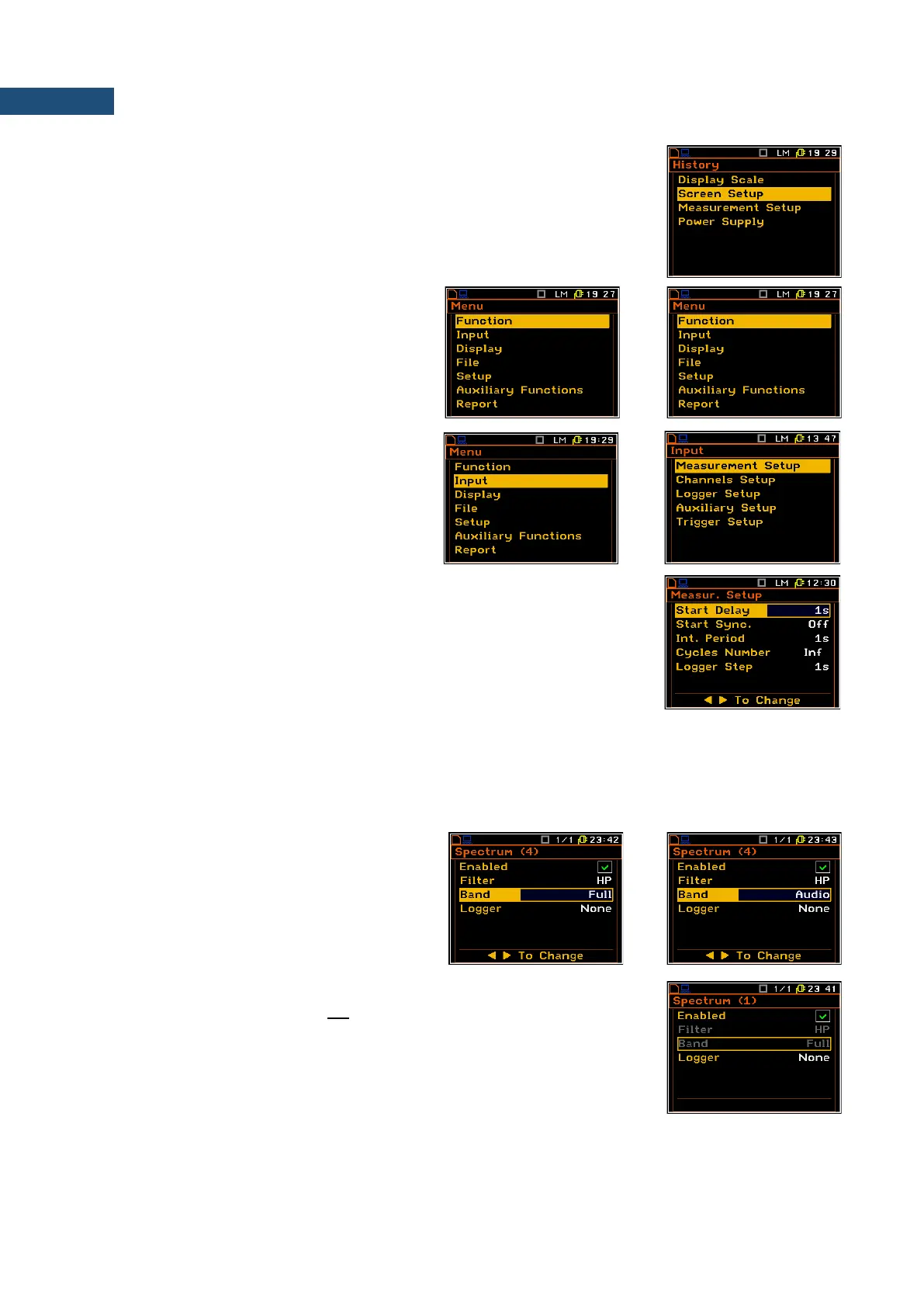
Recent Items list
A double pressing of the <Menu> key opens the list of recently accessed menu
items - History. This enables accessing most frequently used lists of
parameters quickly, without the necessity of passing through the whole menu
path.
Selecting position
The desired position in the menu list is
selected with the ▲ / ▼ key.
Opening position
After selecting the desired position in the
menu list, press the <ENTER> key to open it.
After this operation, a new sub-menu, list of
options, list of parameters or information
screen appears on the display.
List of parameters
The list of parameters contains parameters the value of which is selected from
the available range or set.
• The desired position in a list is accessed with the ▲ / ▼ key.
• Changing value in a selected position is performed with the ◄ / ► key.
• The <ENTER> key saves all performed changes in the list of parameters.
If the parameter has a numerical value, you can speed up a selection by pressing the ◄ / ► key and keeping
it pressed by more than 2 seconds. In this case, the parameter value starts to change automatically until you
release the pressed button.
You may change the numerical parameter value with a larger step (usually 10) with the ◄ / ► key pressed
together with <Shift>.
Inactive parameters
If some functions or parameters are not
available, the positions in the menu or
parameter lists linked with this function or
parameter become inactive. For example, in
the sound meter mode the Band parameter is
active and can be changed (Full -> Audio).
But in the vibration mode there is only one band value available (Full) and this
position cannot be changed and is not active.



 To Next Page