CA-500 Series S/M 4-5 Revised May 2003
13 ECR 303C012
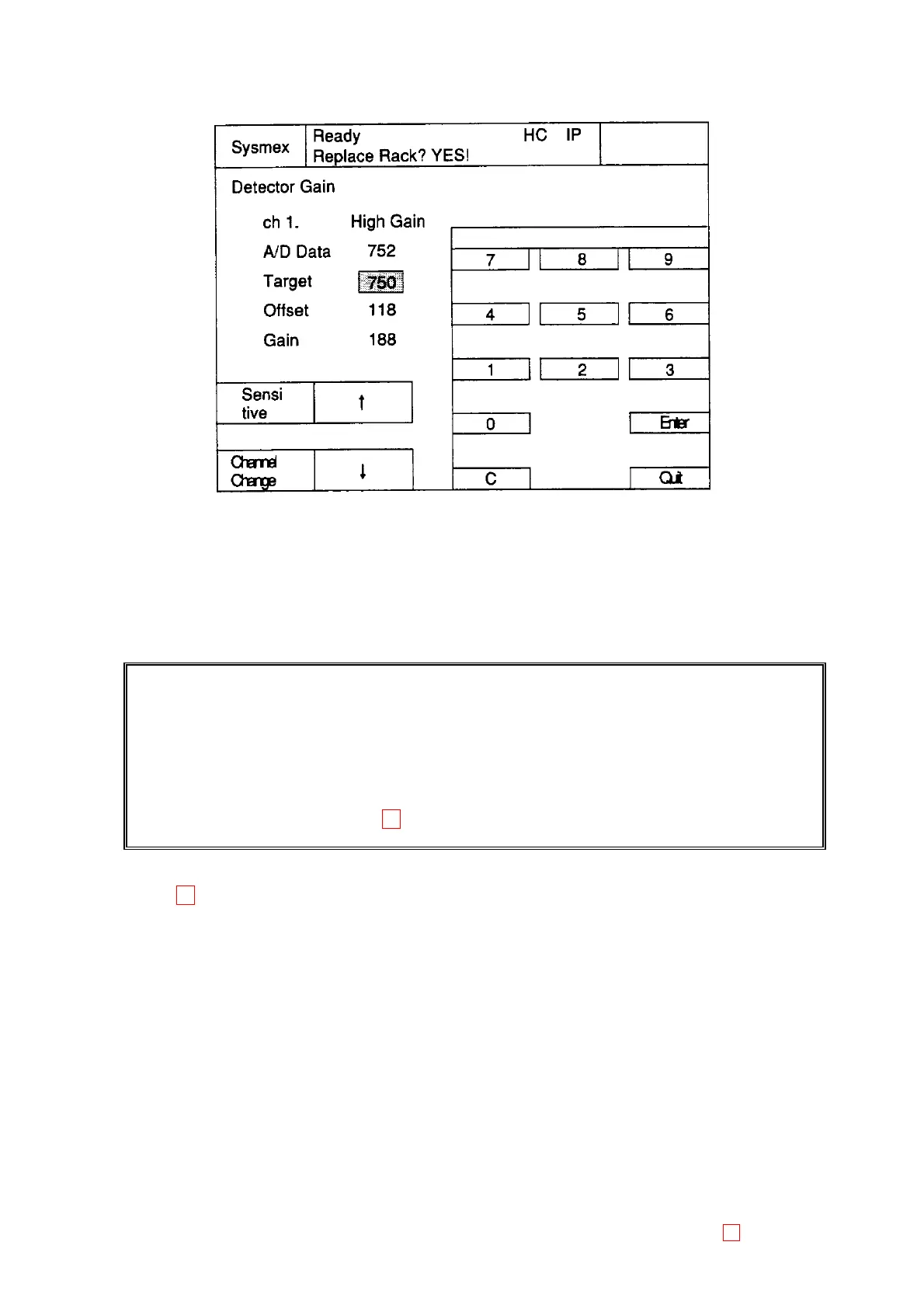
(5) Press [Manual Entry] key to display the screen that the manual entry by numeric keys is available.
Figure 4-2-2: Manual Entry Screen
1) Pressing the numeric keys [0] to [9] can set the desirable value directly.
2) Pressing [C] key can clear the set value.
3) Press [Enter] key to settle the set value. The set value cannot be settled if [Quit] key is pressed
without pressing [Enter] key.
4) Press [Quit] to return the previous screen.
CAUTION: 1) This adjustment should be done more than 30 minutes after the power-ON the
instrument.
2) Use the scattering stick after being heated for more than 10 minutes in the detector
well or the incubation well.
3) Close the light shield cover to avoid the influence by the external light during
adjustment.
4) When Detector Adjustment Error occurs, the channel No. with the error is added to
the error message. 13
Note: 13 1) Transmitted Light calibration will be performed automatically before the first
measurement after switching on the instrument or after 24 hour continuous operation. It
will be performed when a chromogenic or immunologic parameter is selectable in the
actual group setting.
2) Instruments with new main board (PCB NO.6373) are able to switch off LEDs during
standby operation automatically in order to prolong the life time of the LEDs.



 To Next Page