B.12 Install Sampler with ID Bar Code Scanner (Option)
An optional Bar code Scanner is installed on the CA-510 or CA-530, as follows.
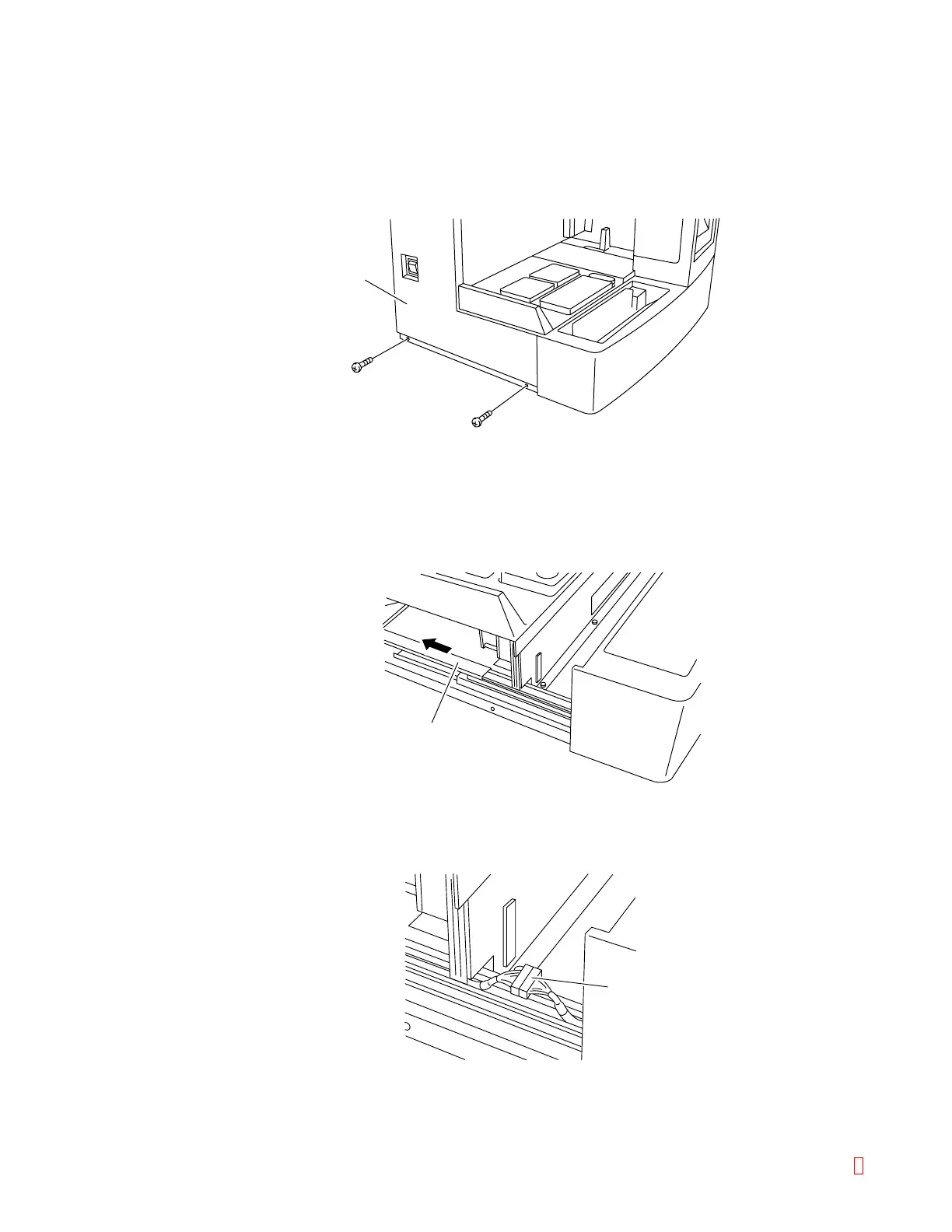
(1) Remove the left side panel of the CA-500 main unit.
Loosen the screws as shown to remove the panel.
Duct Cover
Connector
Panel
Figure B-20: Removing the Panel
(2) Remove the sampler.
1) Pull the sampler forward.
Pull it out until it stops against the stopper.
2) Remove the duct cover for the sampler slide rail by sliding it backward.
Figure B-21: Removing the Duct Cover
3) Pull out the connector from the duct, and disconnect the connector.
Figure B-22: Removing the Connector
CA-500 Series S/M B-14 Revised December 2001 8



 To Next Page