CA-500 Series S/M 4-31 Revised December 2001
4.4.3 Temperature Adjustment Procedures 4
To adjust the temperature at each temperature-controlled unit, follow the steps below.
(1) Measure the actual temperature of the unit by referring to Section 4.4.2.
(2) Enter the service mode.
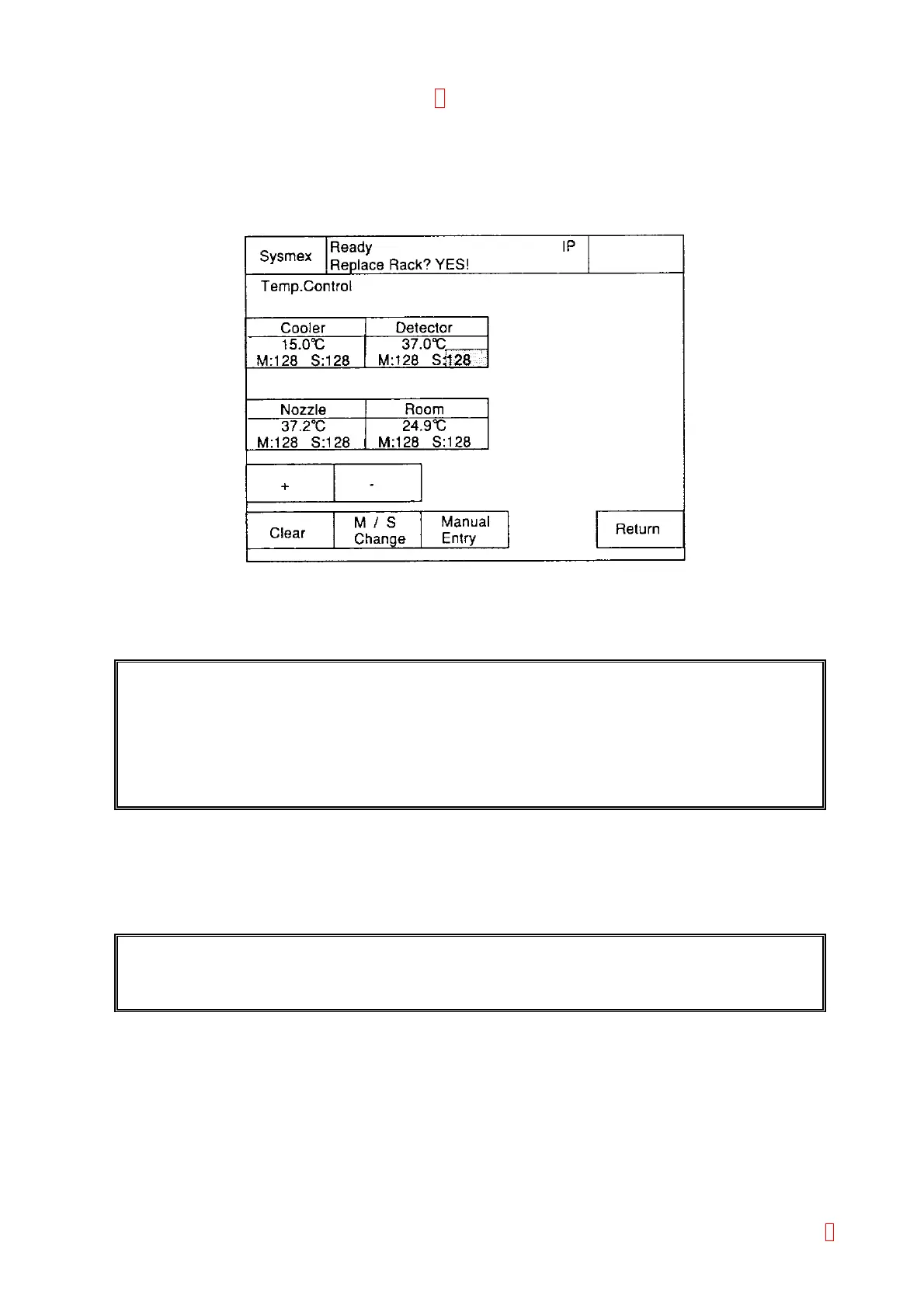
(3) Select [Special Operate] Æ [Service] Æ [Adjust] Æ [Temp. Control].
Figure 4-4-1: Temp. Control Screen
(4) Touch the desired sensor area to adjust the temperature.
“M:XXX” is Main value and “S:XXX” is Sub value. The cursor must be at “S:XXX” position.
IMPORTANT: Do not change the “M:XXX” value. This is the preset value during shipping
inspection for the temperature control circuit on the PCB No. 6362. It is not
necessary to adjust it in the market field.
Since the value is stored in EEPROM on PCB No. 6362, there may be the case
where it is erased. Then input the M:XXX value by referring to the label attached on
the memory card socket.
(5) Change the provided Sub value “S:XXX”, so that the displayed temperature should be the same as the
measured temperature. Use the numeric keys, which appears by pressing [Manual Entry] key or [+] [-]
keys.
When pressing [+]/[-] key, the displayed temperature will increase/decrease. When numeric keys are
used, the displayed temperature will change after pressing [Enter].
REFERENCE: The Sub value is fixed by the shipping test and attached to the PM parts for the
maintenance purpose. Its adjustment after shipment is not basically required.
(6) The unit temperature is automatically changed, by changing the Sub value, to be controlled at the target
temperature of each unit.
(7) Press [Enter] key and then [Quit] key to complete number input.
(8) Press [Clear] key returns the cursor positioned value before it is changed, which is stored in EEPROM.
(9) It will be stored in the memory by pressing [FIX] key when exiting the Temp. Control screen.
8



 To Next Page