CA-500 Series S/M 4-9-1 Revised February 2004
19 TB200408
4.2.5 Exit Adjustment
(1) When the adjustment is completed, press [Return] key.
(2) FIX, Cancel the set value, and continue the adjustment:
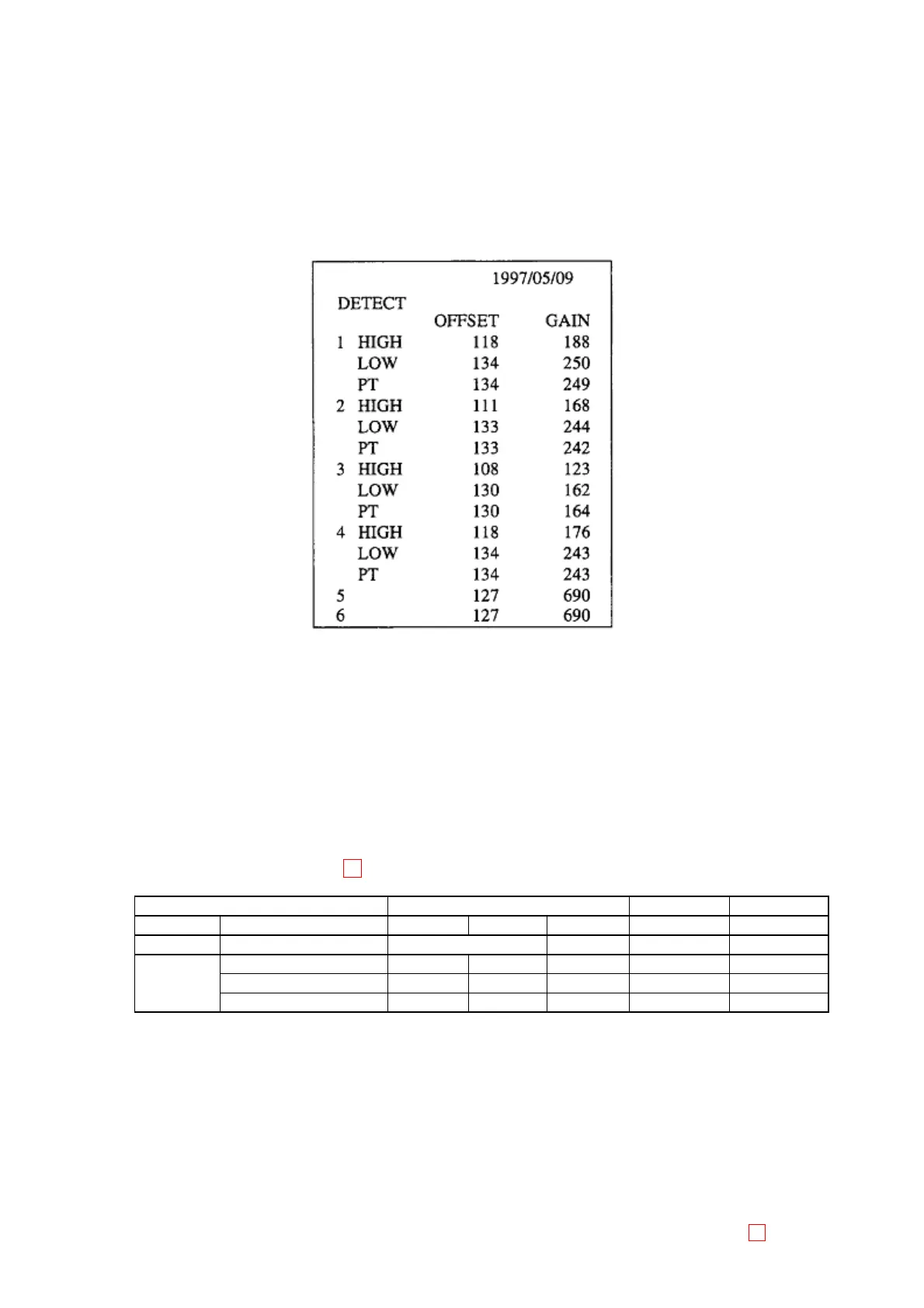
1) When the adjusted value is settled and the adjustment is completed, press [FIX].
Store the new setting value in the memory and output the value on the built-in printer, and then return
to the sub-menu.
Figure 4-2-5: Output Example
2) When the adjusted value is discarded and the adjustment is completed, press [Cancel] key. In this
case, the setting value data is not changed and returned to the sub-menu.
3) When the adjustment is continued, press [Continue] key.
In this case, the screen returns to the previous set screen, so you can continue the adjustment.
4.2.6 Target Value List for Adjustment
Detector Well Specified Values 19
(A/D Display Value for Offset and Gain)
Detector Well CH1 ~ 4 CH5 CH6
Tools HIGH LOW PT LOW LOW
OFFSET Ebonite Stick < 30 1 - 20 1 - 20
480* Scattering Stick – 480 ± 15 480 ± 15 – –
GAIN 910* Scattering Stick 910 ± 20 – – – –
Distilled Water – – – 3800 - 4000 3800 - 4000
*Varies lot by lot.



 To Next Page