CA-500 Series S/M 4-4 Revised December 2001
4.2 DETECTOR BLOCK SENSITIVITY ADJUSTMENT
4.2.1 Required Tools for Adjustment
(1) CA-Series Standard Scattering Stick Set
(2) Reaction Tube
(3) Micro Pipette
(4) Ebonite Stick for adjusting offset value
4.2.2 Overview of Adjustment Screen (Description)
(Adjustment procedure starts from 4.2.3 Adjustment of Detector Well for Analyzing the Scattered Light)
(1) Verify that the ambient temperature where the unit is located is within the range of 15°C - 35°C.
(The optimum recommended temperature range is 20°C - 30°C.)
(2) Start Service Mode.
(3) Select [Special Operate] Æ [Service] Æ [Adjust] Æ [Detector Gain].
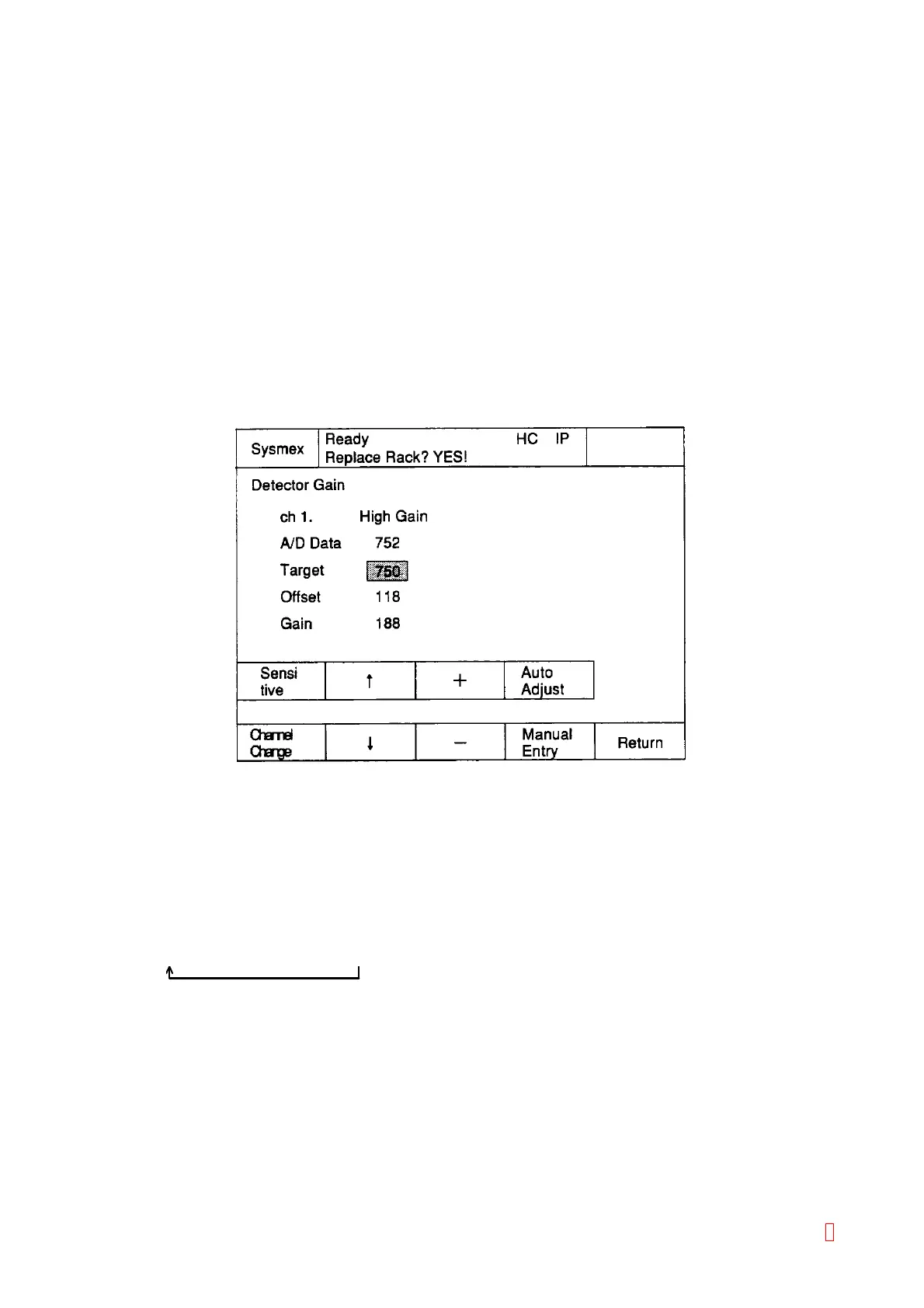
(4) The Detector Gain screen will be displayed.
Figure 4-2-1: Detector Gain Screen
1) To change or adjust a value (Target, Offset, Gain), select the value by using [n] and [p] keys.
The selected value is displayed in the reverse video, and inputting by pressing [+] and [–] keys or
inputting numerals in the [Manual Entry] screen is available.
2) Select a channel among CH1 (Detector Well 1) Æ CH2 (Detector Well 2) Æ CH3 (Detector Well 3) Æ
CH4 (Detector Well 4) Æ CH5 (Detector Well 5) Æ CH6 (Detector Well 6) in the order by pressing
[Channel Change] key.
3) Press [Sensitive] key to alternate the sensitivity of the selected channel in the order of
High Gain Æ Low Gain Æ PT Gain.
4) Start the automatic adjustment for the offset/gain value by pressing [Auto Adjust] key.
8



 To Next Page