CA-500 Series S/M 4-29 Revised December 2001
(c) Z direction: Use [Catcher DOWN] key to confirm the position where the reaction tube hit the
bottom of the immunoassay well. (Touch around the immunoassay well to confirm
the vibration of the hit, or touch the reaction tube to verify that there is no more
play.) Press [Catcher UP] key for 2 times.
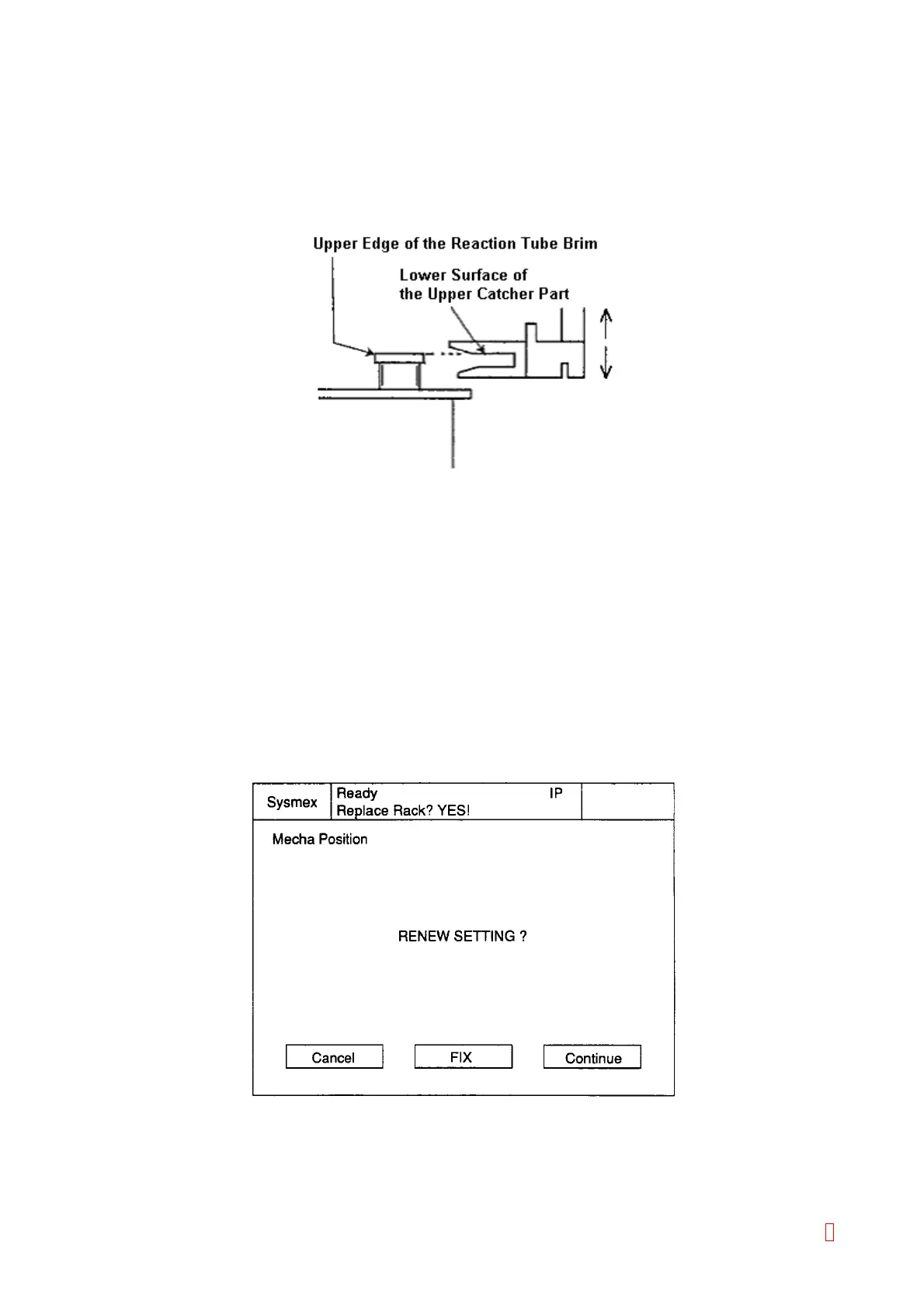
The Z position can be also adjusted by using [Tube Catch] key and [Tube Free]
key and aligning the upper edge of the reaction tube brim with the lower surface of
the upper catcher part.
Figure 4-3-19: Z Direction Adjustment
7) Press [Tube Free] and [Tube Catch] keys to verify that the reaction tube to be caught and released
smoothly.
8) When the adjustment is completed, catch the reaction tube and return the catcher to the Z home
position by using [Z ORG] key. Move X axis 5 pulses towards to the left by pressing [Å] key (for 5
times). This is the X adjustment value.
9) When completed, press [XY ORG] key to return the catcher to the home position.
4.3.14 Output Setting Values
(1) Press [Return] or [Quit] key on the right bottom of the screen to display the confirmation screen as follows:
Figure 4-3-27: Confirmation Screen
(2) Press [FIX] key to update the setting value and then output.
8



 To Next Page