CA-500 Series S/M 4-20 Revised December 2001
(2) Z Adjustment
1) Select [Special Operate] Æ [Rinse & Prepare] from the Main Menu and supply rinse reagent into the
probe rinse cup (outside).
2) Move the pipette to the adjustment position by using [XY TEST] key.
3) Press [Z ADJUST] key to descent the pipette.
4) The pipette detects the liquid surface of the probe rinse cup and stops. The following screen will
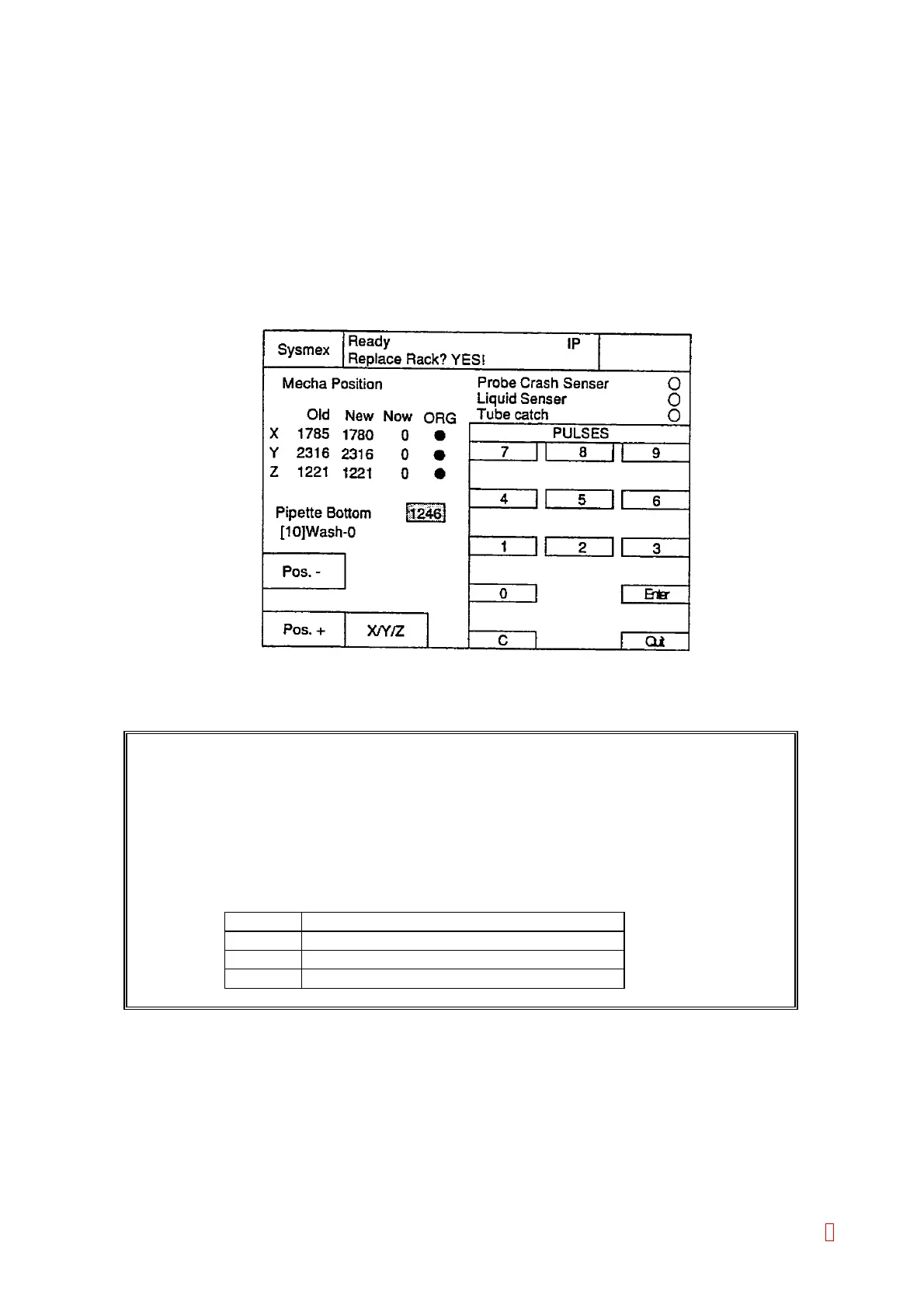
appear by pressing [Enter Pulses] key. Press [X/Y/Z] key twice to move cursor to “Z”. Enter 25 added
pulses to present Z pulses and press [Enter] and then [Quit] key. The value will be stored in the
memory when “Mecha Position” adjustment is completed.
Figure 4-3-14: Enter Pulses Screen
“[9]wash_i” Adjustment
CAUTION:
“[9]wash_i” Adjustment:
In Basic Position Adjustment mode, the value of the probe rinse cup (inside) is
calculated automatically from the setting value of the probe rinse cup (outside). It
will be stored in the memory when “Mecha Position” adjustment is completed.
In Fine Adjustment mode, set the value of the probe rinse cup (inside) by
selecting [Enter Pulses] key.
Probe Rinse Cup (Inside) Value
[9]wash-i setting value
X value Same as Probe Rinse Cup (Outside)Value
Y value Probe Rinse Cup (Outside)Value + 200
Z value Same as Probe Rinse Cup (Outside)Value
8



 To Next Page