Quadra 4 Operator Manual
Tomtec
31
In the Options → User Preference dialog, set the “Mirror Rack Checking” value to
“enabled”.
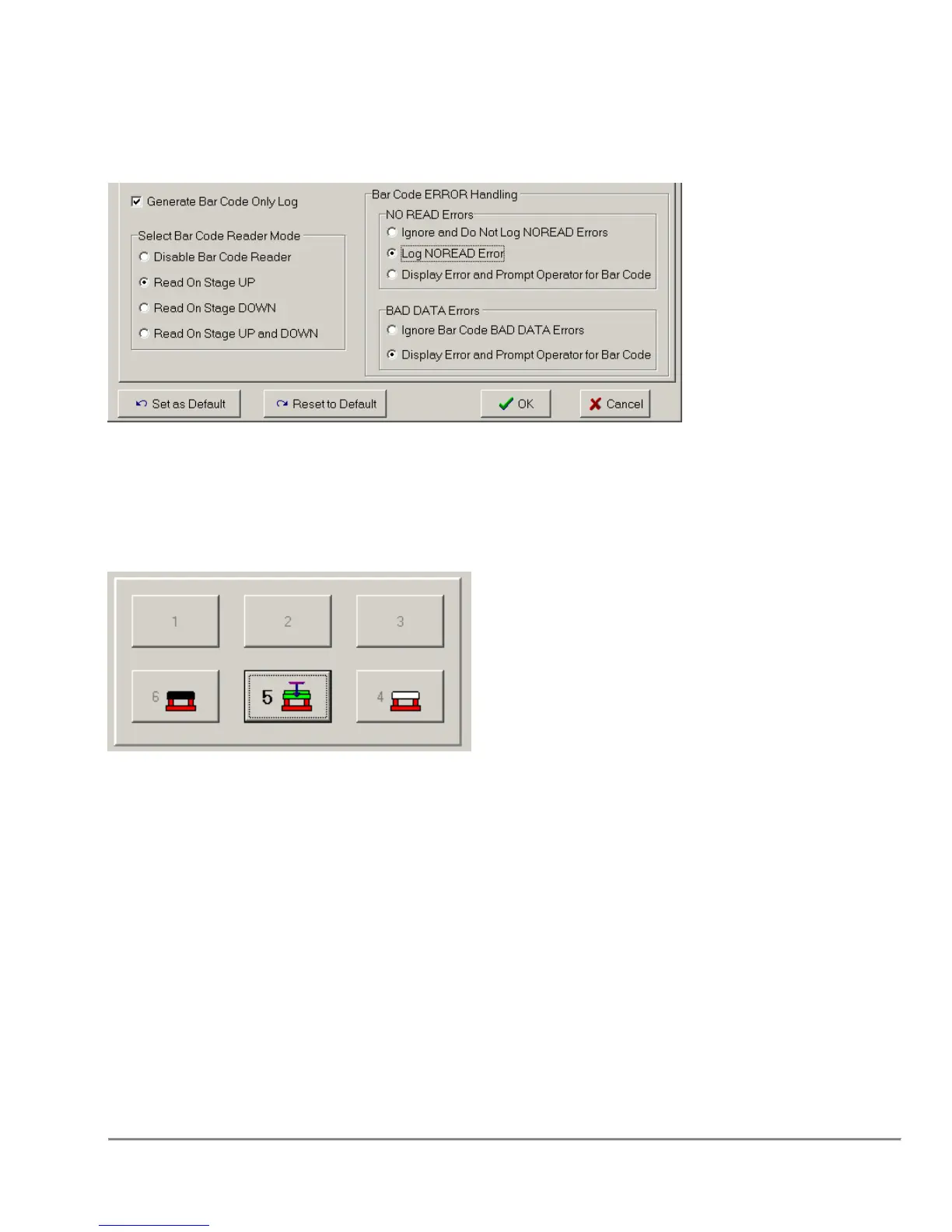
In the File → Log Settings dialog, ensure that the following settings are being used:
and use the “Set as Default” button to save these settings.
The shuttle positions of the Black and White mirror racks should be specified (see
below), so the Quadra code knows where to look for each of these racks.
Running a PSID2 protocol
Running a protocol with Mirror Rack Checking enabled is done the same way as
running any protocol on the Quadra 4. However, during the run, the Quadra software
will scan the barcode of the incoming rack and look to find the corresponding PSID2 file
in the above directory. The software will then check the barcode of the other mirror rack,
and the destination plate to ensure that they match the expected barcodes and that they
are oriented correctly on the Quadra shuttle. If no barcodes are read, or if an
unexpected barcode is encountered an error message will be displayed, and the user
will be asked to fix the problem and retry.
The Mirror Rack Checking code is looking for a single Aspirate from the White Mirror
Rack, a single Aspirate from the Black Mirror Rack (not necessarily in that order), and
one or more dispenses into the Destination plate. Once all of these requirements are



 To Next Page