Quadra 4 Operator Manual
Tomtec
64
Remarks
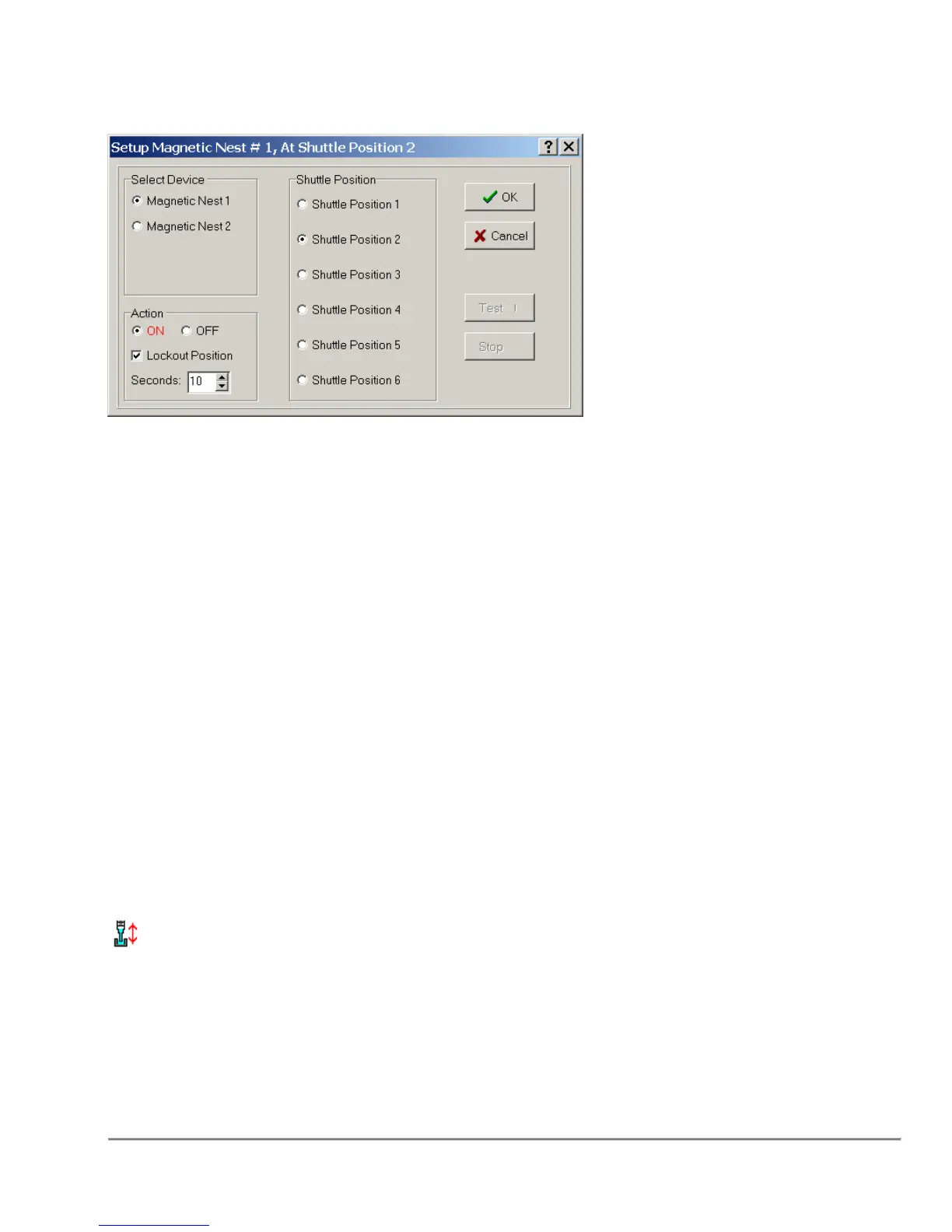
Select Device
The Magnetic Nest can be connected to the Quadra in one of two places: Magnetic
Nest 1 is connected to the air terminal on the left side of the machine, while Magnetic
Nest 2 is connected to the right side of the machine.
Action
Turns the units On and Off.
Toggle Action
When selected, the value will appear in red to give quick visual identification of what this
function is to perform.
Lockout Position
Locks the position from use for the given amount of time, specified in seconds.
For more information, see "Lockout Shuttle Position."
Seconds
Number of seconds to lockout the shuttle position.
Shuttle Position
Click the appropriate radio button to select the shuttle position holding the Magnetic
Nest.
3.15 Mix Sample
Alternating aspirate and dispense steps to achieve a uniform suspension or
thorough mixing of chemicals, reagents, and/or buffers.
Conditions
To Mix, you will need to select a shuttle position that contains a plate or reservoir
capable fixture.



 To Next Page