Quadra 4 Operator Manual
Tomtec
94
4.0 Database Editor
Getting Started with DBEditor
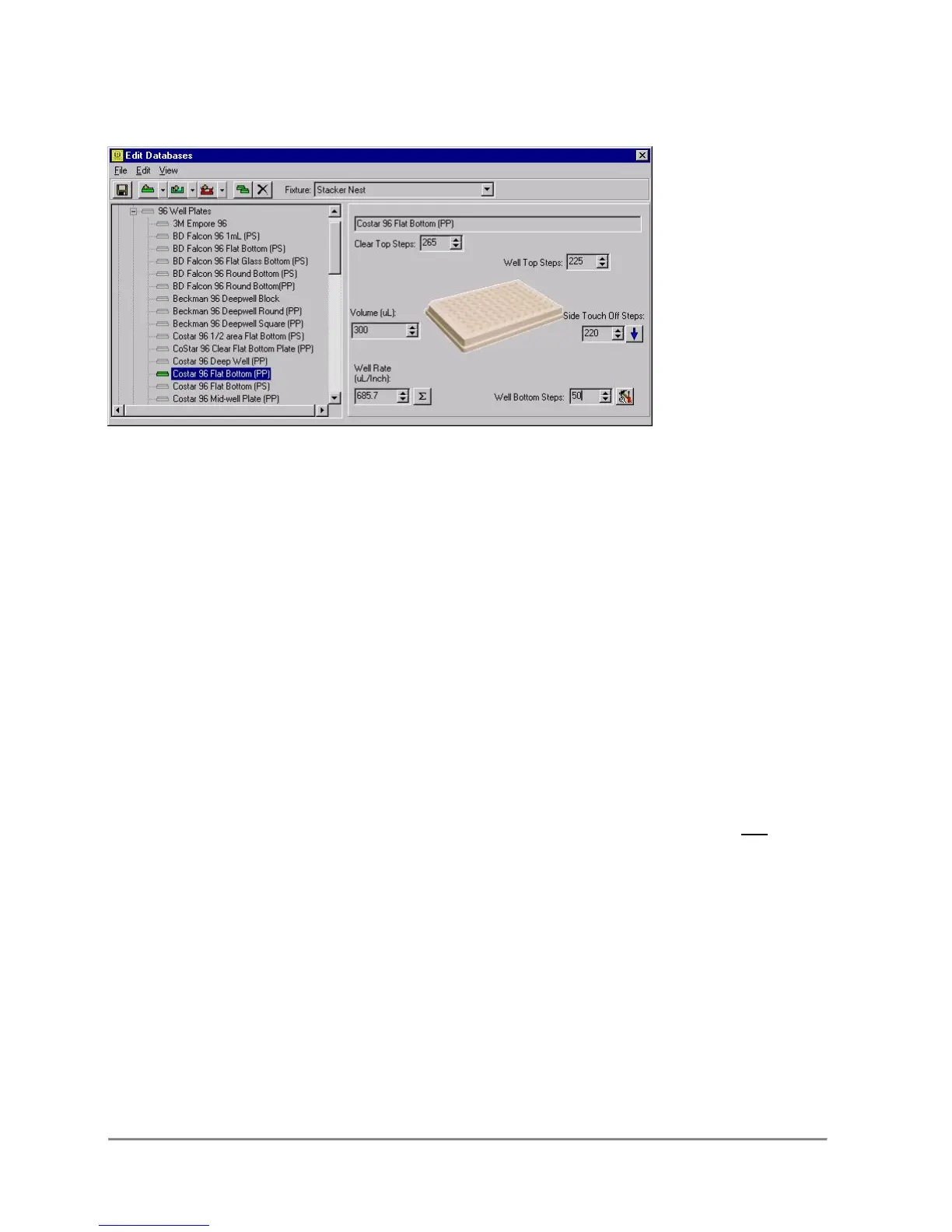
The Database Editor allows you to manipulate the values for specific plates and
fixtures easily and reliably. You can start the Database Editor by select the
Database Menu > Edit Plate, Reservoir, and Fixture Database.
The left side of this form displays a tree for Plates, Reservoirs, and Fixtures. Under
each primary branch, there is the first level of categories for each item. Plates are
separated by the number of wells, and Fixtures are separated by their basic
functionality.
When pipetting liquids, an important parameter is the location of the pipettor tip within
the well. This is accomplished with the use of the plate and reservoir database on all of
Tomtec’s Quadra’s.
When aspirating liquid, the tips should be near the bottom of the well, but not pinned.
When dispensing liquid, there are two basic choices. If it is desired to mix the
dispensed liquid with the contents of the well, then the dispense should be made at the
bottom of the well. Again, near the physical bottom, but not pinned. If a non contact
dispense is to be made, then the tips must be at the top of the well, but within the
confines of the top rim.
Tomtec’s Quadra design allows another important pipetting feature. It provides the
ability to blow low air pressure through the tip orifices. This is referred to as the “Timed
Dispense Function”. The low air pressure setting is controlled by a precision pressure
regulator. Normally, it is set from 0.5psi to 1.0psi. This surge of positive air pressure is
used to clear the residual that is retained within the tip orifice, due to capillary action. It
is of significant importance for pipetting accuracy at small volumes.



 To Next Page