Quadra 4 Operator Manual
Tomtec
92
The following are a couple of examples that may help you understand this concept
more:
Assuming you have a 96 Well Plate, and one tip inserted into well E6...
1. If you want to pipette from Well E7, you would set your column offset to +1.
2. If you want to pipette from Well E5, you would set your column offset to -1.
3. If you want to pipette from Well D6, you would set your row offset to -1.
4. If you want to pipette from Well F6, you would set your row offset to +1.
5. If you want to pipette from Well F7, you would set your row offset to +1, and your
column offset to +1.
6. If you want to pipette from Well D5, you would set your row offset to -1, and your
column offset to -1.
When using higher density plates with a lower density tip head, such as a 384 well plate
and a 96 tip head , Quadrant Formatter and Row\Column Offsets must be used in
conjunction with each other to reach the desired well.
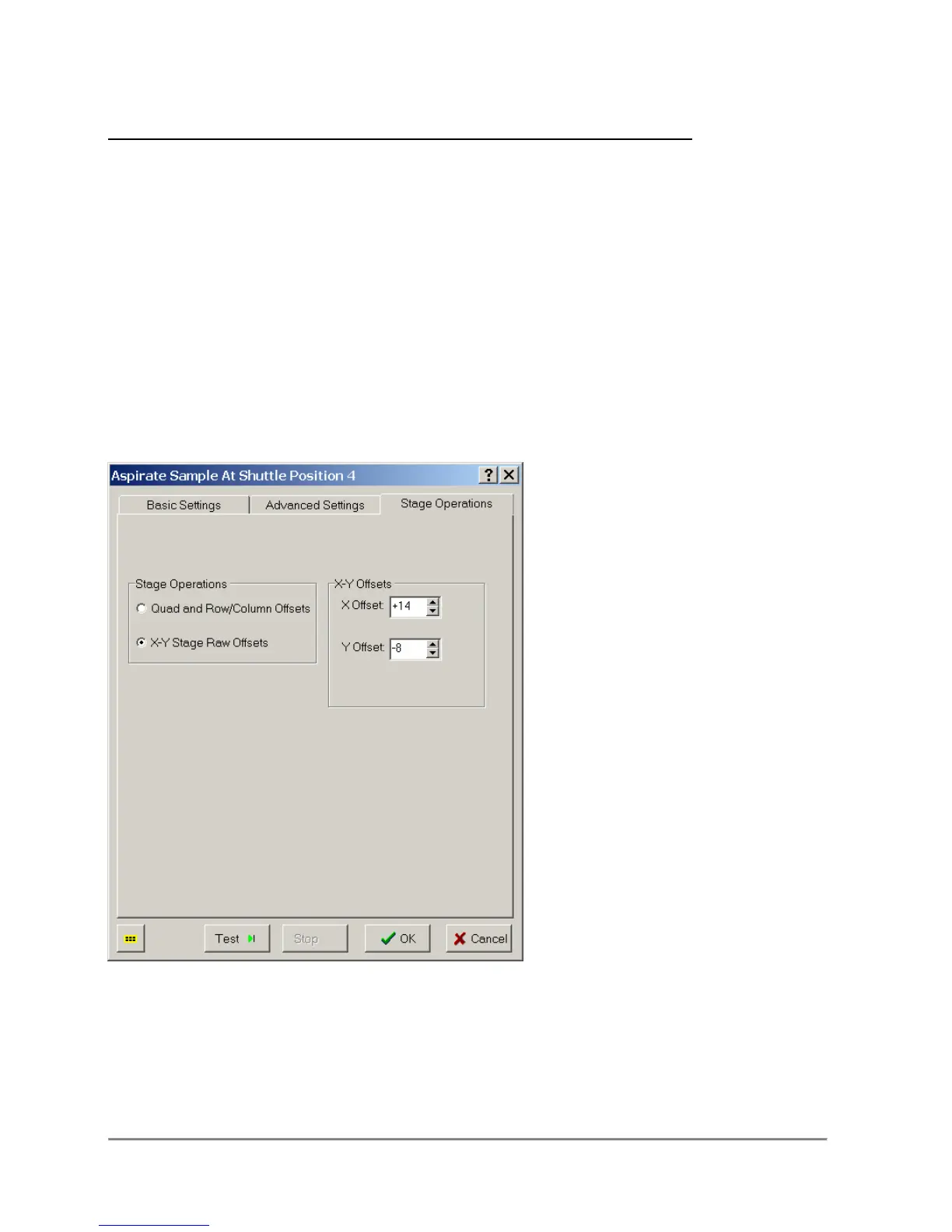
X-Y Stage Raw Offsets
Using the Raw setting allows the user to manually enter the number (of steps) that the
stage has to move in either direction in order to get at the well you need to. Values
represent tip movement in a Cartesian plane (although the stage actually moves.) In a
standard 96-Well plate, there are 577 steps between each well, and in a standard 384-
Well plate, there are 288 steps between each well. Here are some more examples:



 To Next Page