Setup and Survey
Topcon HiPer+ Operator’s Manual
3-14
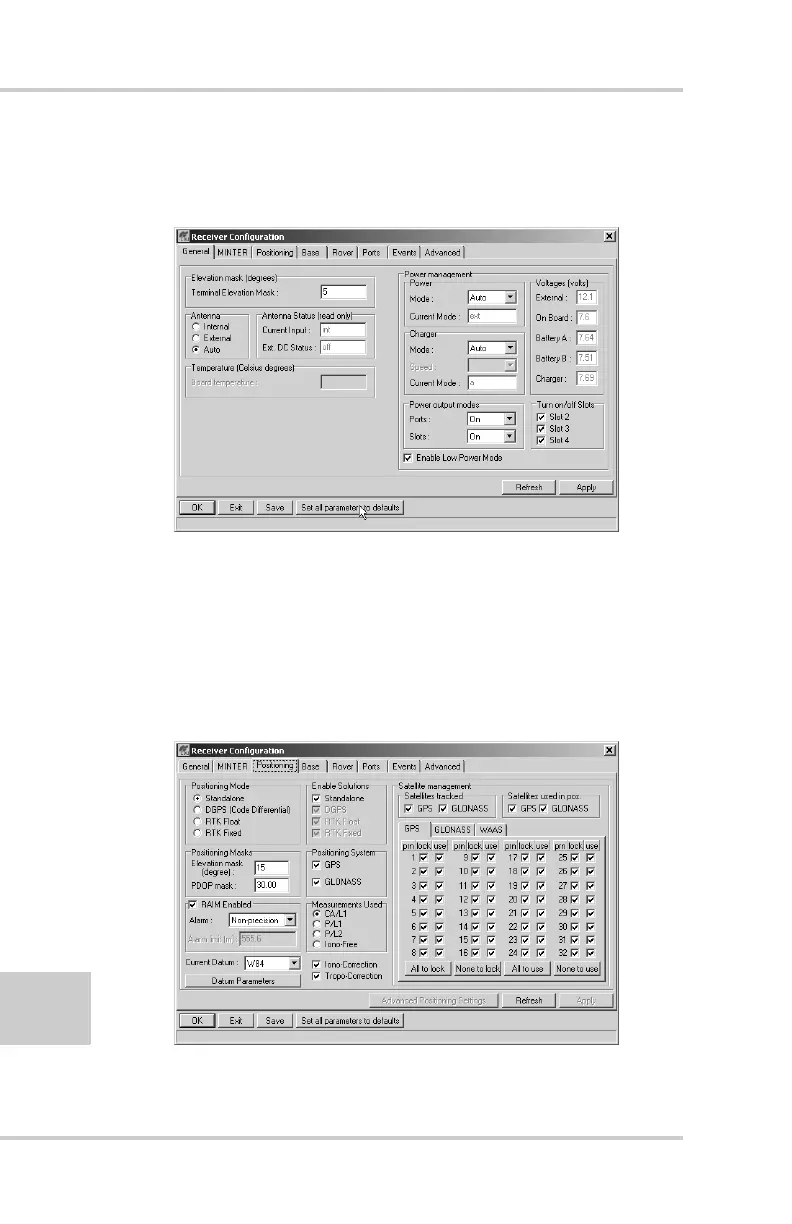
8. Click the Set all parameters to defaults button
located at the bottom of the Receiver Configuration
screen (Figure 3-7).
Figure 3-7. Set All Parameters to Defaults
9. On the Receiver Configuration screen, select the
MINTER tab. Specify desired settings. Refer to the
PC-CDU User’s Manual for more information.
10. Select the Positioning tab and set the Position
Masks, Elevation mask parameter to 15
(Figure 3-8).
Figure 3-8. Receiver Configuration – Positioning



 To Next Page