Setup and Survey
Topcon HiPer+ Operator’s Manual
3-16
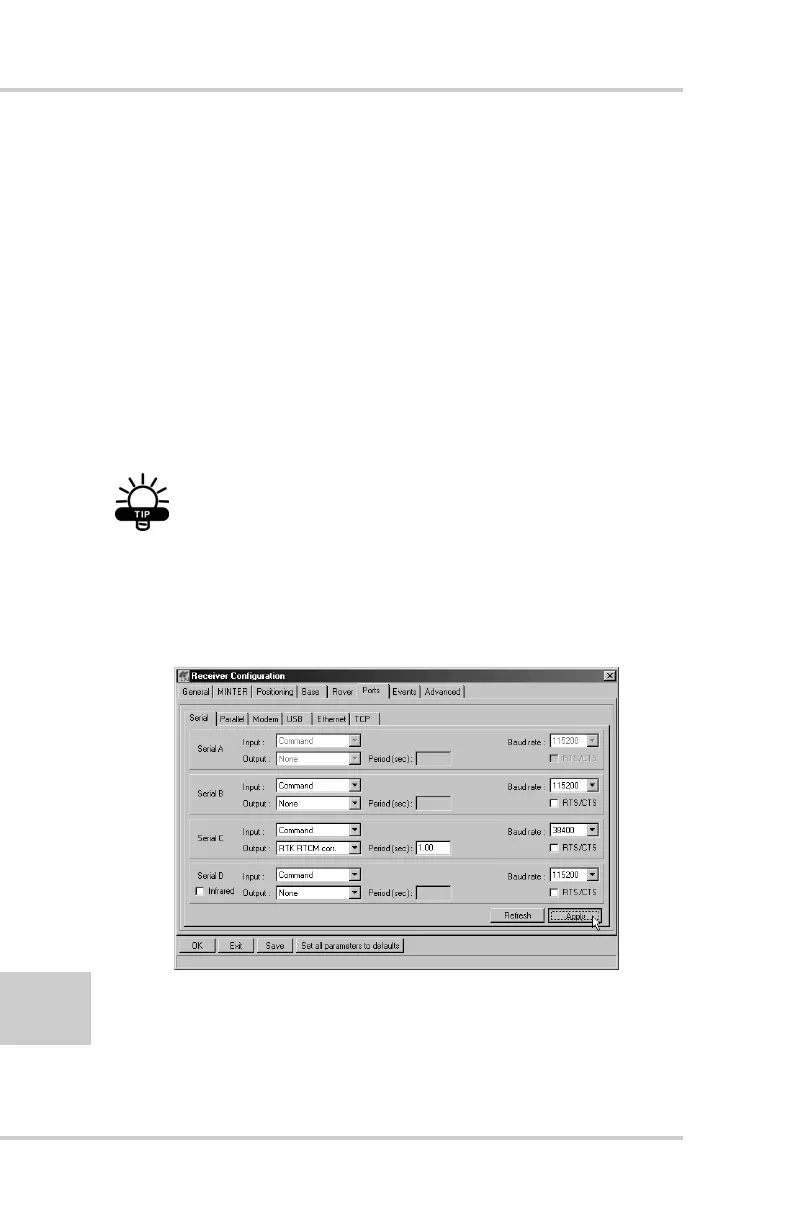
12. Select the Ports tab and set the following port
parameters (Figure 3-10). Use serial port C for an
internal PDL, GSM, or Spread Spectrum 915 MHz/
2.4 GHz modem.
• Output drop-down list – select type and format of
differential corrections.
• Period (sec) – enter interval at which receiver will
generate differential corrections.
• Baud rate drop-down list – select a baud rate (i.e., the
rate at which differential messages will be
transmitted from receiver to modem).
TIP
For Pacific Crest PDL (UHF) modems, use a
38400 baud rate. For Spread Spectrum 915
MHz/2.4 GHz modems, use a 19200 baud rate.
Figure 3-10. Base Configuration – Ports
13. Click Apply. The receiver begins sending data to the
selected port.



 To Next Page