Surveying with the HiPer+
1-866-4TOPCON www.topconpositioning.com
3-9
Kinematic Survey
You can use the kinematic survey method for either a Stop
and go survey or a Kinematic continuous (trajectory) survey.
Stop and Go Survey
The stationary receiver (Base station) is set up at a
known point such as a survey monument, or an unknown
point. The receiver continually tracks satellites and logs
raw data into its memory. The rover receiver is set up at
an unknown point and collects data in static mode for 2
to 10 minutes.
1. Using PC-CDU, configure and set up the Base as
described in “Static Survey” on page 3-5.
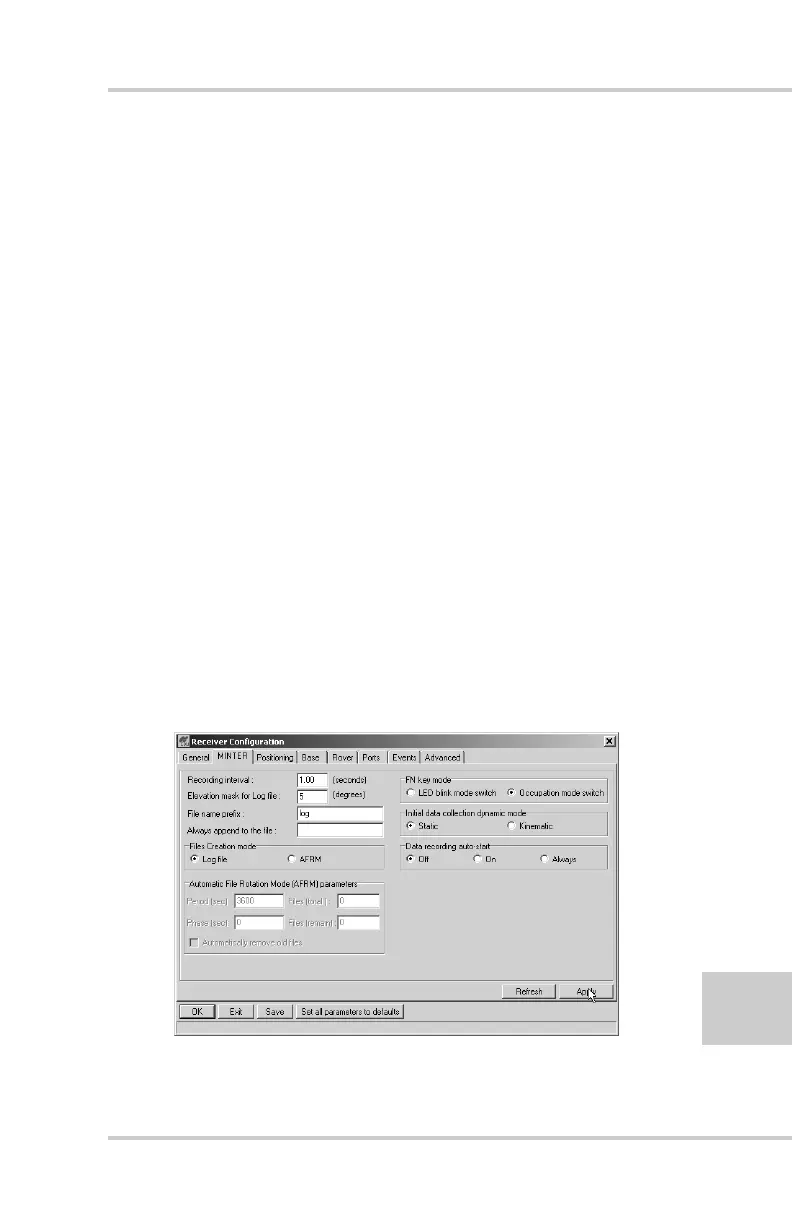
2. Click Configuration->Receiver->MINTER, and
configure the Rover with the following parameters,
then click Apply (Figure 3-5):
• FN Key Mode, Occupation Mode Switch – enable
• Initial data collection dynamic mode, Static – enable
See to Table 4-1 on page 4-4 for FN key functions
and REC LED statuses.
Figure 3-5. Rover MINTER Configuration



 To Next Page