HiPer+ Configuration
1-866-4TOPCON www.topconpositioning.com
2-11
NOTICE
Click Apply after making any configuration
change, otherwise your receiver will not accept
the change.
1. Connect your receiver and computer. See “Connecting the
HiPer+ and a Computer” on page 2-5 for this procedure.
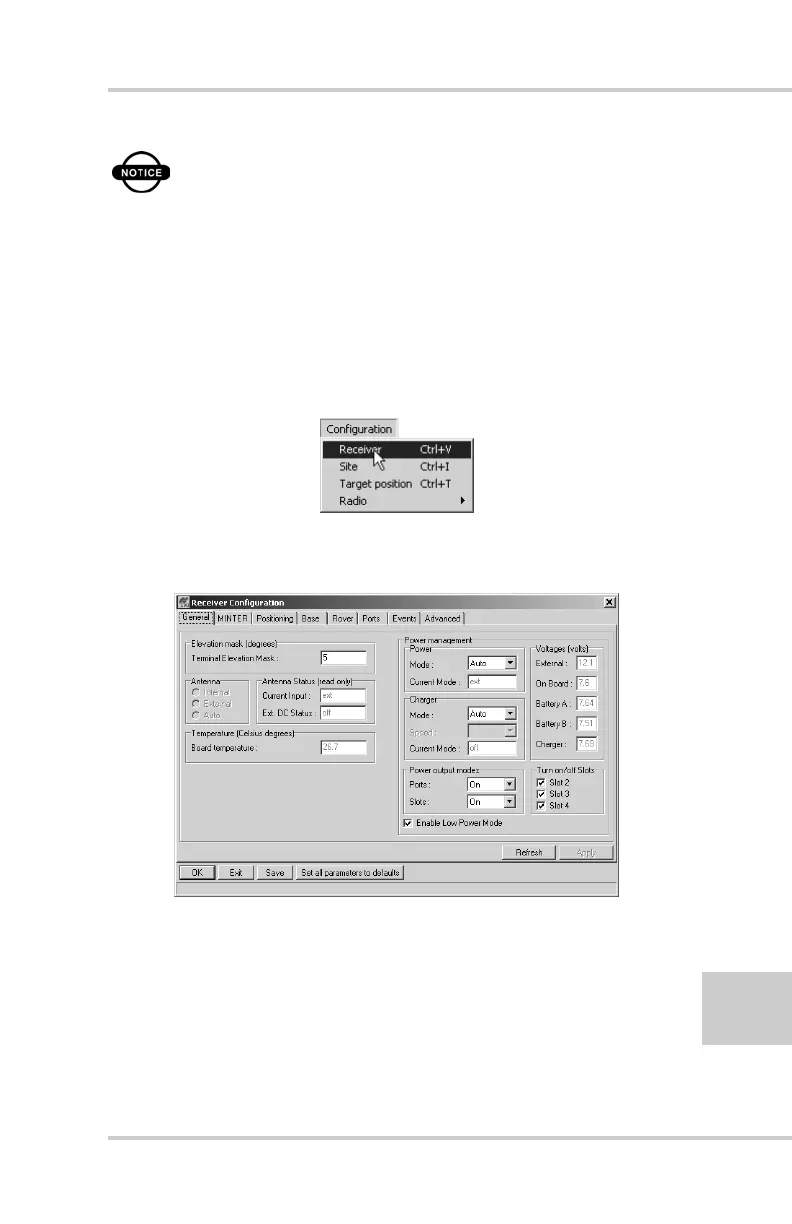
2. Once connected, click on Configuration->Receiver
(Figure 2-6).
Figure 2-6. Configuration->Receiver
The Receiver Configuration dialog box displays (Figure 2-7).
Figure 2-7. Receiver Configuration
3. Click the MINTER tab, configure the following settings, and
click Apply (Figure 2-8 on page 2-12).
• Set the Recording interval in seconds.
• Set the Elevation mask for Log file in degrees.



 To Next Page