Chapter 4
1-866-4TOPCON www.topconpositioning.com
4-1
Operation
This chapter describes standard HiPer+ operating procedures:
•Using the MINTER
• Downloading HiPer+ files to a computer
• Deleting files from the HiPer+
• Checking and loading OAFs
• Managing HiPer+ memory
• Clearing the NVRAM
• Changing receiver modes
• Checking and loading firmware
Using the MINTER
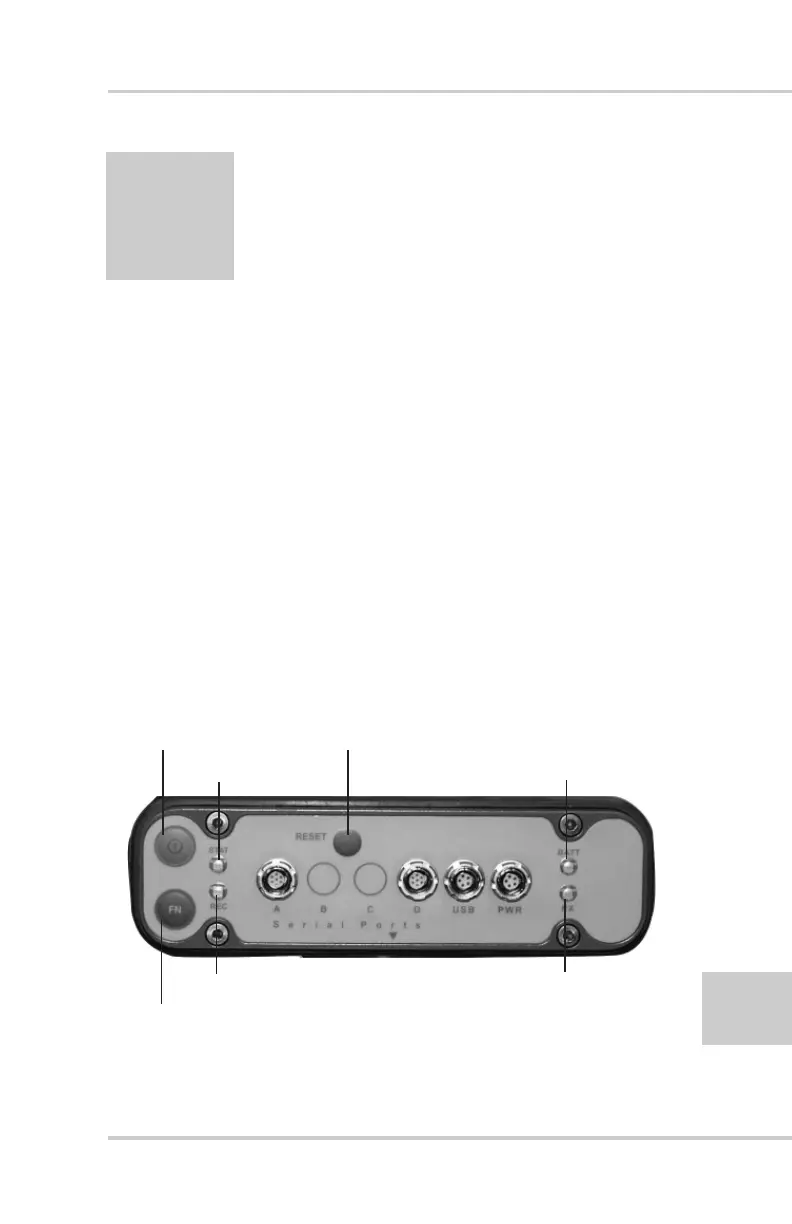
The MINTER (Figure 4-1) is Topcon’s Minimum INTERface
used to display and control data input and output.
Figure 4-1. MINTER
Power key
FN key (function/recording)
REC (recording LED)
STAT (status LED)
BATT (battery LED)
RX (modem LED)
Reset Key



 To Next Page