Configuration
Topcon HiPer+ Operator’s Manual
2-42
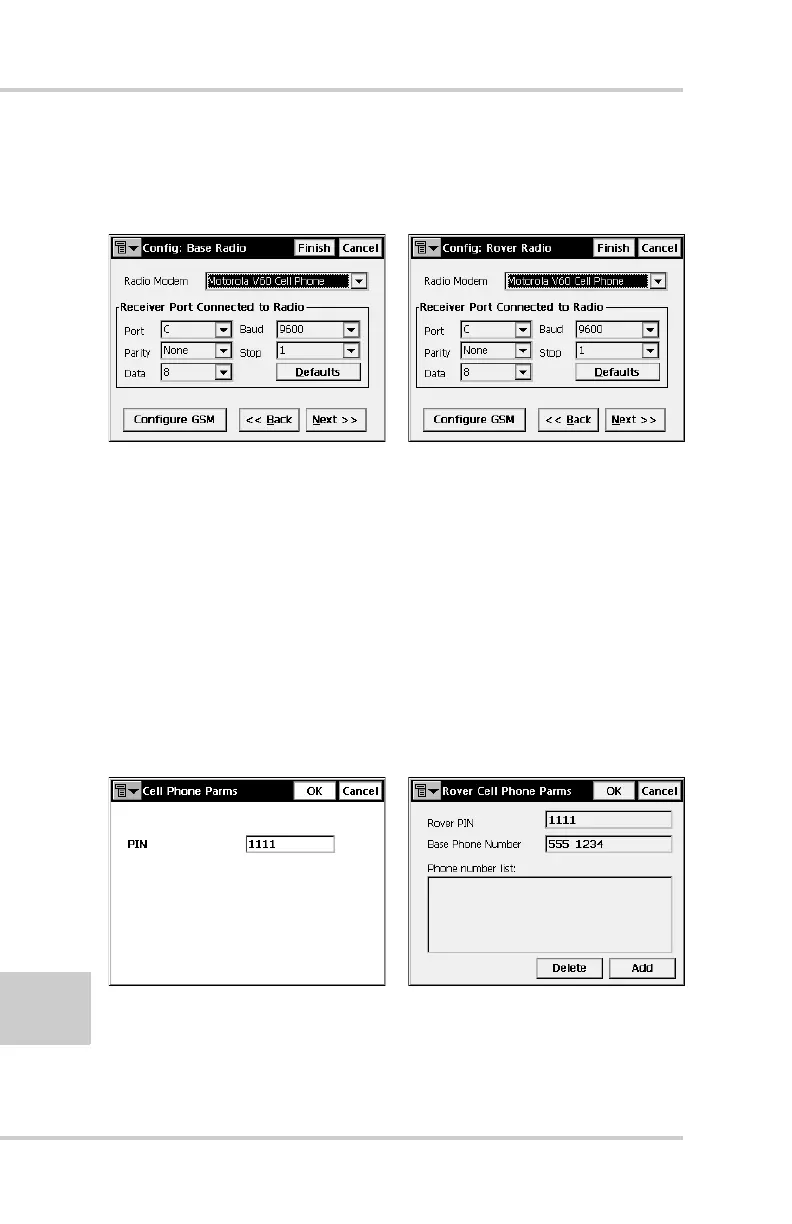
6. On the radio configuration dialog box, select either
appropriate GSM radio modem and set the following
parameters (Figure 2-38):
Figure 2-38. Base or Rover Radio Configuration
• Port – C for internal radio modems or D for external
radio modems
• Parity – None
•Data – 8
• Baud – 9600
• Stop – 1
7. Press Configure GSM to display the appropriate Cell
Phone parameters dialog box, and enter the following
parameters for either the Base or Rover (Figure 2-39).
Figure 2-39. Set Base or Rover Cell Phone Parameters
• For the Base radio – If your GSM modem does not
require a PIN, leave this field blank.



 To Next Page