Operation
Topcon HiPer+ Operator’s Manual
4-14
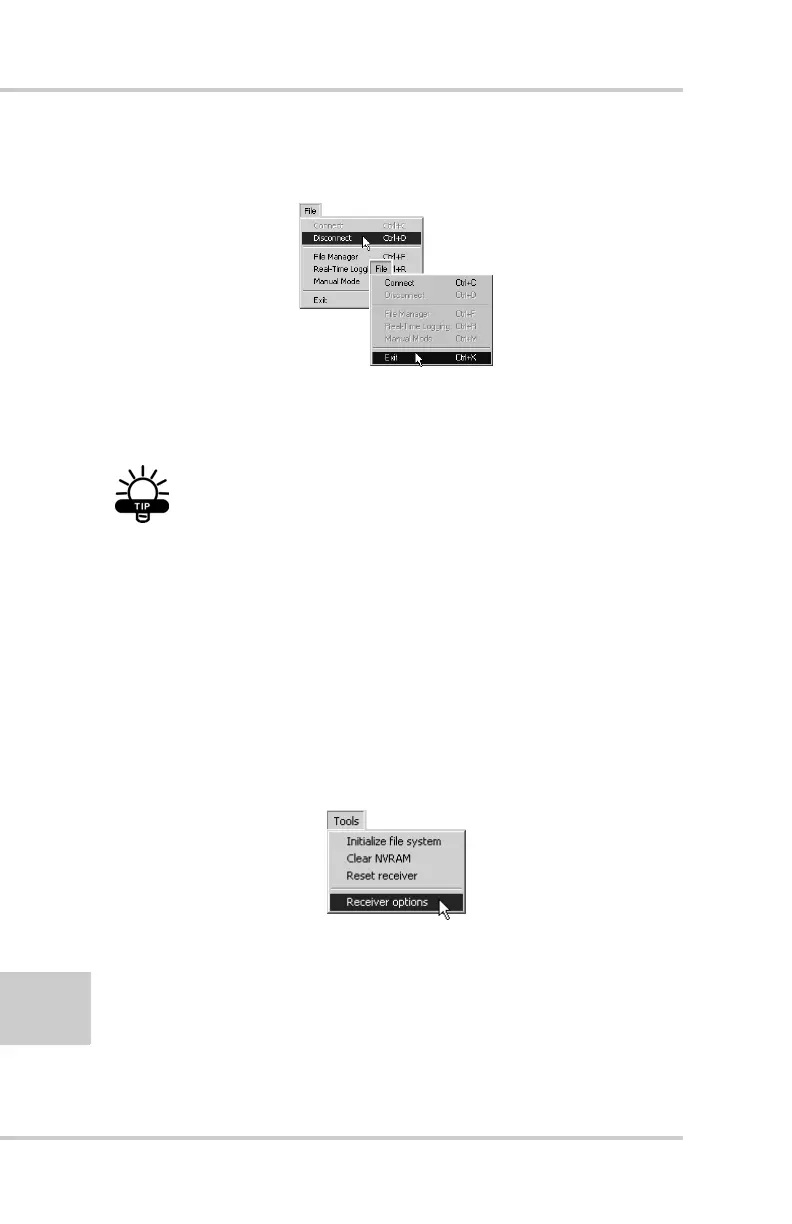
Click File->Disconnect, then File->Exit to quit
PC-CDU (Figure 4-11).
Figure 4-11. Click Disconnect then Exit
Checking an OAF
TIP
For a complete list of options and their details,
visit the Topcon website.
You can check the status of your receiver’s options, and load any
new OAF, using the RS232 cable, a computer, and PC-CDU.
Refer to the PC-CDU User’s Manual for a more complete
description of the PC-CDU software.
1. Connect your receiver and computer. See “Connecting the
HiPer+ and a Computer” on page 2-5 for this procedure.
2. Click Tools->Receiver Options (Figure 4-12).
Figure 4-12. Tools->Receiver Options



 To Next Page