Configuration
Topcon HiPer+ Operator’s Manual
2-44
Each time you run BTCONF and configure the Bluetooth
module, BTCONF saves your settings in a file (btconf.ini).
BTCONF automatically updates the file each time you make
changes to the Bluetooth module’s settings.
TIP
To maintain unique Bluetooth module settings
for different purposes, keep copies of BTCONF
in separate folders.
To uninstall, or remove, BTCONF, delete any applicable
BTCONF directories or folders, and any BTCONF shortcuts.
Once you have BTCONF available, follow these steps to
configure the Bluetooth module.
1. Using the RS232 cable, connect the serial port of your
computer (usually COM1) to the receiver’s serial port A.
2. Press the power buttons on the receiver and computer to turn
them on.
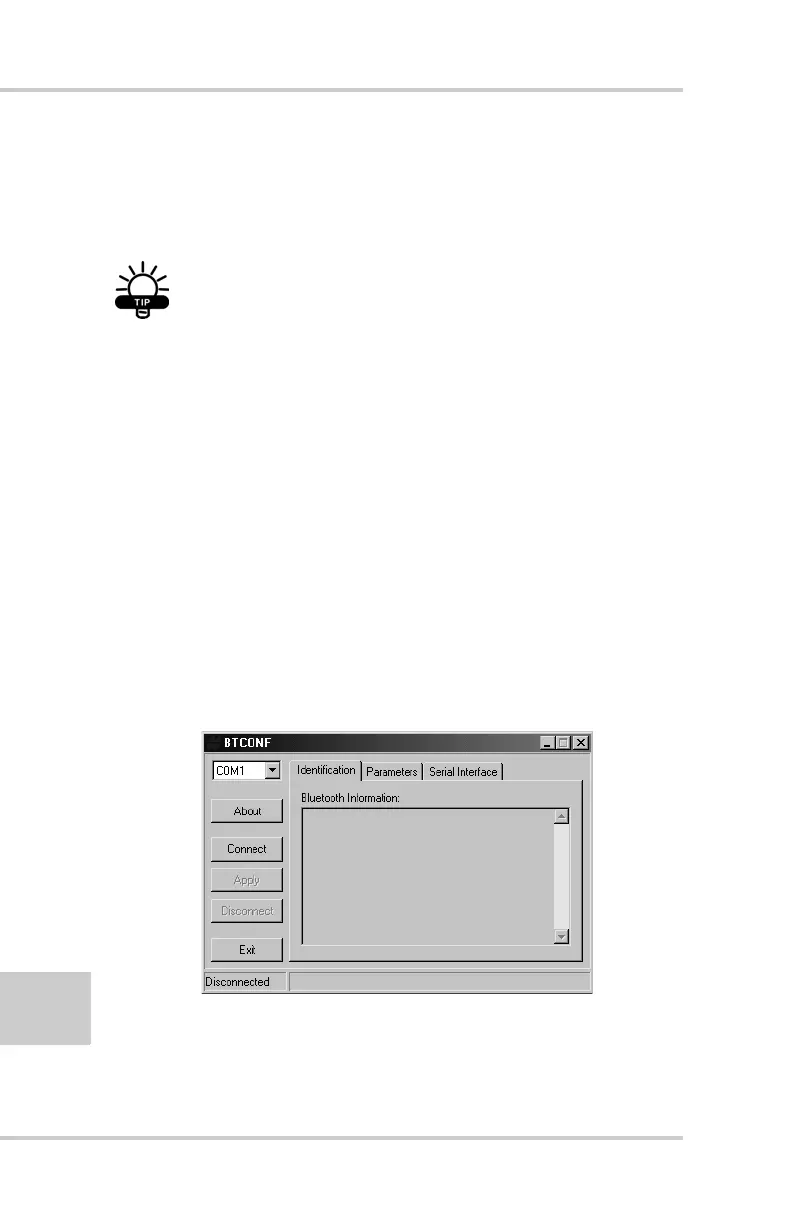
3. Run the Bluetooth module configuration program
(Btconf.exe) (Figure 2-40).
Figure 2-40. Bluetooth Module Configuration Main Screen



 To Next Page